Chapter 4: Using the web interface
98-129217-D Setting up the interfaces 79
Setting up static routing
When you have an external gateway connected to your terminal, the terminal is not
automatically able to “see” the network on the other side of the gateway. However, you can set
up your terminal to communicate with a device on the other side of a gateway, by using Static
routing.
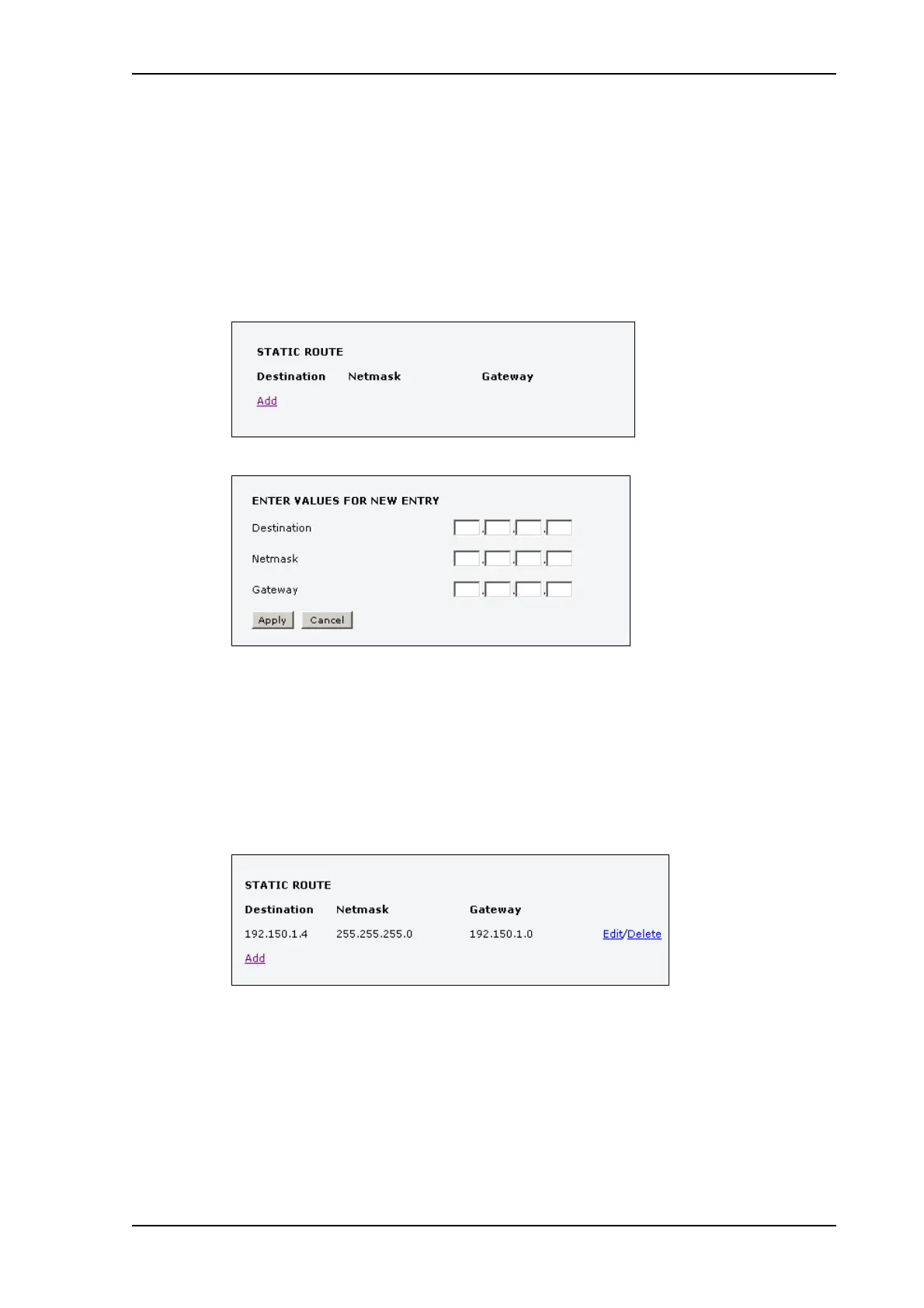
To set up a new device for static routing, do as follows:
1. Select SETTINGS > LAN > Static route.
2. Click Add.
3. Enter the values for your device.
• Destination: The IP address you want to route to.
• Netmask: The netmask you want to route to.
• Gateway: The gateway, e.g. the address of a wireless access point or router to which the
destination device is connected.
4. Click Apply.
The values for the new entry are now in the list. This means that the terminal can
communicate with the destination IP address on the other side of the gateway.











 To Next Page