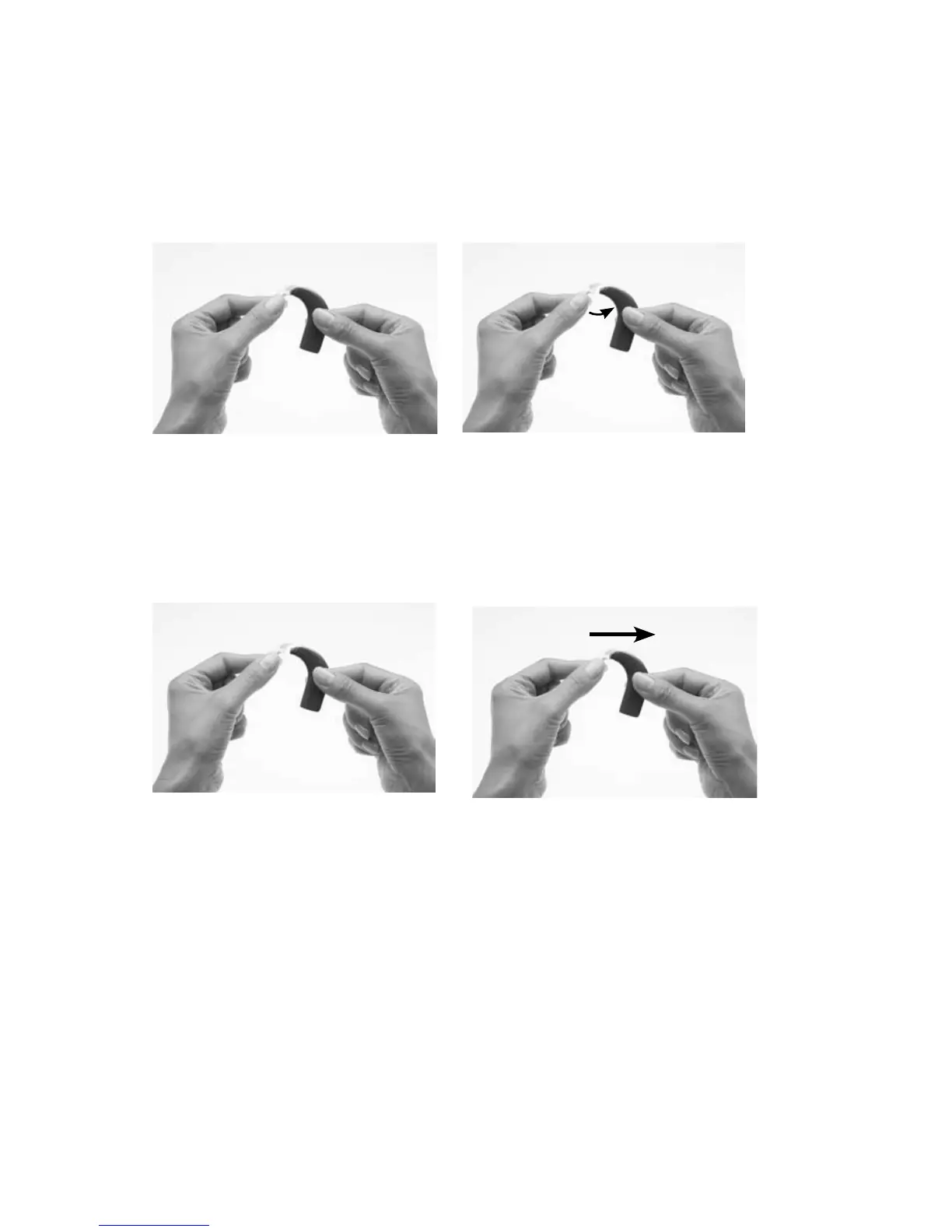
Changing the earhook
Earhooks are available in different sizes. If your earhook becomes loose,
you should replace it.
To change the earhook:
Hold your processor and 1.
the earhook as shown.
Remove the earhook by 2.
pushing the lower end of
the earhook towards the
processing unit until the
earhook is removed.
•
Hold the new earhook 3.
in one hand and your
processor in the other hand
as shown.
Attach the earhook to the 4.
processing unit by pushing
it back into place.
Avoid twisting the earhook as it may become loose.



 To Next Page