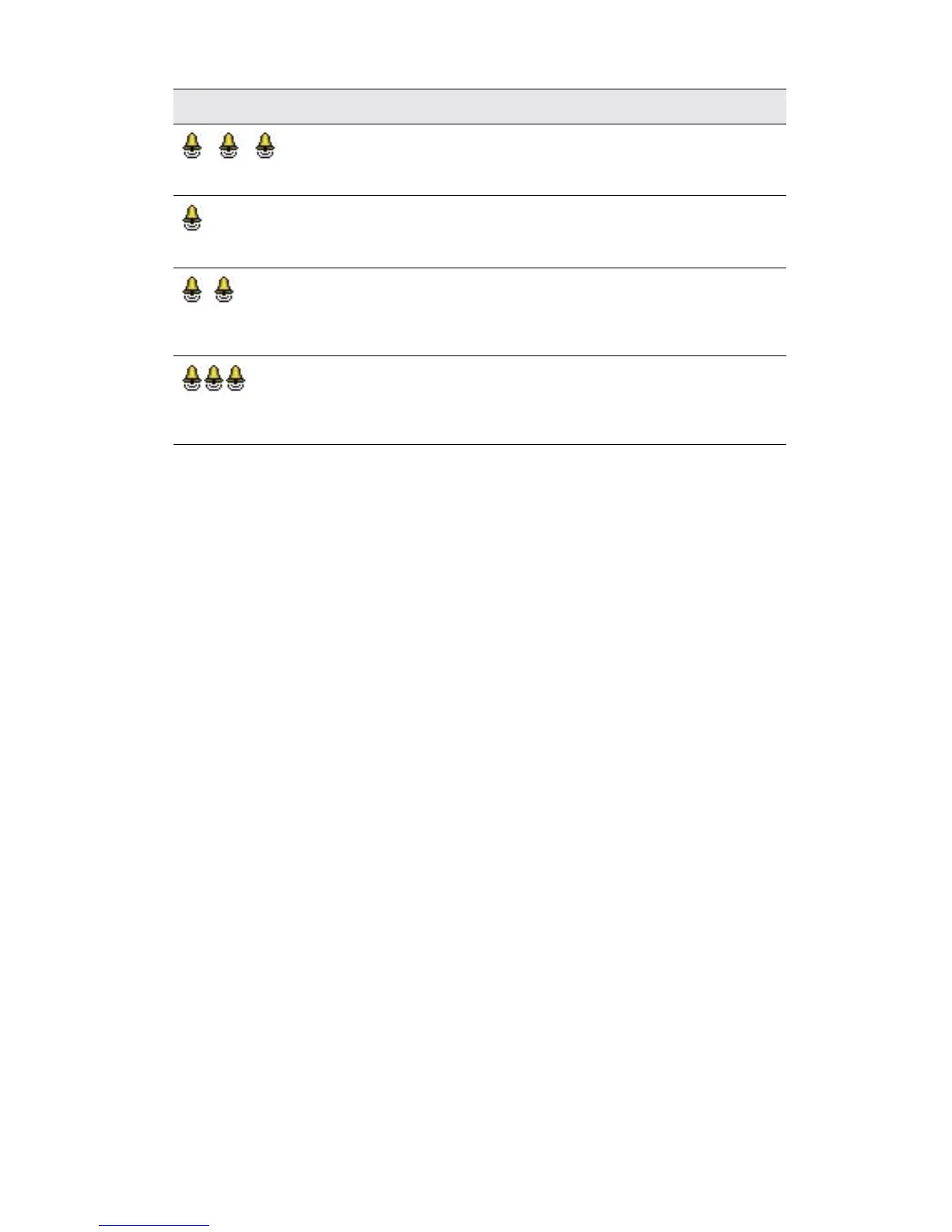
Tone What it means
.. .. You hear a
sequence of long low tones.
General fault.
You hear a short low tone
when you press a button.
Your processor buttons are locked.
You hear two short
low tones.
Your processor battery is low. You
need to replace the batteries, or
recharge the battery module.
You hear a sequence
of short low tones.
Your processor battery is empty.
You need to replace the batteries,
or recharge the battery module.
Using the telecoil
The telecoil is used to receive sound signals from a telephone, roomloop,
neckloop, etc. The telecoil can also receive sound signals from an
amplifier, TV or Hi-Fi through an induction loop.
To turn on the telecoil, press the upper button. A single long flash of
green confirms that the telecoil is activated.
To turn off the telecoil, press the upper button again. A single long flash
of green confirms that the telecoil is deactivated.
When an audio accessory is connected to your processor, you will not
receive any sound from the telecoil. To move back to using the telecoil,
remove the audio accessory from the processor.
Turn off the telecoil when not in use, as it reduces the microphone
volume.



 To Next Page