Replacing microphone protectors
Microphone protectors are designed to protect the microphones from
dirt and moisture.
A dirty or blocked microphone protector results in the gradual
deterioration of sound quality. Replace the microphone protectors if you
notice degradation in the sound quality, or if the protectors look dirty.
Replace both protectors at the same time.
Removing microphone protectors
The Cochlear
™
Nucleus
®
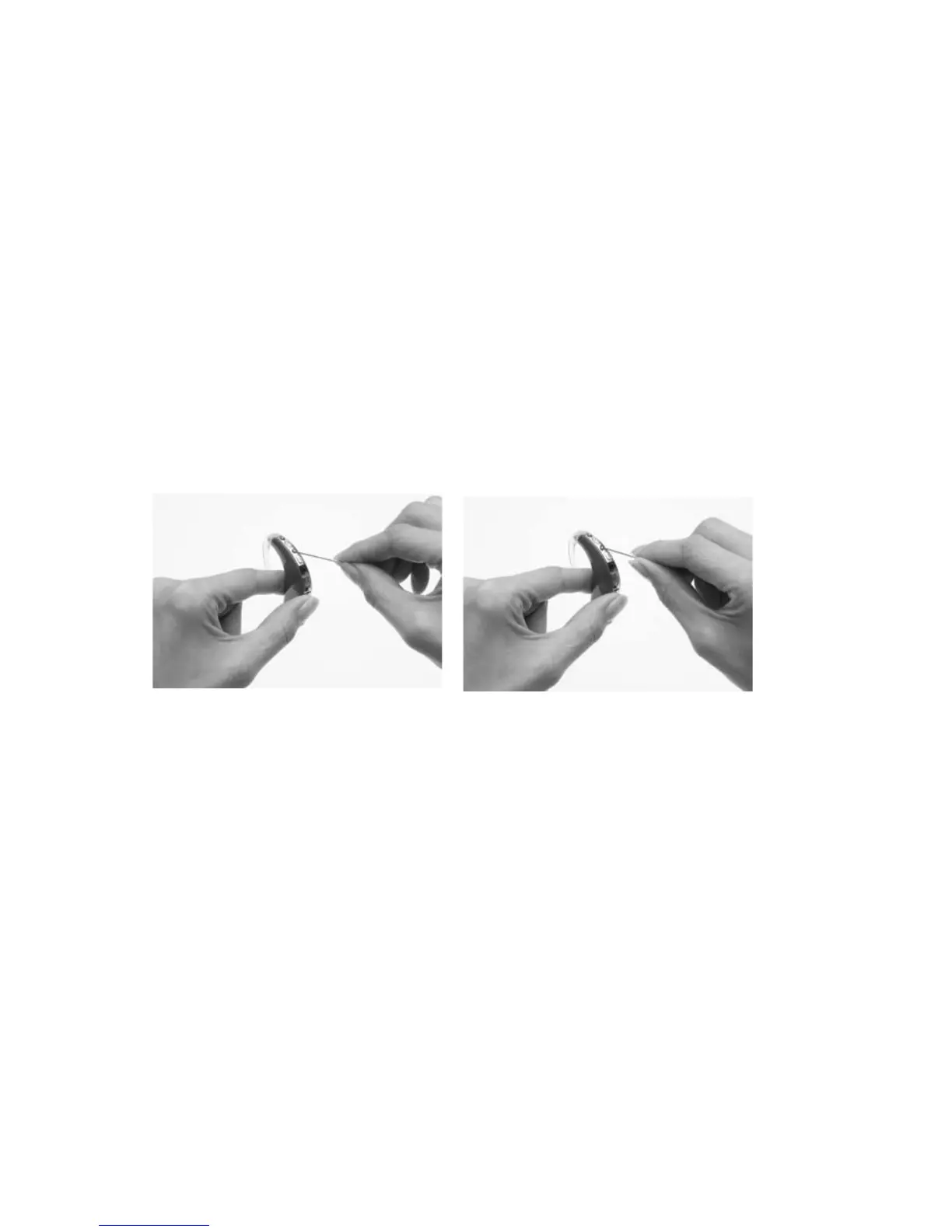
CP800 Series Microphone Protector Removal
Tool allows you to remove the microphone protectors from the
processing unit. You can also use a needle or pin (e.g. safety pin).
To remove the microphone protectors:
Hold the processor in one 1.
hand and the Microphone
Protector Removal Tool (or
needle or pin) in the other
hand.
Align the Microphone 2.
Protector Removal Tool
(or needle or pin) with the
recess on either side of
the microphone hole. Do
not insert the Microphone
Protector Removal Tool (or
needle or pin) directly into
the hole as it could damage
the microphone.
Gently lift the microphone 3.
protector out with the
Microphone Protector
Removal Tool (or needle or
pin).



 To Next Page