Attaching and detaching the LiteWear Cable
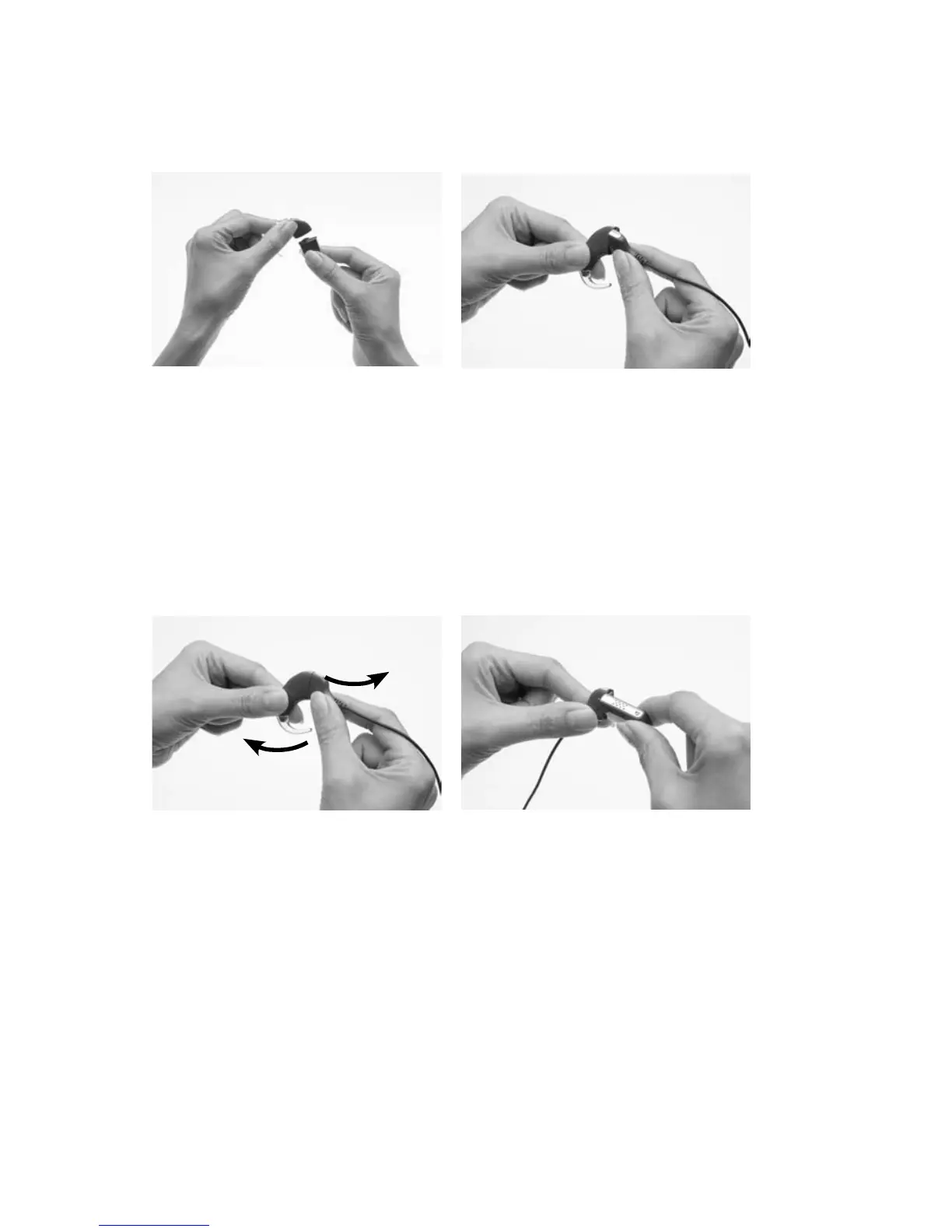
To attach the LiteWear Cable:
If the battery module is 1.
attached to the processing
unit, detach it from the
processing unit.
Hold the processing unit 2.
and the upper shoe of
the LiteWear cable (cable
end that connects to the
processing unit) so they
touch. The upper shoe
should face to the left and
the processing unit to the
right of the final position.
Gently twist the processing 3.
unit and the upper shoe
until the two parts fit.
Hold the battery module 4.
and the lower shoe of
the LiteWear cable (cable
end that connects to the
battery module) so they
touch. The lower shoe
should face to the right and
the battery module to the
left of the final position.



 To Next Page