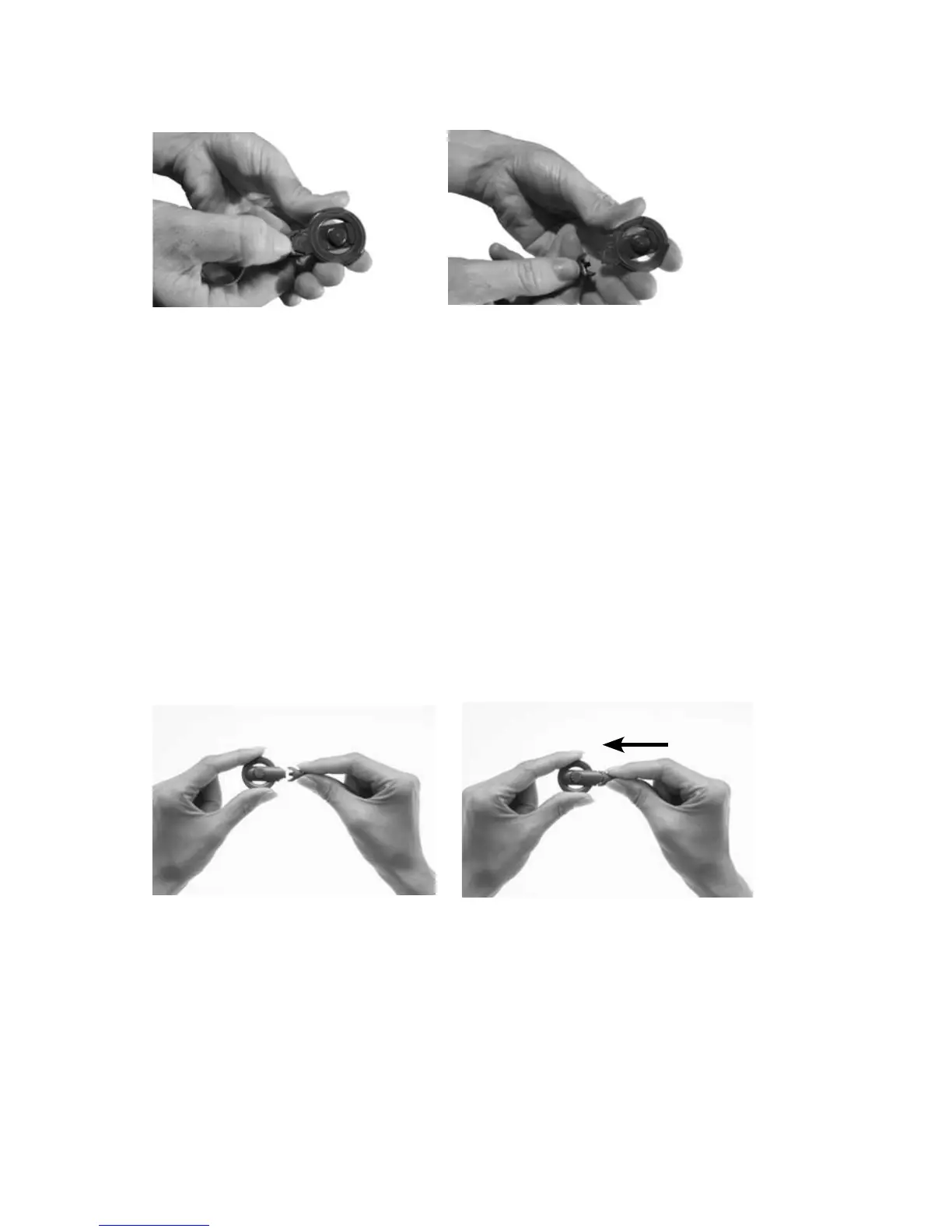
Remove the coil cable from the coil as shown.
Hold the coil and coil cable 1.
with the underside of the
coil facing up. Pushing your
fingernail between the
coil and coil cable on the
underside of the coil may
help detach the coil from
the coil cable.
Firmly pull the coil and 2.
coil cable away from each
other. Do not rotate the
coil cable plug.
Removing the coil cable from the coil is not recommended. You
should remove the coil cable only if you are changing it to a different
one.
Attach the new coil cable to the coil as shown.
Hold the coil in one hand 1.
and the coil cable plug in
the other hand as shown.
Align the coil end of the coil 2.
cable plug with the coil.
Push the coil cable plug 3.
firmly into the coil until it
clicks into place.



 To Next Page