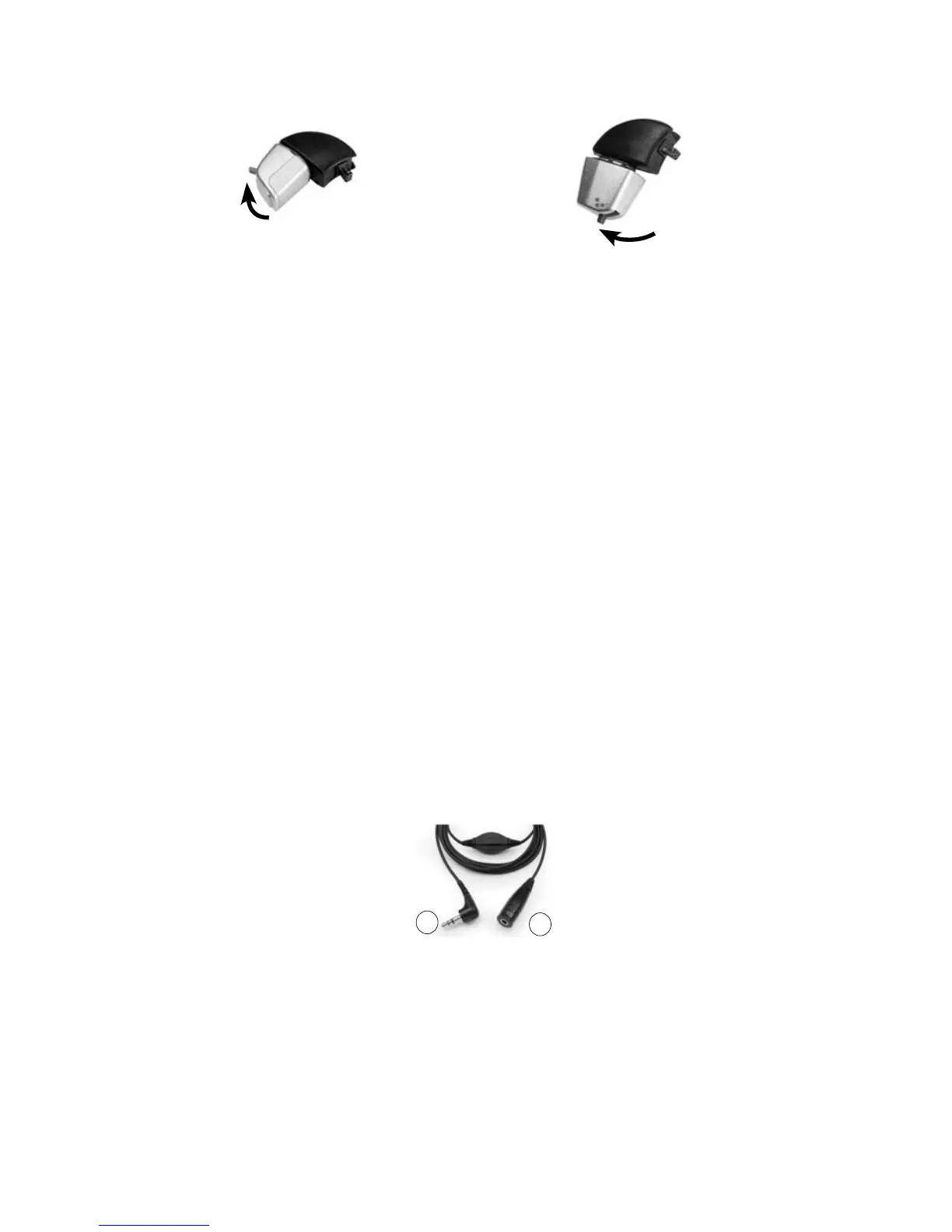
Figure 24: Oticon receiver connected to
the Euro Accessory Adaptor
Figure 25: Phonak receiver connected to
the Euro Accessory Adaptor
To use an FM cable:
Connect the FM cable to the Freedom Accessory Adaptor. 1.
Connect the Freedom Accessory Adaptor to the processor 2.
accessory socket.
Connect the FM listening system end of the FM cable to the FM 3.
listening system as per manufacturer's instructions.
To use the Mains Isolation Cable:
Connect the Personal Audio Cable or the Bilateral Personal Audio 1.
Cable to your processor.
Connect the Mains Isolation Cable to the Personal Audio Cable or 2.
the Bilateral Personal Audio Cable.
Plug the other end of the Mains Isolation Cable into the mains 3.
powered sound source, e.g. TV.
Figure 26: Mains powered sound source end (1) and Personal/Bilateral Personal Audio
Cable end (2) of the Mains Isolation Cable
When you connect an audio accessory, your processor automatically
detects it. When you are not using the audio accessory, you can
disconnect it from the processing unit.
1
2
On
position
On
position



 To Next Page