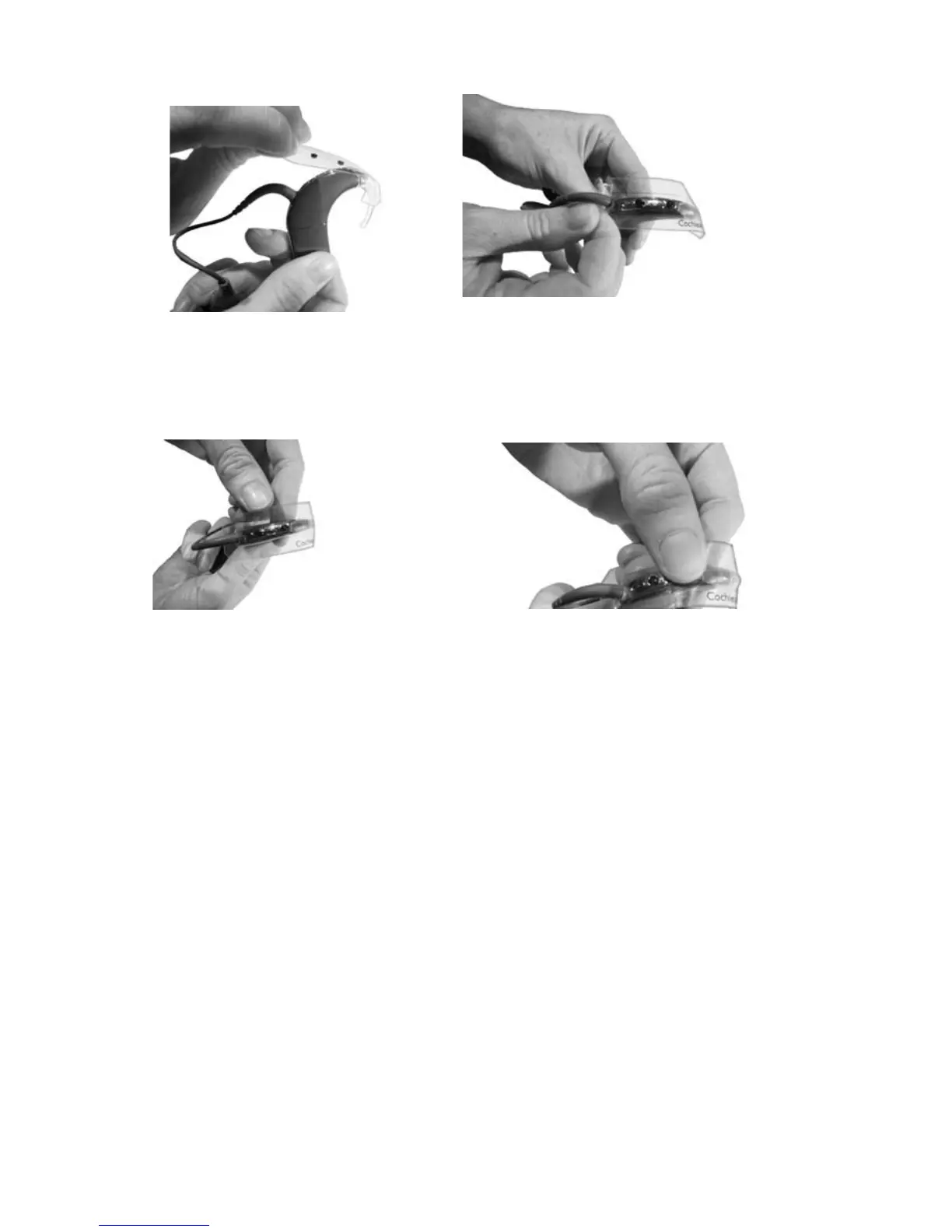
Position the Microphone 6.
Protector Applicator over
the processing unit as
shown.
Thread the coil cable 7.
through the bottom hole of
the Microphone Protector
Applicator.
Ensure the markings on 8.
the Microphone Protector
Applicator are aligned with
the buttons and the spine
of the processing unit.
Press on the microphone 9.
protectors with your
thumb, one at a time, until
the microphone protectors
are inserted into the
microphone holes. When
inserted properly, the top
surface of the microphone
protector should align with
the top of the processing
unit spine.



 To Next Page