11
OTHER
OTHER
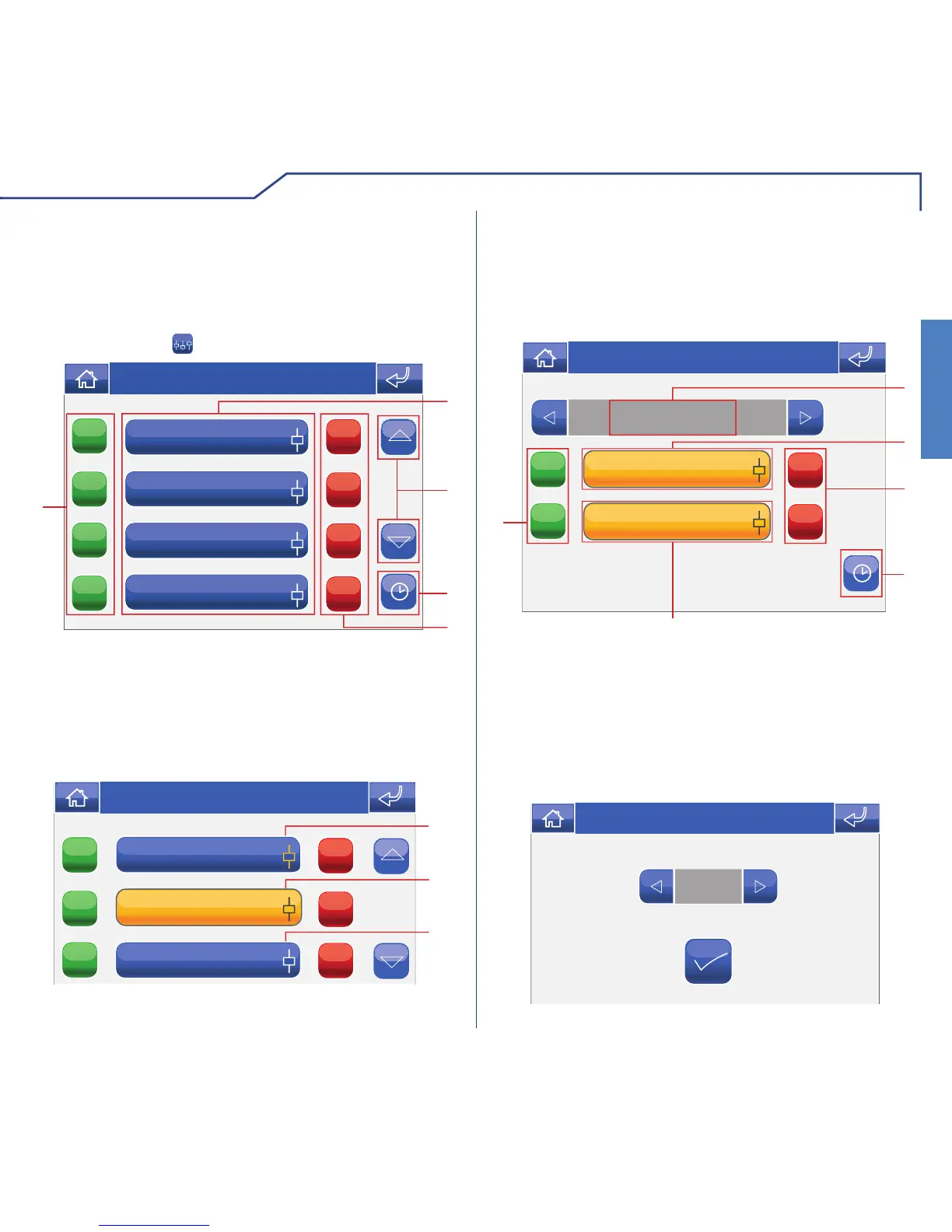
The Other menu manages the programming and
control of loads or generic electrical commands
(connected to SimpleHome module outputs) not
included in the other menus. To access the Other
menu, press the icon on the main menu screen.
OTHER MENU DESCRIPTION
ON
ON
ON
ON
OFF
OFF
OFF
OFF
1
5
4
2
3
Thu 05/09/09 - 16:07 0W
Attic
1 Available areas.
2 Scroll through the screen (only when there are
more than 4 programmed areas).
3 Load scheduling menu.
4 Switch off all loads in the corresponding area.
5 Switch on all loads in the corresponding area.
ON
ON
ON
OFF
OFF
OFF
1
2
3
Thu 05/09/09 - 16:07 0W
Upstairs area
Downstairs area
1 One or more loads in the area are on.
2 All loads in the area are on.
3 All loads in the area are off.
LOAD CONTROL
The loads within various areas may be controlled
individually.
Press the relevant icon in the Other menu (e.g.
Upstairs area).
TV socket
Night-stand socket
ON
ON
OFF
OFF
Upstairs area
1
6
3
2
4
Thu 21/06/12 - 16:07 0W
5
T
1 Area displayed.
2 Load ON/OFF.
3 Switch load off.
4 Load scheduling menu.
5 Timed load.
6 Load on (press to adjust the active time period),
see below.
0:12
Thu 05/09/09 - 16:07 0W












 To Next Page