SCENARIOS
76
SCENARIOS
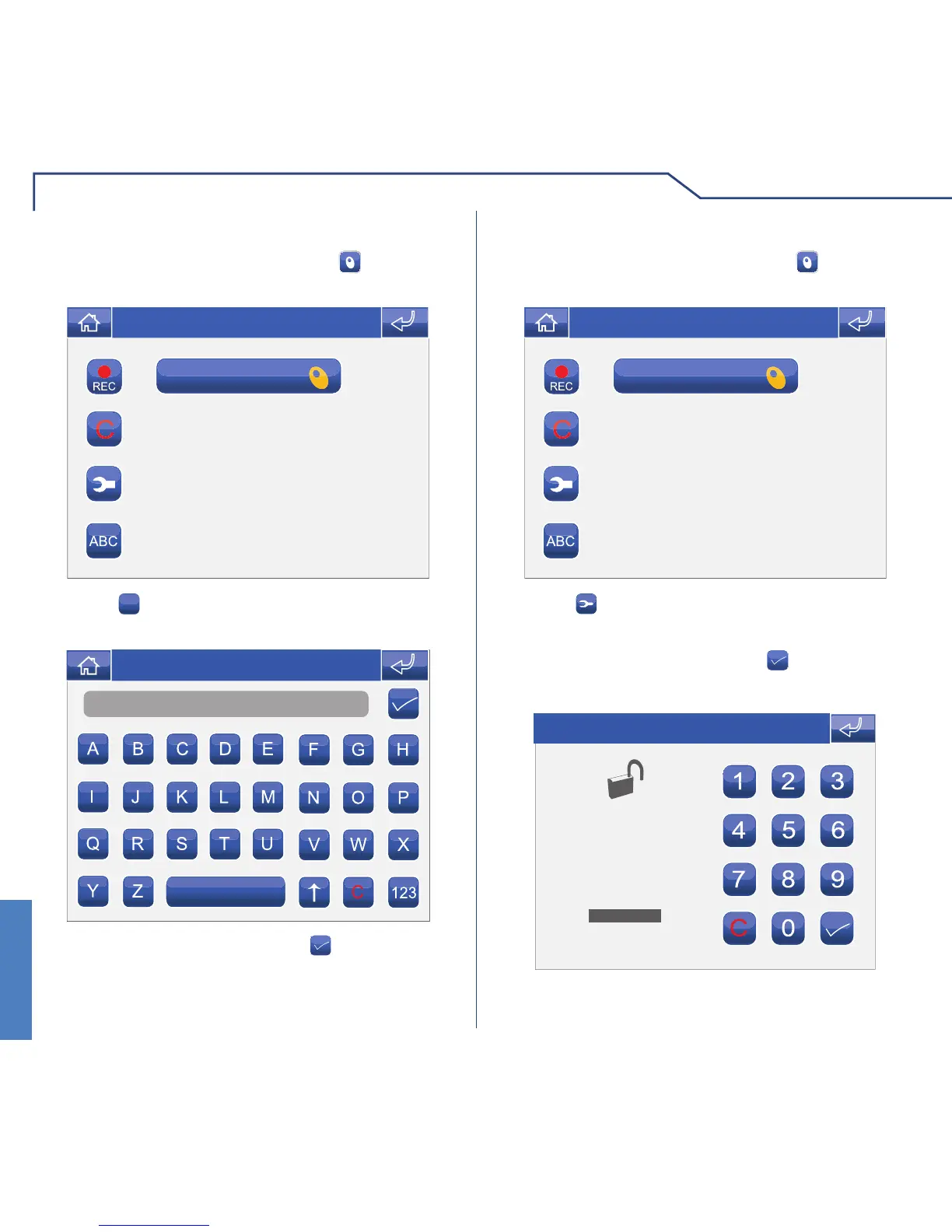
RENAMING KEYS
To access the Keys menu, press the icon on the
main menu screen.
Thu 05/09/09 - 16:07 0W
Press the
ABC
icon followed by the icon corresponding
to the key you wish to rename.
Name
Thu 05/09/09 - 16:07 0W
Enter the key name and press the icon to confi rm.
MODIFYING KEY FUNCTIONS
To access the Keys menu, press the icon on the
main menu screen.
Thu 05/09/09 - 16:07 0W
Press the icon followed by the icon corresponding
to the key for which you wish to modify the function.
Enter the password and press the
icon to confi rm.
ENTER PASSWORD
Thu 05/09/09 - 16:07 0W












 To Next Page