32
SETUP
SETUP
Rain
English
Français
Deutsch
Italiano
1
3
2
Thu 05/09/09 - 16:07 0W
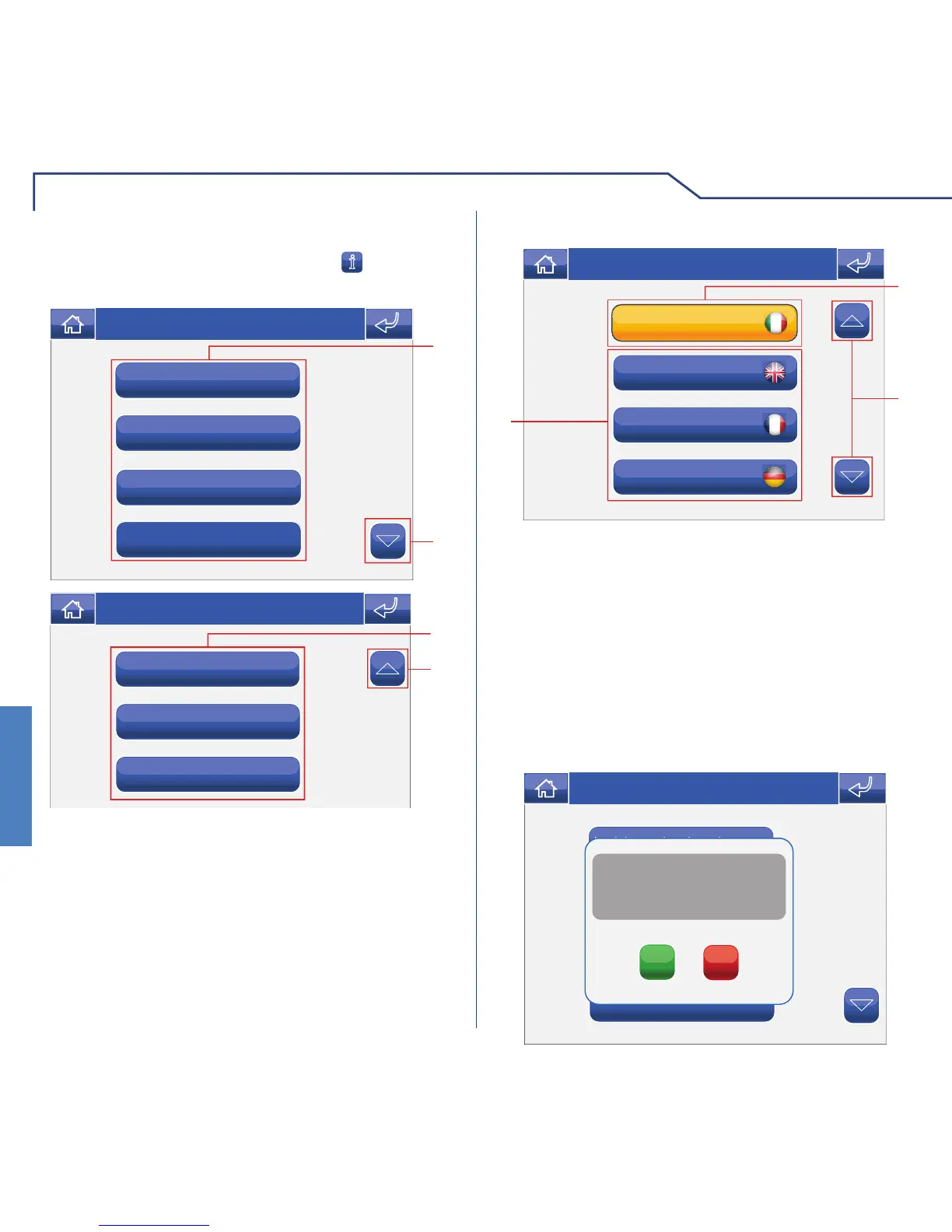
1 Language in use.
2 Scroll through the screen.
3 Languages available.
To access the Setup menu, press the
icon on the
main menu screen.
SETUP MENU DESCRIPTION
Information
Set date and time
Lock keypad and touch-screen
Language
2
1
Thu 21/06/12 - 16:07 0W
Consumption
Conditions
Advanced
1
2
Thu 21/06/12 - 16:07 0W
1 Functions available in the Setup menu.
2 Scroll through the screen.
The Planux Manager menu display language can be
changed by selecting one of the options on the list.
Access the menu Setup > Language.
LANGUAGE
To select the language, press the corresponding icon.
The Lock keypad and touch-screen function
temporarily deactivates the Planux Manager keys
and touch-screen. The functions are reactivated after
60 seconds, or on receipt of a call.
To activate the function, press the “Lock keypad and
touch-screen” icon.
LOCKING THE KEYPAD AND TOUCH-SCREEN
Information
Set date and time
Language
Lock keypad and touch-screen
Confirm lock keypad and
touch-screen for 60 seconds?
YES
NO
Thu 05/09/09 - 16:07 0W












 To Next Page