EasyManua.ls Logo

Comelit Planux - Scenario Deletion; Deleting Scenarios

Comelit Planux
80 pages
Print Icon
To Next Page IconTo Next Page
To Previous Page IconTo Previous Page
Loading...
71
SCENARIOS
SCENARIOS
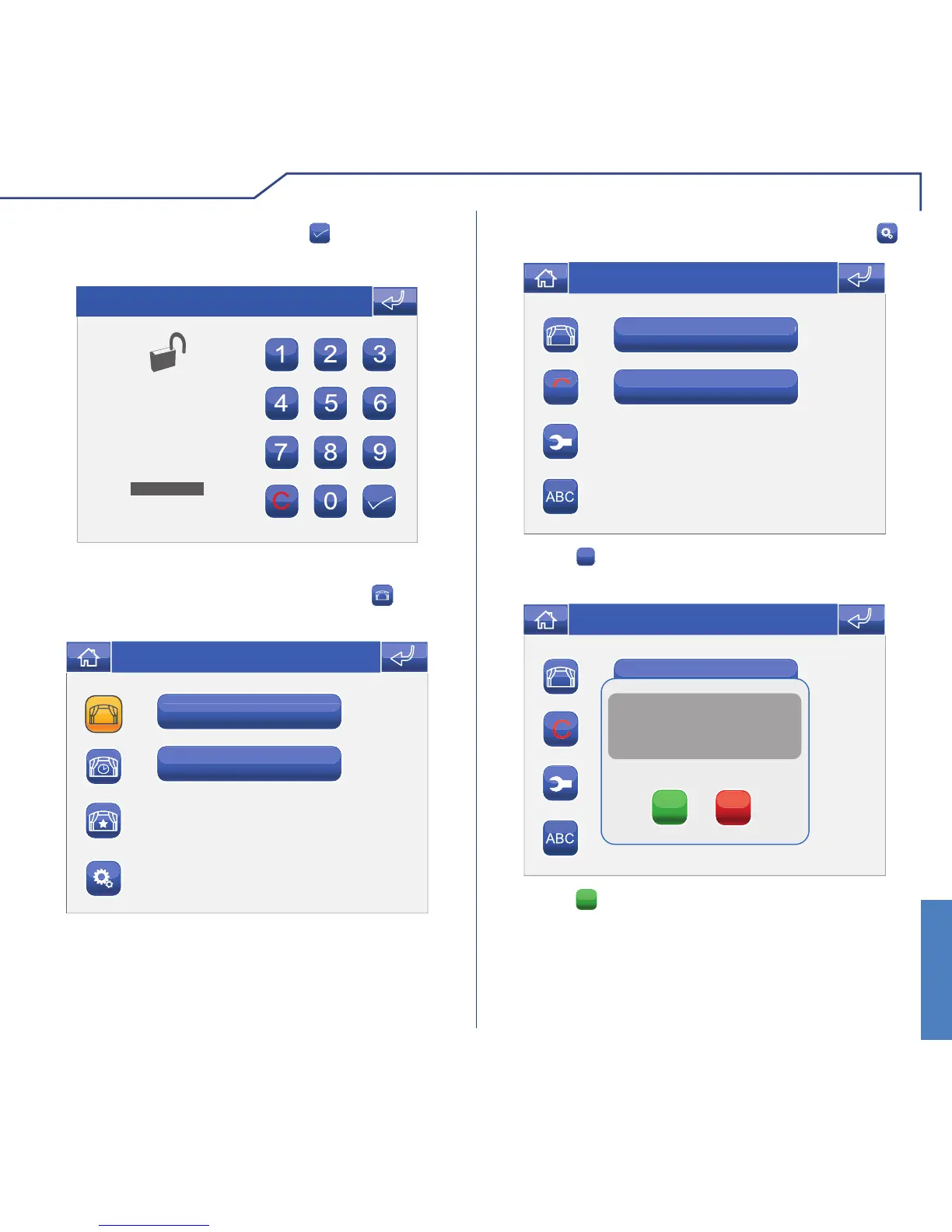
Enter the password and press the icon to con rm.
ENTER PASSWORD
Thu 05/09/09 - 16:07 0W
DELETING SCENARIOS
To access the Scenarios menu, press the icon on
the main menu screen.
Switch on all the lights
Exit
Thu 05/09/09 - 16:07 0W
Switch on all the lights
Exit
C
NEW
Thu 05/09/09 - 16:07 0W
Access the Scenario settings menu by pressing .
Press the
C
icon followed by the icon corresponding
to the scenario you wish to delete.
Switch off all the lights
Exit
NEW
Confirm removal of scenario?
YES
NO
Thu 05/09/09 - 16:07 0W
Press the
YES
icon.

Table of Contents

Related product manuals