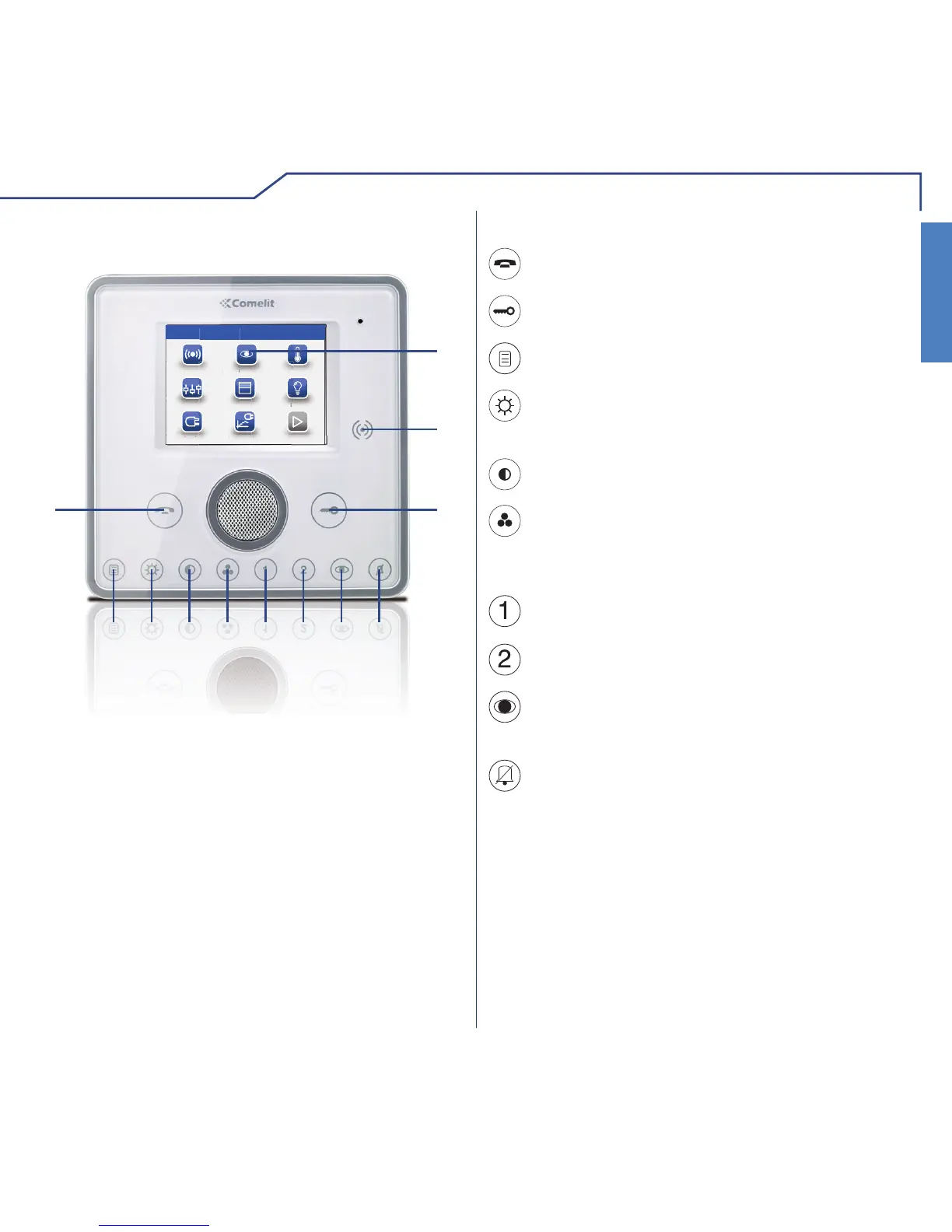
KEY FUNCTIONSMONITOR DESCRIPTION
1 Touch screen
2 Key sensor
3 Door lock key
4 Privacy / Doctor key (programmable)
5 Self-ignition key (programmable)
6 Programmable key 2
7 Programmable key 1
8 Colour key
9 Contrast key
10 Brightness key
11 Menu key
12 Audio key
Menu key: switches the Planux Manager
monitor on and off.
Audio key: activates or de-activates
conversation with the external unit.
Door lock key: opens the corresponding door
lock.
Brightness key: adjusts the brightness of the
image displayed in a video message.
Contrast key: adjusts the contrast of the image
displayed in a video message.
Colour key: adjusts the colour of the image
displayed on the monitor. To change the setting,
press the key while video communication is in
progress.
Programmable key 1: factory-set as secondary
switchboard call (programmable).
Programmable key 2: factory-set as generic
actuator (programmable).
Privacy/Doctor function key (programmable):
• The Privacy function disables calls from the
external unit and switchboard.
• The Doctor function enables automatic
activation of the lock-release in response to a
call from the external unit.
• The Privacy + Doctor function, as well as
disabling the door-entry phone ringtone in the
same way as the Privacy function, also enables
automatic activation of the lock-release in
response to a call from the external unit.
The red LED indicates that the selected
function is active.
Self-ignition key: switches on the monitor and
displays the video feed from the external unit
(programmable).












 To Next Page