EasyManua.ls Logo

Commodore 128D - Page 114

Commodore 128D
427 pages
Print Icon
To Next Page IconTo Next Page
To Previous Page IconTo Previous Page
Loading...
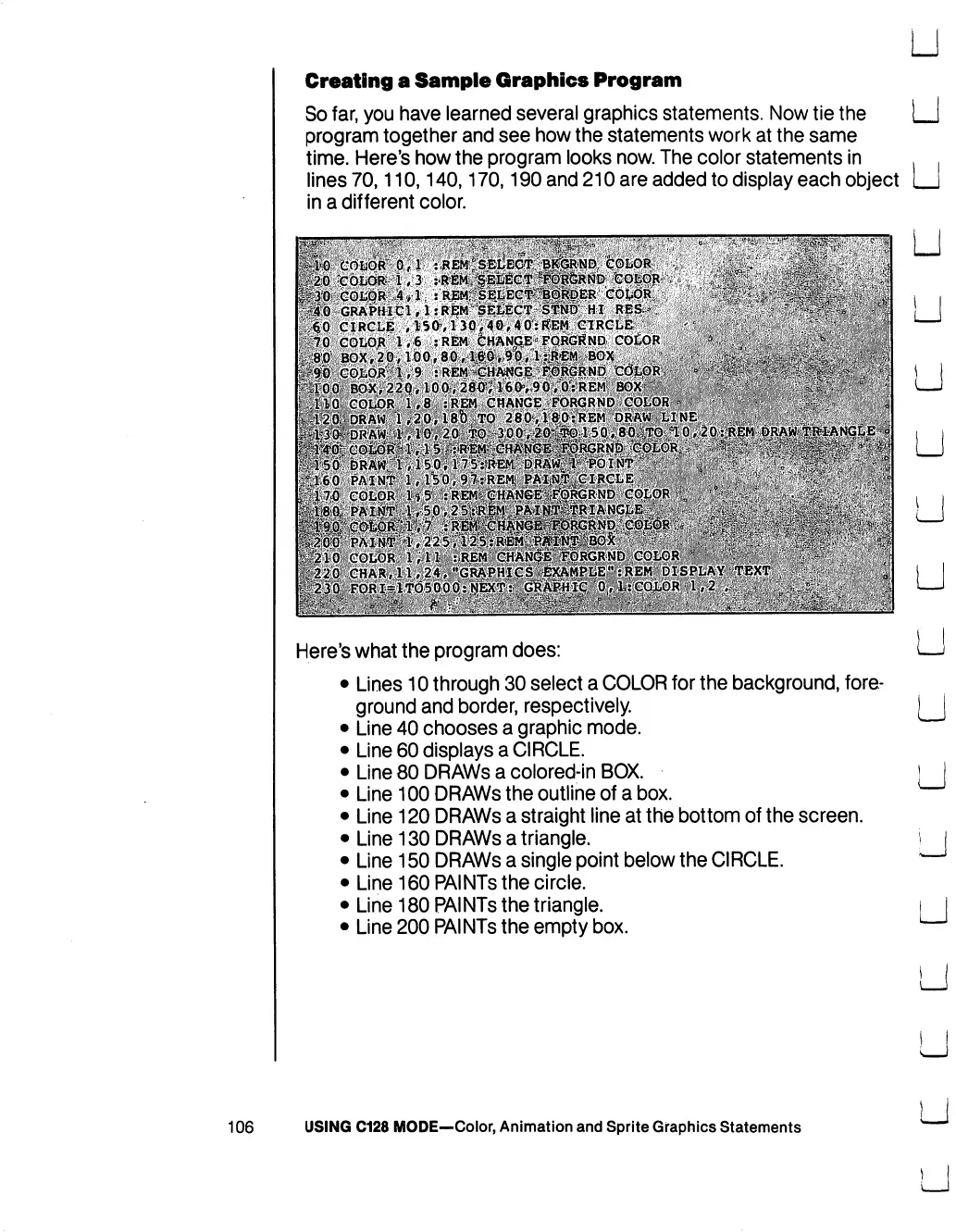
Creating
a
Sample
Graphics
Program
So
far,
you
have
learned
several
graphics
statements.
Now
tie
the
program
together
and see
how
the
statements
work
at
the
same
time.
Here's
how
the
program
looks
now.
The
color
statements
in
lines
70,110,140,170,190
and
210
are
added
to
display
each
object
in
a
different
color.
Here's
what
the
program
does:
Lines
10
through
30
select
a
COLOR
for
the
background,
fore
ground
and
border,
respectively.
Line
40
chooses
a
graphic
mode.
Line
60
displays
a
CIRCLE.
Line
80
DRAWs
a
colored-in
BOX.
Line
100
DRAWs
the
outline
of
a
box.
Line
120
DRAWs
a
straight
line
at
the
bottom
of
the
screen.
Line
130
DRAWs
a
triangle.
Line
150
DRAWs
a
single
point
below
the
CIRCLE.
Line
160
PAINTs
the
circle.
Line
180
PAINTs
the
triangle.
Line
200
PAINTs
the
empty
box.
106
USING
C128
MODE—Color,
Animation
and
Sprite
Graphics
Statements

Table of Contents

Other manuals for Commodore 128D

Related product manuals