EasyManua.ls Logo

Commodore 128D - Page 115

Commodore 128D
427 pages
Print Icon
To Next Page IconTo Next Page
To Previous Page IconTo Previous Page
Loading...
n
H
H
r
Line
220
prints
the
CHARacters
"GRAPHICS
EXAMPLE"
at
the
bottom
of
the
screen.
Line
230
delays
the
program
so
you
can
watch
the
graphics
on
the
screen,
switches
back
to
text
mode
and
colors
the
characters
black.
If
you
want
the
graphics
to
remain
on
the
screen,
omit
the
GRAPHIC
statement
in
line
230.
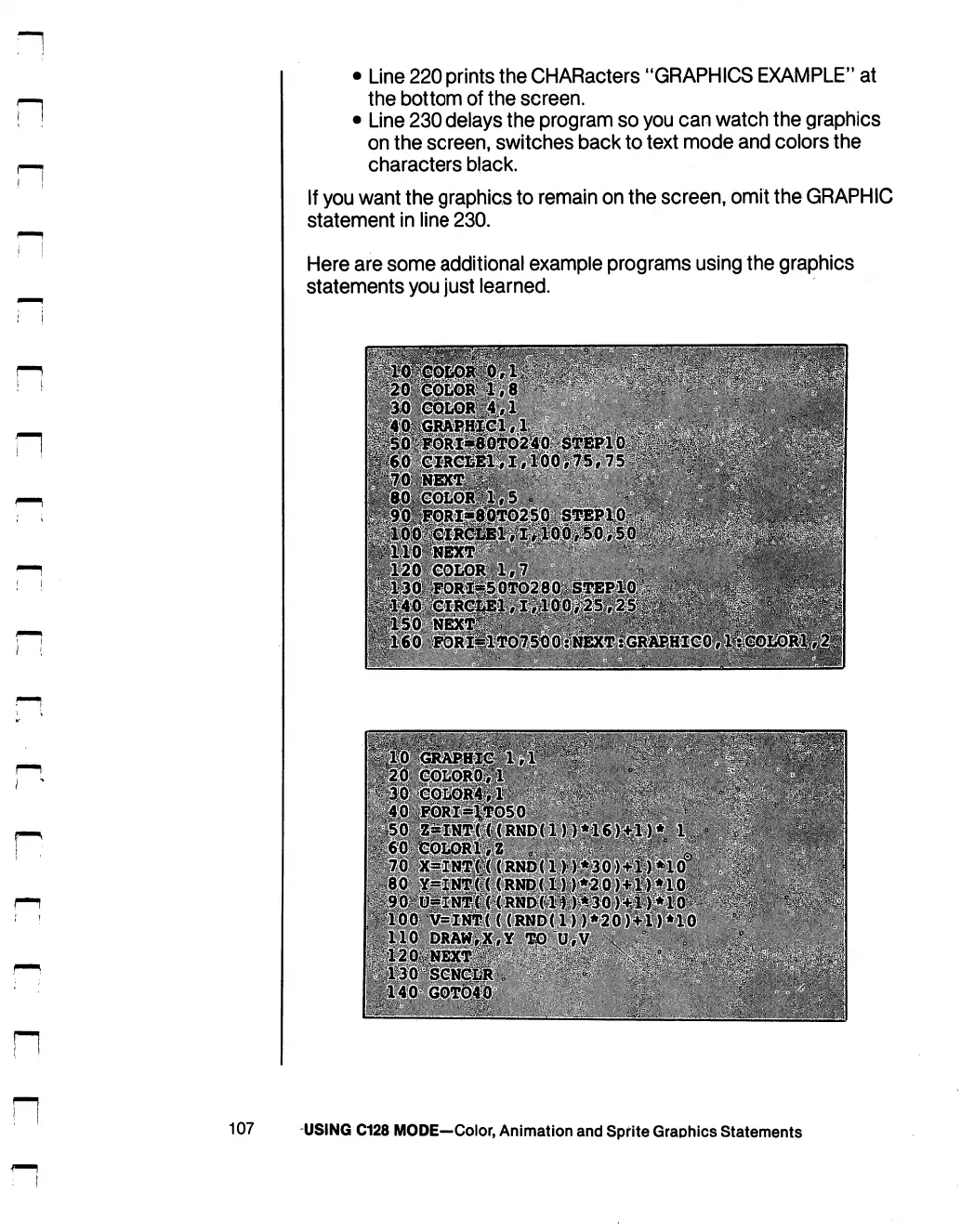
Here
are
some
additional
example
programs
using
the
graphics
statements
you
just
learned.
"■^■■T
^
^
»^
■■■■
i
-p
-^
^
.——;.—
<—i——-^%S*
W
^
.^-^^-.-_-j--—_-
■?-&.-■
i--1'*!.1
"■>■"'.'.*■
■f-^0-1-
^^:~'.
■'■'■■■
"■■■
.
>-^--"'
.o:"Vrfer;-■■•!'.'■
jtio
draw>^#y
.M"o.:y
107
USING
C128
MODE—Color,
Animation
and
Sprite
Graphics
Statements

Table of Contents

Other manuals for Commodore 128D

Related product manuals