EasyManua.ls Logo

Commodore 128D - Page 126

Commodore 128D
427 pages
Print Icon
To Next Page IconTo Next Page
To Previous Page IconTo Previous Page
Loading...
Creating
a
Sprite
Program
You
now
have
a
working
sprite
program
example.
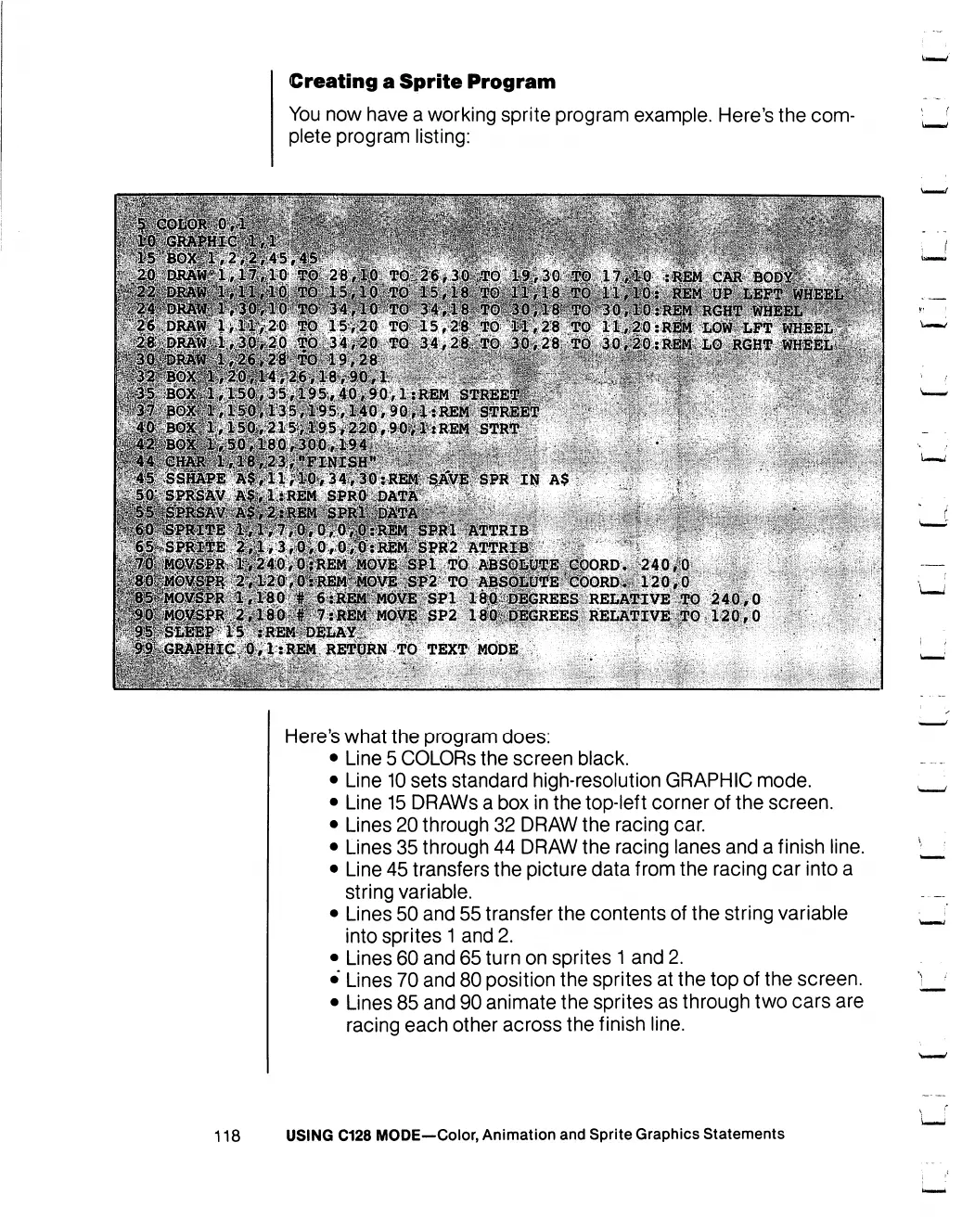
Here's the
com
plete
program
listing:
RETtjRN
TO
TEXT
MODE
Here's
what
the
program
does:
Line
5
COLORS
the
screen
black.
Line
10
sets
standard
high-resolution
GRAPHIC
mode.
Line
15
DRAWs
a
box
in
the
top-left
corner
of
the
screen.
Lines
20
through
32
DRAW
the
racing
car.
Lines
35
through
44
DRAW
the
racing
lanes
and
a
finish
line.
Line
45
transfers
the
picture
data
from
the
racing
car
into
a
string
variable.
Lines
50
and
55
transfer
the
contents
of
the
string
variable
into
sprites
1
and
2.
Lines
60
and
65
turn
on
sprites
1
and
2.
Lines
70
and
80
position
the
sprites
at
the
top
of
the
screen.
Lines
85
and
90
animate
the
sprites
as
through
two
cars
are
racing
each
other
across
the
finish
line.
118
USING
C128
MODE—Color,
Animation
and
Sprite
Graphics
Statements

Table of Contents

Other manuals for Commodore 128D

Related product manuals