EasyManua.ls Logo

Commodore 128D - Page 153

Commodore 128D
427 pages
Print Icon
To Next Page IconTo Next Page
To Previous Page IconTo Previous Page
Loading...
I
\
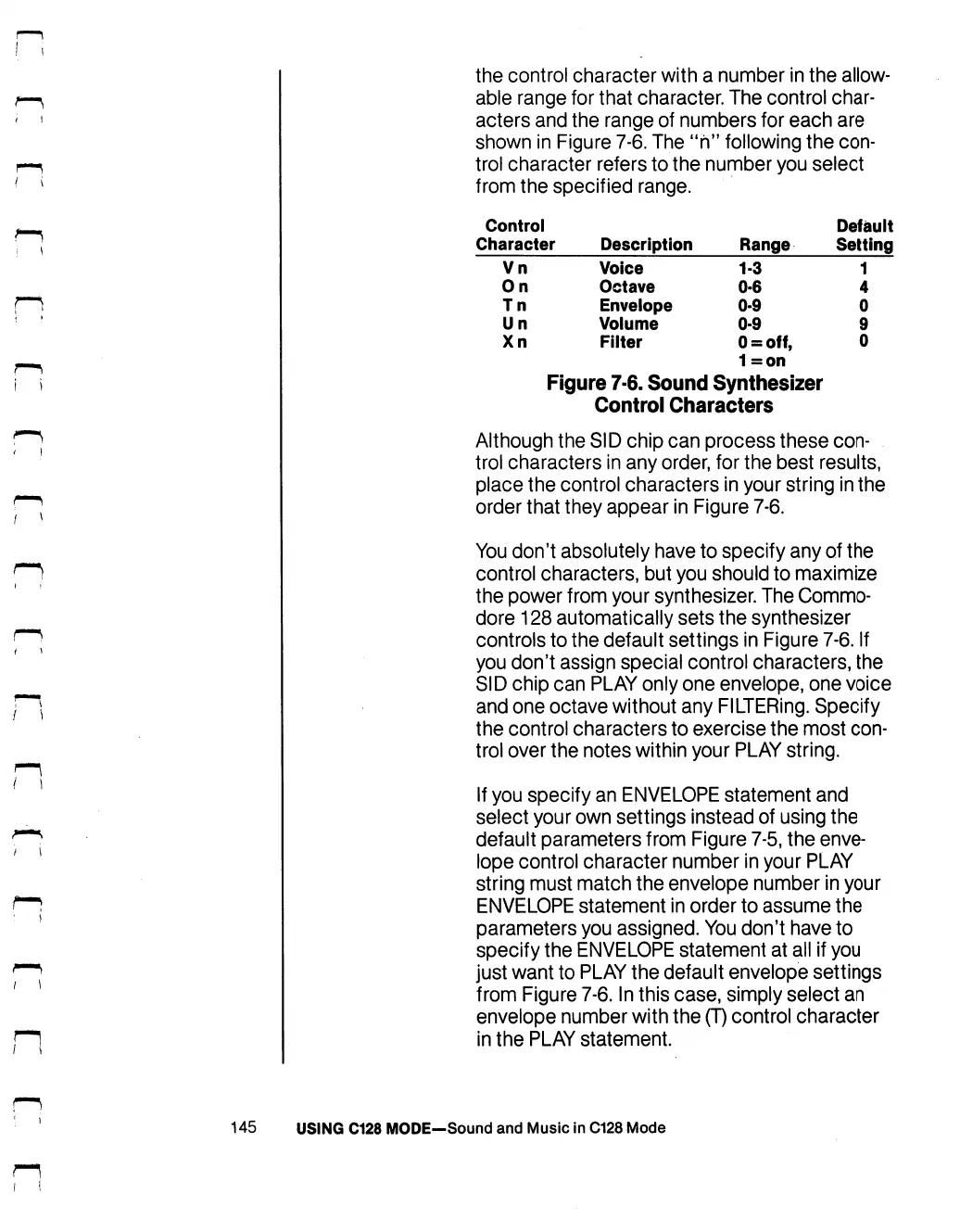
the
control
character
with
a
number
in
the
allow
able
range
for
that
character.
The
control
char
acters
and
the
range
of
numbers
for
each
are
shown
in
Figure
7-6.
The
"h"
following
the
con
trol
character
refers to
the
number
you
select
from
the
specified
range.
Control
Character
Vn
On
Tn
Un
Xn
Description
Voice
Octave
Envelope
Volume
Filter
Figure
7-6.
Sound
Range
1-3
0-6
0-9
0-9
O
=
off,
1=on
Synthesizer
Control
Characters
Default
Setting
1
4
0
9
0
Although
the
SID
chip
can
process
these
con
trol
characters
in
any
order,
for
the
best
results,
place
the
control
characters
in
your
string
in
the
order
that
they
appear
in
Figure
7-6.
You
don't
absolutely
have
to
specify
any
of
the
control
characters,
but
you
should
to
maximize
the
power
from
your
synthesizer.
The
Commo
dore
128
automatically
sets
the
synthesizer
controls
to
the
default
settings
in
Figure
7-6.
If
you
don't
assign
special
control
characters,
the
SID
chip
can
PLAY
only
one
envelope,
one
voice
and
one
octave
without
any
FILTERing.
Specify
the
control
characters
to
exercise
the
most
con
trol
over
the
notes
within
your
PLAY
string.
If
you
specify
an
ENVELOPE
statement
and
select
your
own
settings
instead
of
using
the
default
parameters
from
Figure
7-5,
the
enve
lope
control
character
number
in
your
PLAY
string
must
match
the
envelope
number
in
your
ENVELOPE
statement
in
order
to
assume
the
parameters
you
assigned.
You
don't
have
to
specify
the
ENVELOPE
statement
at
all
if
you
just
want
to
PLAY
the
default
envelope
settings
from
Figure
7-6.
In
this
case,
simply
select
an
envelope
number
with
the
(T)
control
character
in
the
PLAY
statement.
145
USING
C128
MODE—Sound
and
Music
in
C128
Mode

Table of Contents

Other manuals for Commodore 128D

Related product manuals