EasyManua.ls Logo

Commodore 128D - Page 315

Commodore 128D
427 pages
Print Icon
To Next Page IconTo Next Page
To Previous Page IconTo Previous Page
Loading...
.)
\
n
n
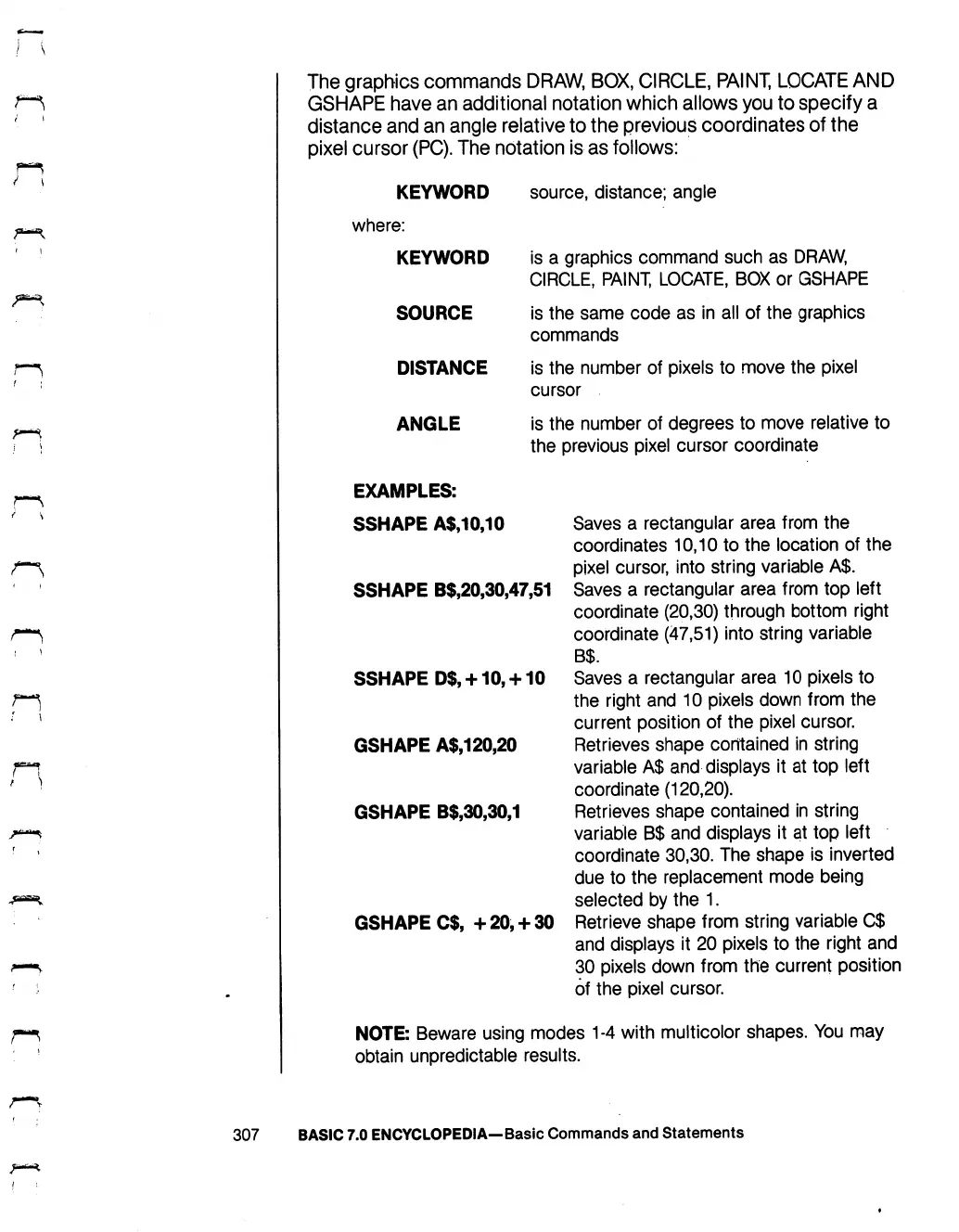
The
graphics
commands
DRAW,
BOX,
CIRCLE,
PAINT,
LOCATE
AND
GSHAPE
have
an
additional
notation
which
allows
you
to
specify
a
distance
and
an
angle
relative
to
the
previous
coordinates
of
the
pixel
cursor
(PC).
The
notation
is
as
follows:
KEYWORD
where:
KEYWORD
SOURCE
DISTANCE
ANGLE
EXAMPLES:
SSHAPE
A$,10,10
SSHAPE
B$,20,30,47,51
SSHAPE
D$,
+10,
+
10
GSHAPE
A$,120,20
GSHAPE
B$,30,30,1
GSHAPE
C$,
+20,
+
30
source,
distance;
angle
is
a
graphics
command
such
as
DRAW,
CIRCLE,
PAINT,
LOCATE,
BOX
or
GSHAPE
is
the
same
code
as
in
all
of
the
graphics
commands
is
the
number
of
pixels
to
move
the
pixel
cursor
is
the
number
of
degrees
to
move
relative
to
the
previous
pixel
cursor
coordinate
Saves
a
rectangular
area
from
the
coordinates
10,10
to
the
location
of
the
pixel
cursor,
into
string
variable
A$.
Saves
a
rectangular
area
from
top
left
coordinate
(20,30)
through
bottom
right
coordinate
(47,51)
into
string
variable
Saves
a
rectangular
area
10
pixels
to
the
right
and
10
pixels
down
from
the
current
position
of
the
pixel
cursor.
Retrieves
shape
contained
in
string
variable
A$
and
displays
it
at
top
left
coordinate
(120,20).
Retrieves
shape
contained
in
string
variable
B$
and
displays
it
at
top
left
coordinate
30,30.
The
shape
is
inverted
due
to
the
replacement
mode
being
selected
by
the
1.
Retrieve
shape
from
string
variable
C$
and
displays
it
20
pixels
to
the
right
and
30
pixels
down
from
the
current
position
of
the
pixel
cursor.
307
NOTE:
Beware
using
modes
1-4
with
multicolor
shapes.
You
may
obtain
unpredictable
results.
BASIC
7.0
ENCYCLOPEDIA—Basic
Commands
and
Statements

Table of Contents

Other manuals for Commodore 128D

Related product manuals