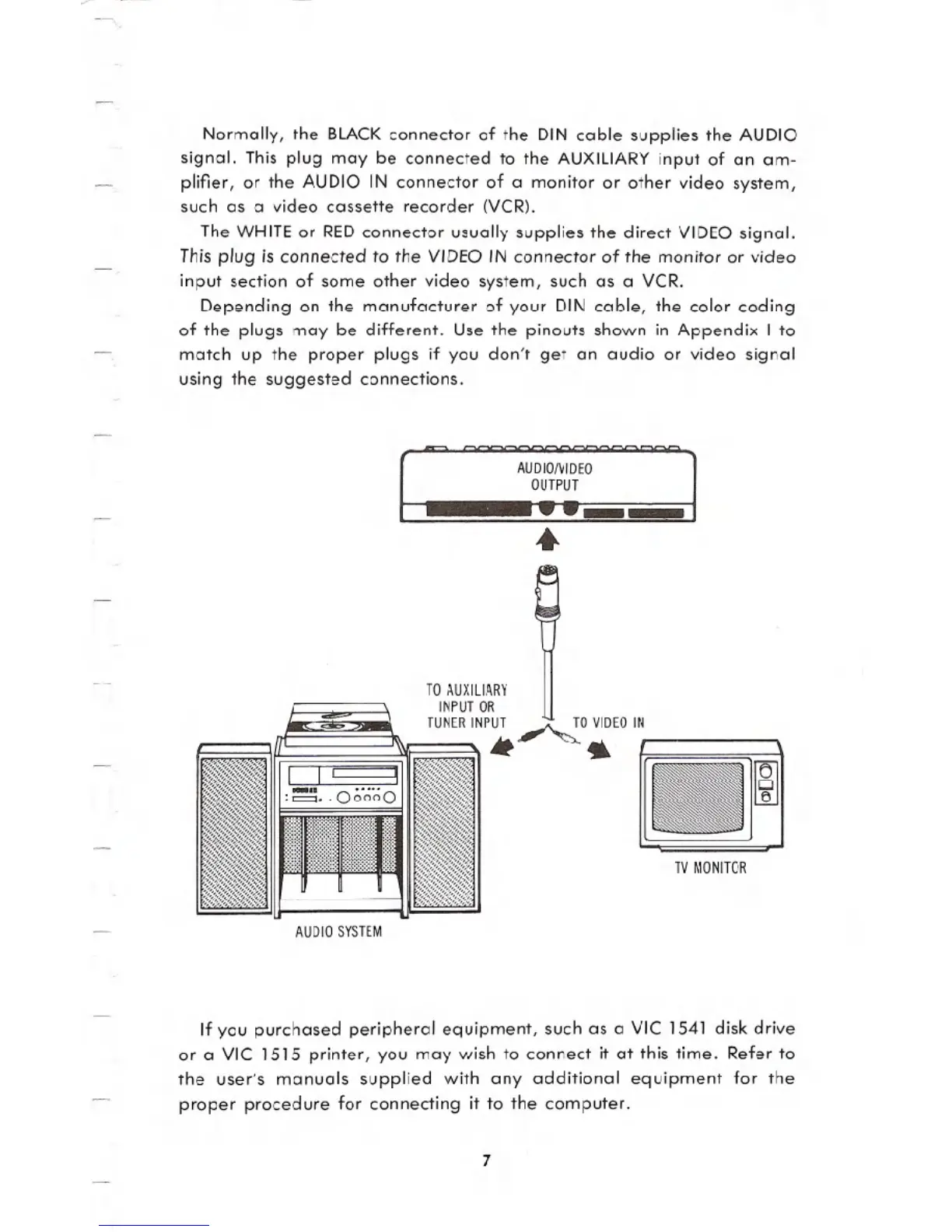
Normally, the BLACK connector of the DIN cable supplies the AUDIO
signal. This plug may be connected to the AUXILIARY input of an am-
plifier, or the AUDIO IN connector of a monitor or other video system,
such as a video cassette recorder (VCR).
The WHITE or RED connector usually supplies the direct VIDEO signal.
This plug is connected to the VIDEO IN connector of the monitor or video
input section of some other video system, such as a VCR.
Depending on the manufacturer of your DIN cable, the color coding
of the plugs may be different. Use the pinouts shown in Appendix I to
match up the proper plugs if you don't get an audio or video signal
using the suggested connections.
AUDJONIDEO
OUTPUT
~--
..
TO AUXILIARY
INPUTOR
TUNERINPUT ~O VIDEOIN
* 4
TV MONITOR
AUDIO SYSTEM
If you purchased peripheral equipment, such as a VIC 1541 disk drive
or a VIC 1515 printer, you may wish to connect it at this time. Refer to
the user's manuals supplied with any additional equipment for the
proper procedure for connecting it to the computer.
7





 To Next Page