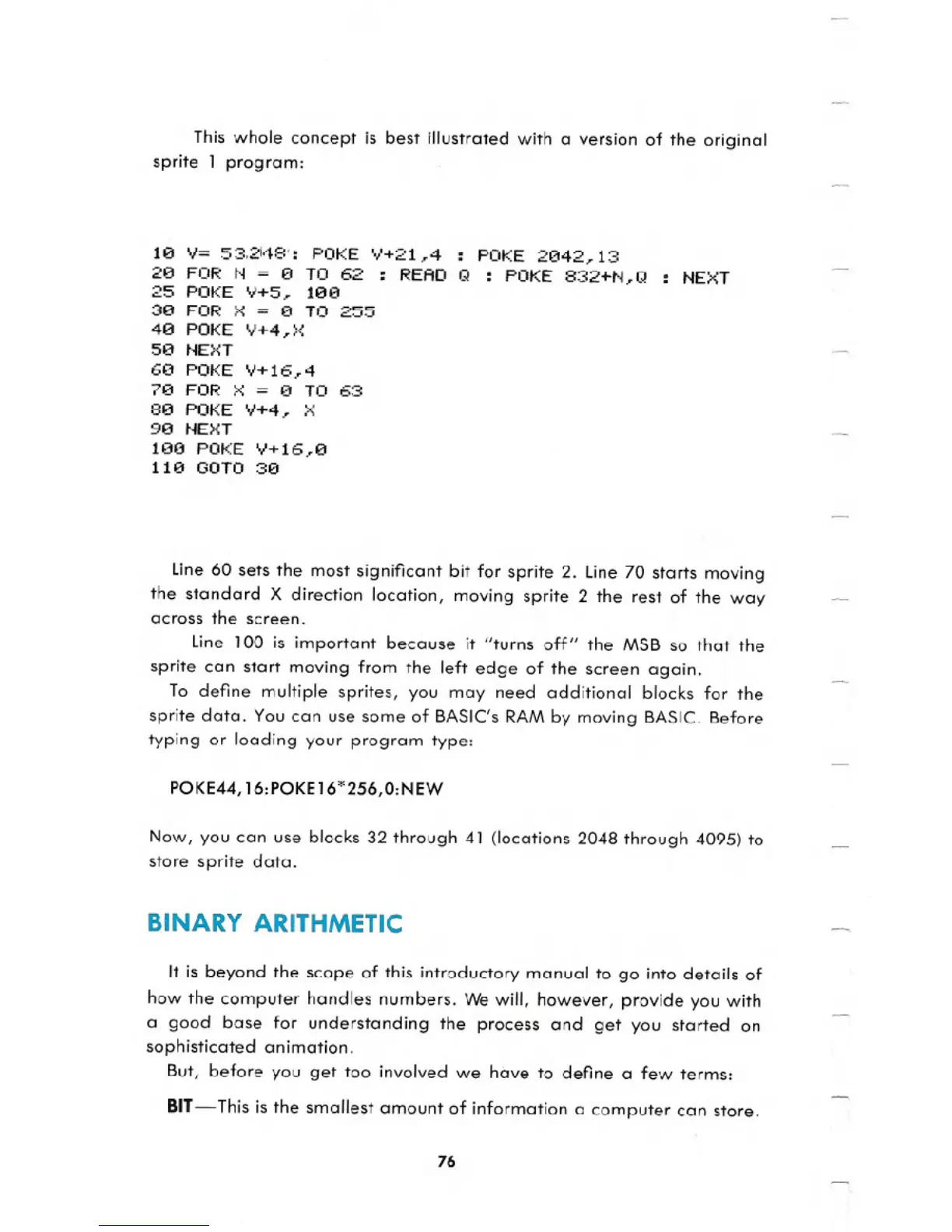
This whole concept is best illustrated with a version of the original
sprite 1 program:
le V= 53.21,18': POKE +21,4 : POKE 2e42,13
2e FOR N = €I TO 62 : READ Q : POKE 832+N,Q
25 POKE V+5, lee
3e FOR x = e TO 255
4e POKE V+4,X
5e NEXT
6e POKE V+16..4
7e FOR X
= €I TO 63
8e POKE V+4.. X
ge NEXT
le0 POKE V+16,0
11e GOTO 30
NEXT
Line 60 sets the most significant bit for sprite 2. Line 70 starts moving
the standard X direction location, moving sprite 2 the rest of the way
across the screen.
Line 100 is important because it "turns off" the MSB so that the
sprite can start moving from the left edge of the screen again.
To define multiple sprites, you may need additional blocks for the
sprite data. You can use some of BASIC's RAM by moving BASIC. Before
typing or loading your program type:
POKE44,16:POKEI6*256,O:NEW
Now, you can use blocks 32 through 41 (locations 2048 through 4095) to
store sprite data.
BINARY ARITHMETIC
It is beyond the scope of this introductory manual to go into details of
how the computer handles numbers. We will, however, provide you with
a good base for understanding the process and get you started on
sophisticated animation.
But, before you get too involved we have to define a few terms:
BIT - This is the smallest amount of information a computer can store.
76





 To Next Page