KEYBOARD
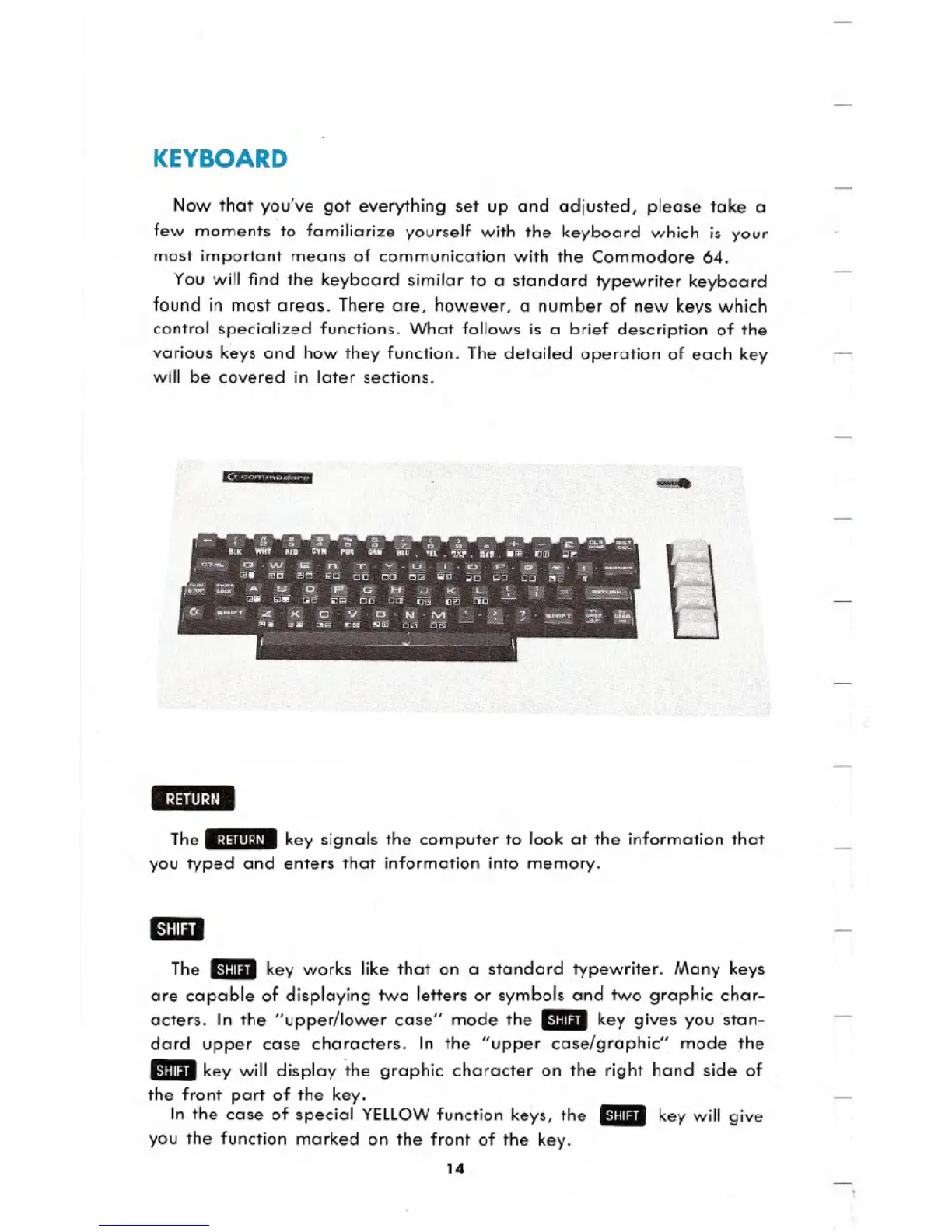
Now that you've got everything set up and adjusted, please take a
few moments to familiarize yourself with the keyboard which is your
most important means of communication with the Commodore 64.
You will find the keyboard similar to a standard typewriter keyboard
found in most areas. There are, however, a number of new keys which
control specialized functions. What follows is a brief description of the
various keys and how they function. The detailed operation of each key
will be covered in later sections.
Ii
--
The .~j:llll~jl. key signals the computer to look at the information that
you typed and enters that information into memory.
The" key works like that on a standard typewriter. Many keys
are capable of displaying two letters or symbols and two graphic char-
acters. In the "upper/lower case" mode the
_key gives you .stan-
dard upper case characters. In the "upper case/graphic" mode the
_key will display the graphic character on the right hand side of
the front part of the key.
In the case of special YELLOWfunction keys, the
..key will give
you the function marked on the front of the key.
14





 To Next Page