And when that's all done the program goes back to line 20 to start the
whole "p_~~cess over again. Pretty neatl To stop the program hold
down .:I~"'I8I:I:IIand hit 1:lIllrjI8J:I.
For a variation on the program, edit line 40 to read:
40 PRINT
"1"; ~
TO MAKE THE to HOLD THE SHIFT
KEY DOWN AND HIT THE lETTER "Q."
Run the program and see what happens now. Because we left out the
cursor control, each ball remains on the screen until erased by the ball
-moving right to left in the second part of the program.
INPUT
Up to now, everything within a program has been set before it is run.
Once the program was started, nothing could be changed. INPUT
allows us to pass new information to a program as it is running and
have that new information acted upon.
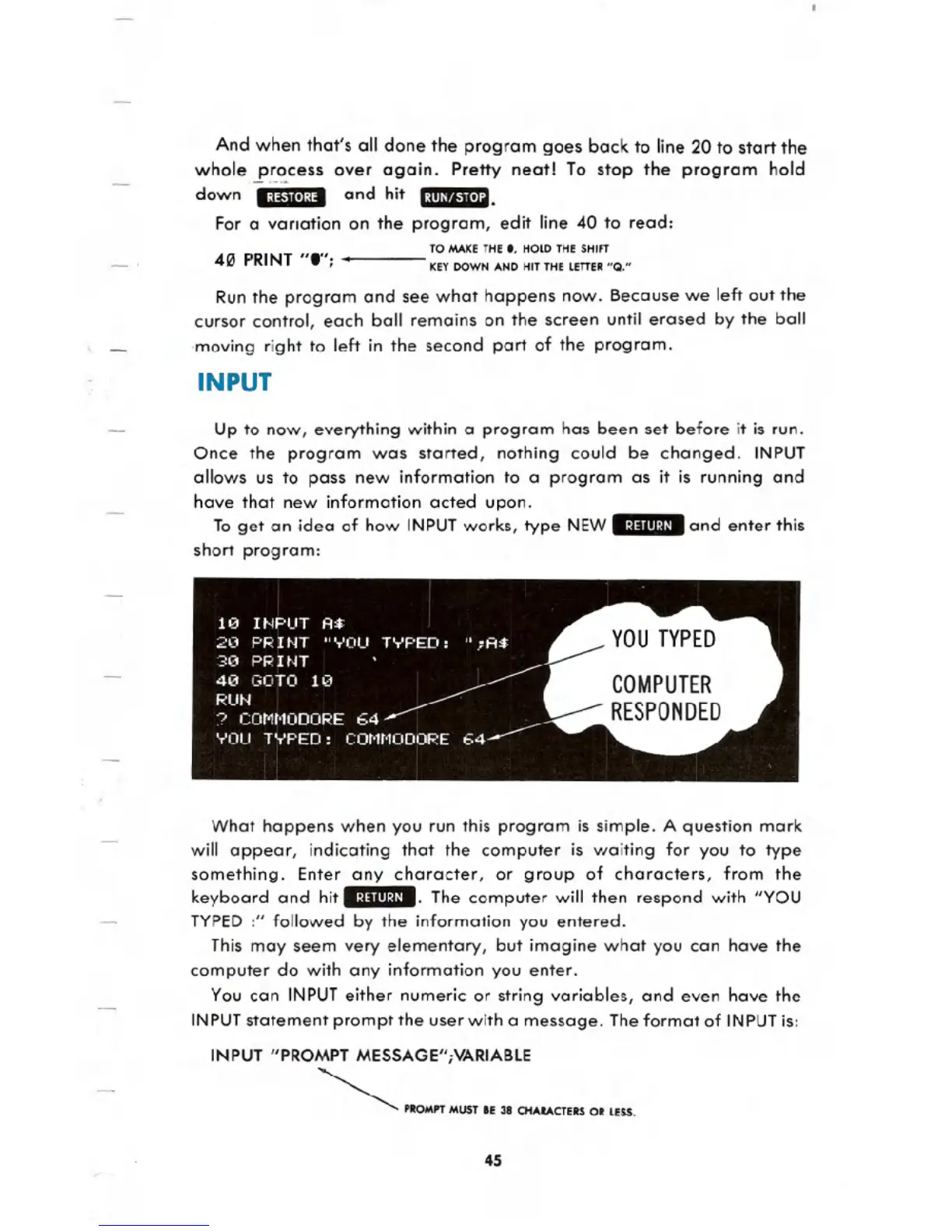
To get an idea of how INPUTworks, type NEW_:I:lIII:U_and enter this
short program:
What happens when you run this program is simple. A question mark
will appear, indicating that the computer is waiting for you to type
something. Enter any character, or group of characters, from the
keyboard and hit _:1:1111:11_.The computer will then respond with "YOU
TYPED:" followed by the information you entered.
This may seem very elementary, but imagine what you can have the
computer do with any information you enter.
You can INPUTeither numeric or string variables, and even have the
INPUTstatement prompt the user with a message. The format of INPUTis:
INPUT "PROMPT MESSAGE";VARIABLE
~ PROMPT MUST IE 38 CHAaACTERS OR LUS.
45





 To Next Page