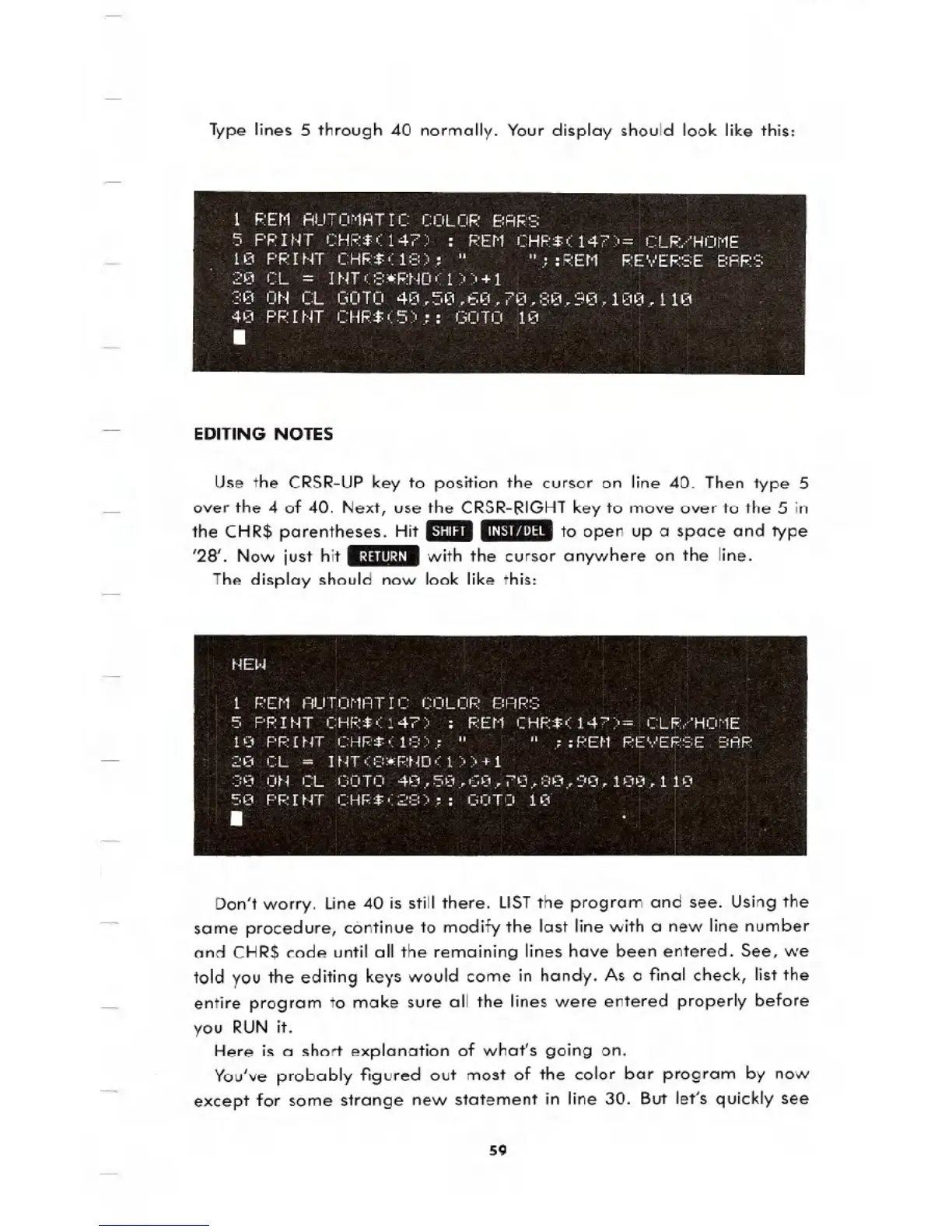
Type lines 5 through 40 normally. Your display should look like this:
1 REM AUTOMATIC COLOR BARS
5 PRINT CHR$(147) : REM CHP$(147)= ClR/HOME
10 PR I NT CHR$ ( 1 :=:):" " .::F:Et'1 RE',/ER:=:E BAF::=:
20 CL = INT(8*RNO(1»+1
30 ON CL GOTO 40.50.60.70.80.90.100.110
40 PRINT CHR$(5);: GOTO 10
.
EDITING NOTES
Use the CRSR-UP key to position the cursor on line 40. Then type 5
over the 4 of 40. Next, use the CRSR-RIGHT key to move over to the 5 in
the CHR$ parentheses. Hit _.1/"''tIf'''I~.to open up a space and type
'28'. Now just hit .:1:11111:1/_with the cursor anywhere on the line.
The display should now look like this:
Don't worry. line 40 is still there. LISTthe program and see. Using the
same procedure, continue to modify the last line with a new line number
and CHR$ code until all the remaining lines have been entered. See, we
told you the editing keys would come in handy. As a final check, list the
entire program to make sure all the lines were entered properly before
you RUN it.
Here is a short explanation of what's going on.
You've probably figured out most of the color bar program by now
except for some strange new statement in line 30. But let's quickly see
59





 To Next Page