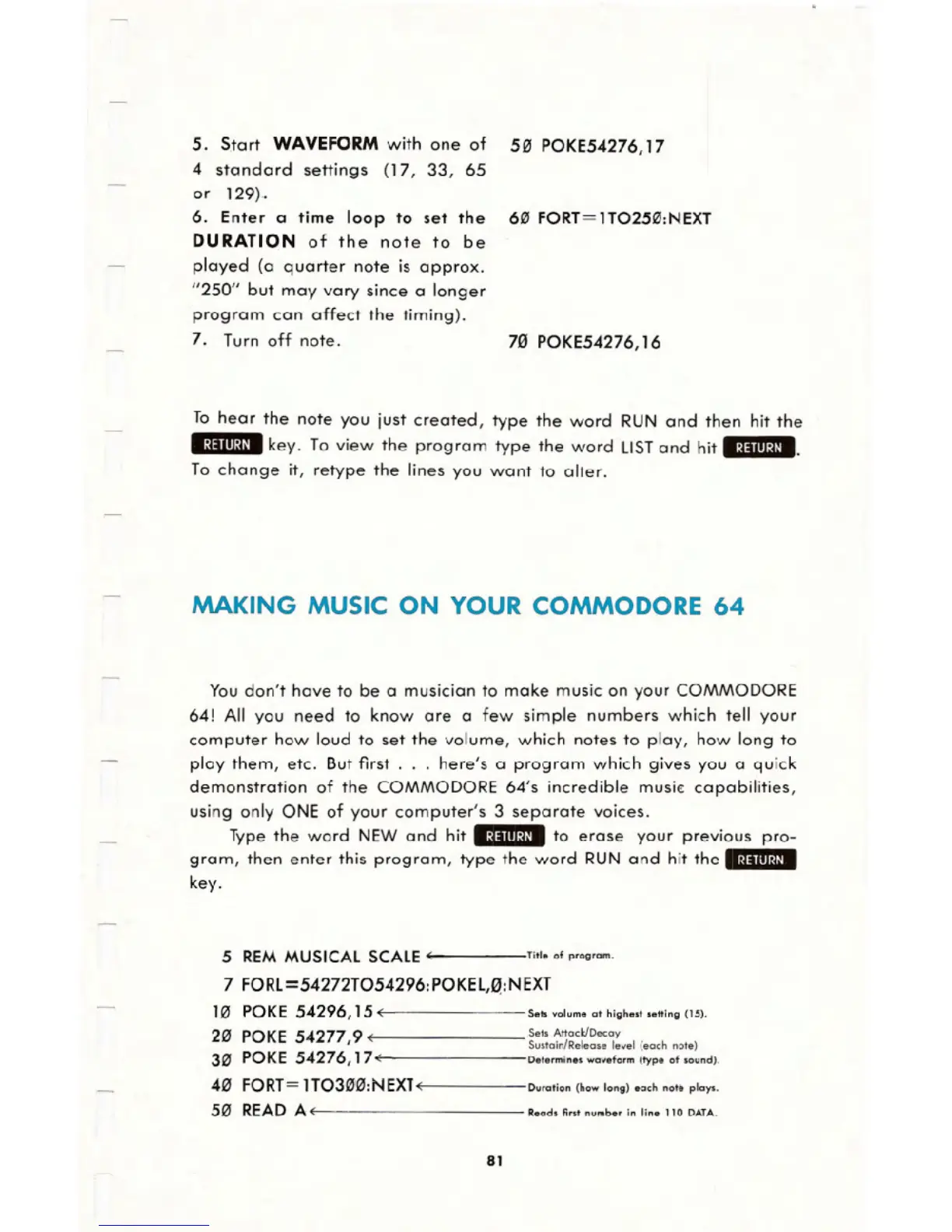
5. S.tart WAVEFORMwith one of 50 POKE54276,17
4 standard settings (17, 33, 65
or 129)..
6. Enter a time loop to set the 60 FORT=1T0250:NEXT
DURATION of the note to be
played (a quarter note is approx.
"250" but may vary since a longer
program can affect the timing).
7. Turn off note. 70 POKE54276,16
To hear the note you just created, type the word RUN and then hit the
.:~;!III~U.key. To view the program type the word LISTand hit .:~;!III:U.,
To change it, retype the lines you want to alter.
MAKINGMUSICON YOURCOMMODORE64
You don't have to be a musician to make music on your COMMODORE
64! All you need to know are a few simple numbers which tell your
computer how loud to set the volume, which notes to play, how long to
play them, etc. But first. . . here's a program which gives you a quick
demonstration of the COMMODORE 64's incredible music!:capabilities,
using only ONE of your computer's 3 separate voices.
Type the word NEW and hit .:~;!III:U. to erase your previous pro-
gram, then enter this program, type the word RUN and hit the .:~;!nl:~I.
key.
5 REM MUSICAL SCALE t Titleof p'ogram.
7 FORL =542721054296: POKEL,~:NEXT
10 POKE 54296,15 ( Se" volume at highe.t .e"ing (15).
20 POKE 54277 9 ( Set. A"acklOecay
I Sustain/Release level (each note)
30 POKE 54276,17 ( Determine. waveform (type of sound).
40 FORT=1T0300:NEXl( Duration (how long) each not. plays.
50 READA ( Read. fitSt numbe, in line 110 DATA.
81





 To Next Page