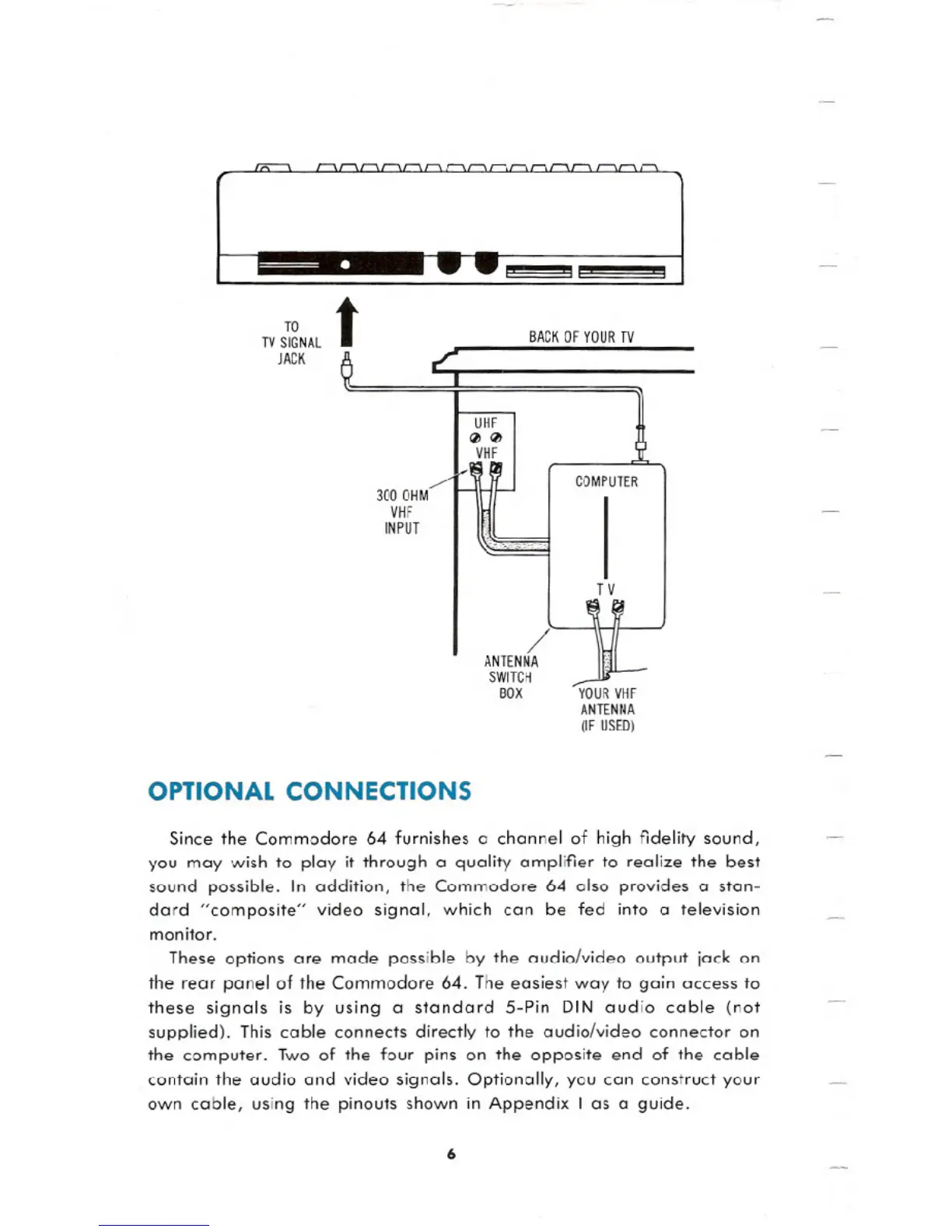
TO
tTV SIGNAL
JACK
BACK OF YOUR TV
OPTIONAL CONNECTIONS
Since the Commodore 64 furnishes a channel of high fidelity sound,
you may wish to play it through a quality amplifier to realize the best
sound possible. In addition, the Commodore 64 also provides a stan-
dard "composite" video signal, which can be fed into a television
monitor.
These options are made possible by the audio/video output jack on
the rear panel of the Commodore 64. The easiest way to gain access to
these signals is by using a standard S-Pin DIN audio cable (not
supplied). This cable connects directly to the audio/video connector on
the computer. Two of the four pins on the opposite end of the cable
contain the audio and video signals. Optionally, you can construct your
own cable, using the pinouts shown in Appendix I as a guide.
6





 To Next Page