The 8 is the code for the disk, so you're just letting the computer know
you want the program saved to disk.
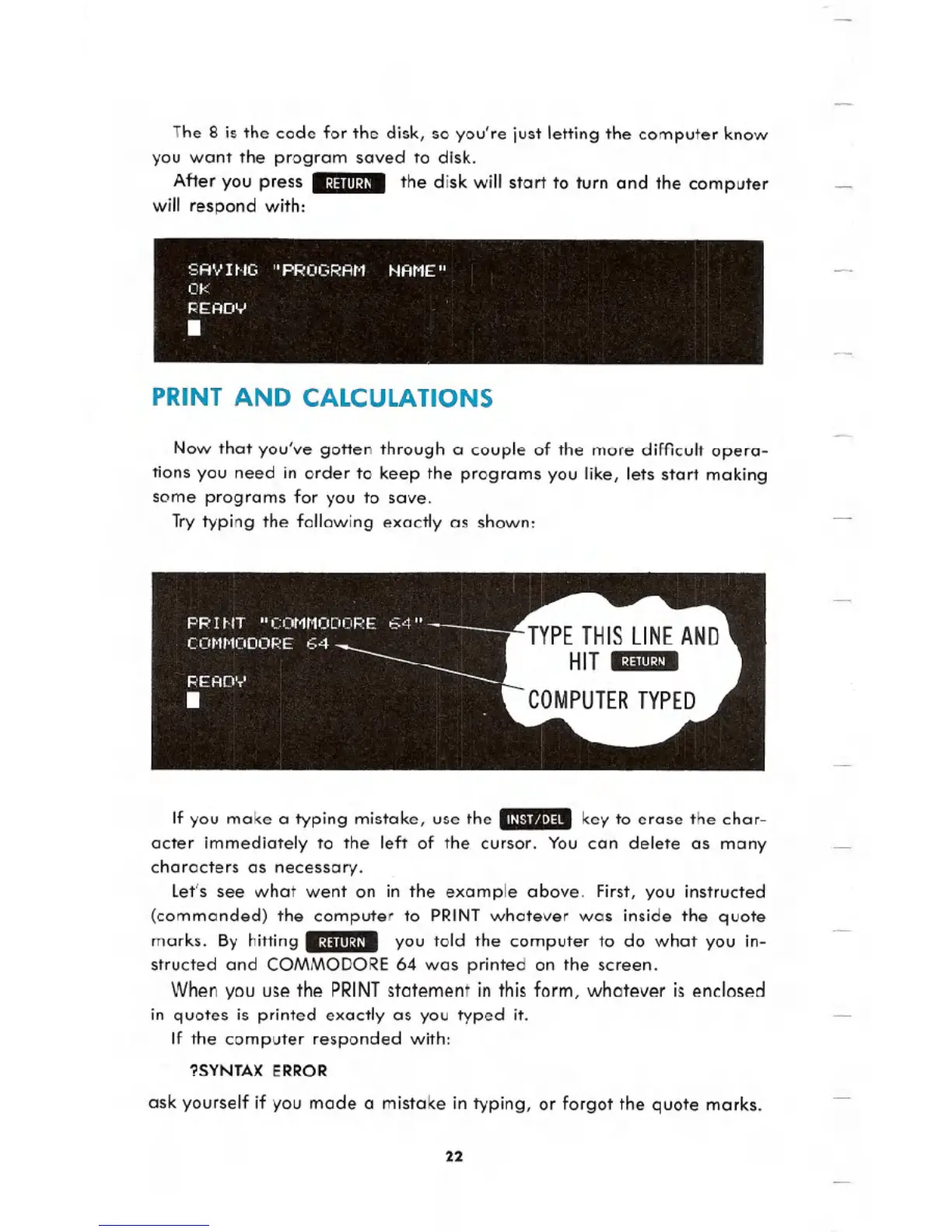
After you press 8:j:llll:j/8 the disk will start to turn and the computer
will respond with:
PRINT AND CALCULATIONS
Now that you've gotten through a couple of the more difficult opera-
tions you need in order to keep the programs you like, lets start making
some programs for you to save.
Try typing the following exactly as shown:
If you make a typing mistake, use the .1/1.'1f'.t'I~.key to erase the char-
acter immediately to the left of the cursor. You can delete as many
characters as necessary.
let's see what went on in the example above. First, you instructed
(commanded) the computer to PRINTwhatever was inside the quote
marks. By hitting 8:j:llll:j/8 you told the computer to do what you in-
structed and COMMODORE 64 was printed on the screen.
When you use the PRINT
statement in this form, whatever is enclosed
in quotes is printed exactly as you typed it.
If the computer responded with:
?SYNTAX ERROR
ask yourself if you made a mistake in typing, or forgot the quote marks.
22





 To Next Page