COLOR CHR$ CODES
Take a brief look at Appendix F, then turn back to this section.
You may have noticed in looking over the list of CHR$ codes in
Appendix F that each color (as well as most other keyboard controls,
such as cursor movement) has a unique code. These codes can be
printed directly to obtain the same results as typing liB and the
appropriate key within the PRINT statement.
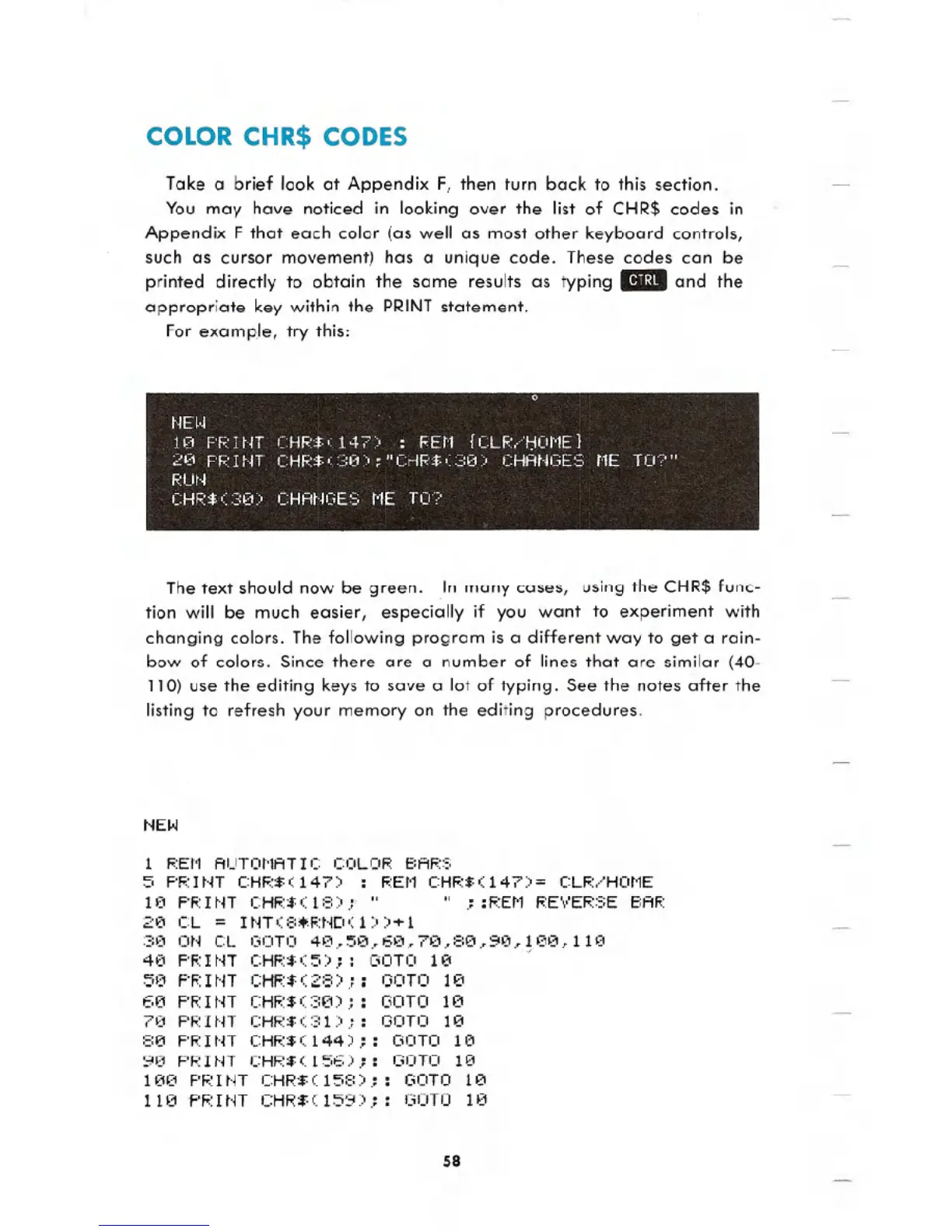
For examp.le, try this:
The text should now be green. In many cases, using the CHR$ func-
tion will be much easier, especially if you want to experiment with
changing colors. The following program is a different way to get a rain-
bow of colors. Since there are a number of lines that are similar (40-
110) use the editing keys to save a lot of typing. See the notes after the
listing to refresh your memory on the editing procedures.
HEW
1 REI'1 AUTOl'1ATI C COLOR BARS
S PI':I HT CHF.:$( 147) : REI'1 CHR$( 147)
= CLR/HOt1E
10 PI':I ~n CHR$ ( 18::0.: " " .:: REN REVERSE BAR
20 CL = IHT(8~RHD(1»+1
30 ON CL GOTO 40.Se~6e~70,80,ge,100~110
40 PRINT CHR$(S);: OOTO 10 J
50 F'F.:HIT CHF.:$(28) .:: GOTel 1£1
613 PRINT CHF.:$(38);: OOTO 113
70 PRINT CHR$(31);: GOTO 113
813 PRINT CHR$(144) : OOTO 113
90 PRINT CHR$(156) : GOTO 113
1130 PRINT CHR$(158 ;: OOTO 113
1113 PRINT CHR$(159 ;: GOTO 10
58





 To Next Page