Or, just:
INPUT VARIABLE
NOTE: To get out of this program hold down the .:~IJ/r~"tIOI:.Iand
.:1:1-'1101:1:8 keys.
The following program is not only useful, but demonstrates a lot of
what has been presented so far, including the new input statement.
1 REN TEI1PERATUF.:EC:OHVERSI Ot~ PF~O(;F.:AI1
5 P": ItH "{ GU-: HOI1E}"
10 PRIt~T "COt~VEF.:TFRON FAHRENHEIT OF.: CELSIUS
(F/G)": nlPUT A$
20 IF A$ = "~" THEt~ 20
3(1 IF A$ = "F" THEN 10(1
413 IF A$ <:? "C" THEt.4 10
513 INPUT "ENTEF.: DEGF:EES .cEL~:;I US : ": C
613 F = (C~9)/5+32
713 PRINT C.:" DEO. GELSI U::; = "; F.:" DEO.
FAHF.:Et~HEIT"
8~j PI': It-IT
913 (;OTO 113
HKI IHPUT "EtHEl': DEGREES FAHRENHEIT: ": F
1113 C = (F-32)~5/9
1213 PI': I NT F.:" DEG. FAHF.:Et-4HEI T = "; C.:" DEG.
CELSII-'S"
1:313 PI': I NT
1413 (;OTO 113
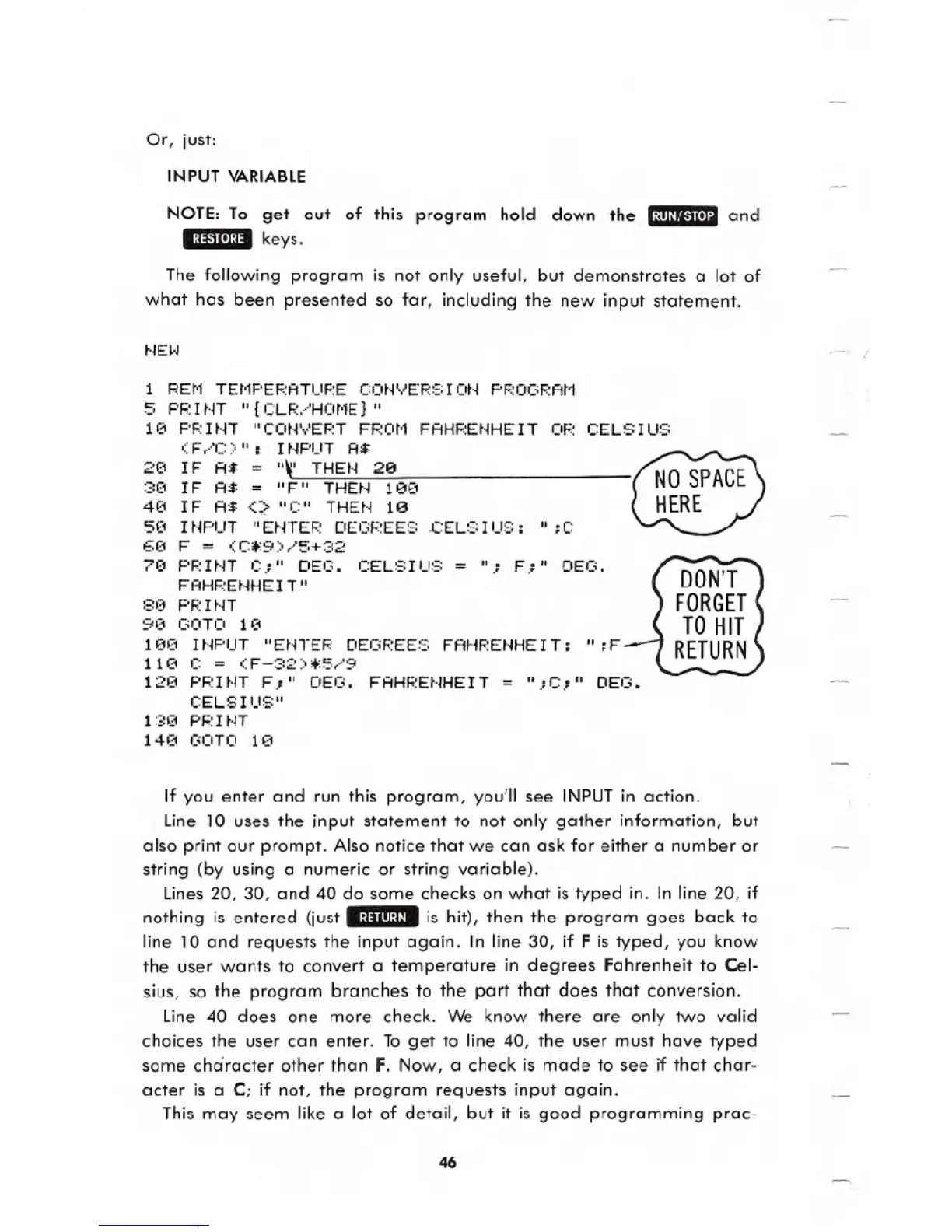
If you enter and run this program, you'll see INPUT in action.
Line lOuses the input statement to not only gather information, but
also print our prompt. Also notice that we can ask for either a number or
string (by using a numeric or string variable).
Lines 20, 30, and 40 do some checks on what is typed in. In line 20, if
nothing is entered (just .:~:lIII:~/. is hit), then the program goes back to
line 10 and requests the input again. In line 30, if F is typed, you know
the user wants to convert a temperature in degrees Fahrenheit to Cel-
sius, so the program branches to the part that does that conversion.
Line 40 does one more check. We know there are only two valid
choices the user can enter. To get to line 40, the user must have typed
some character other than F. Now, a check is made to see if that char-
acter is a C; if not, the program requests input again.
This may seem like a lot of detail, but it is good programming prac-
46





 To Next Page