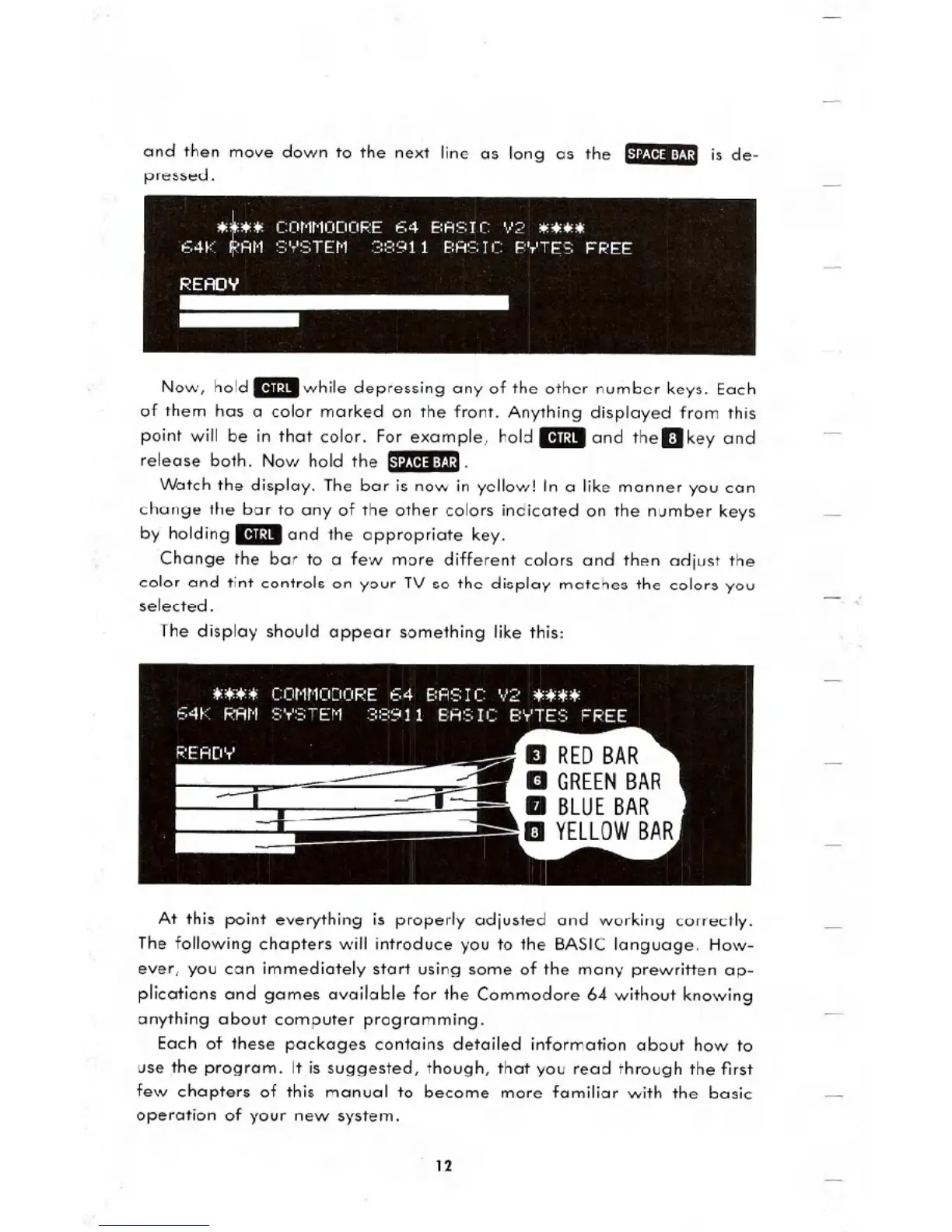
and then move down to the next line as long as the 1-"l:I~tll::8:J,':1is de-
pressed.
Now, hold _while depressing any of the other number keys. Each
of them has a color marked on the front. Anything displayed from this
point will be in that color. For example, hold _and theDkey and
release both. Now hold the 1-"l:I~tll::8:J,':I.
Watch the display. The bar is now in yellow! In a like manner you can
change the bar to any of the other colors indicated on the number keys
by holding
_and the appropriate key.
Change the bar to a few more different colors and then adjust the
color and tint controls on your TV so the display matches the colors you
selected.
The display should appear something like this:
At this point everything is properly adjusted and working correctly.
The following chapters will introduce you to the BASIC language. How-
ever, you can immediately start using some of the many prewritten ap-
plications and games available for the Commodore 64 without knowing
anything about computer programming.
Each of these packages contains detailed information about how to
use the program. It is suggested, though, that you read through the first
few chapters of this manual to become more familiar with the basic
operation of your new system.
12





 To Next Page