C-Band Transceiver Revision 1
LNA Installation MN/CSAT5060.IOM
8–5
8.1.3 Assemble LNA Switch Kit, AS/0438
Step Procedures
1
Remove all protective tape from switch and keep it clean.
2
Position Low Noise Amplifiers (LNAs) and gasket (11, Figure
2-1) on Port 1 and Port 3 of switch (5).
3
Secure each LNA with eight bolts (7, Figure 2-1), lock washers
(8) and flat washers (12).
4
Position adapter (3) and gasket (11) on Port 2 and secure with 10
bolts (7), lock washers (8), and flat washers (12).
5
Place termination (10) on threaded part of adapter (3)
IMPORTANT
Ensure that the OUTPUT flange of the filter is against switch
(5). TRF filter is Customer-Selectable at time of ordering.
6
Position customer-select TRF filter, gasket (11), and support
bracket (1, Figure 2-2) on Port 4 of switch (5, Figure 2-1) and
secure with eight bolts (3, Figure 2-2), lockwashers (2), and flat
washers (1), and use two bolts (7, Figure 2-1), lockwashers (8),
and flat washers (12).
7
Set assembly aside for later installation.
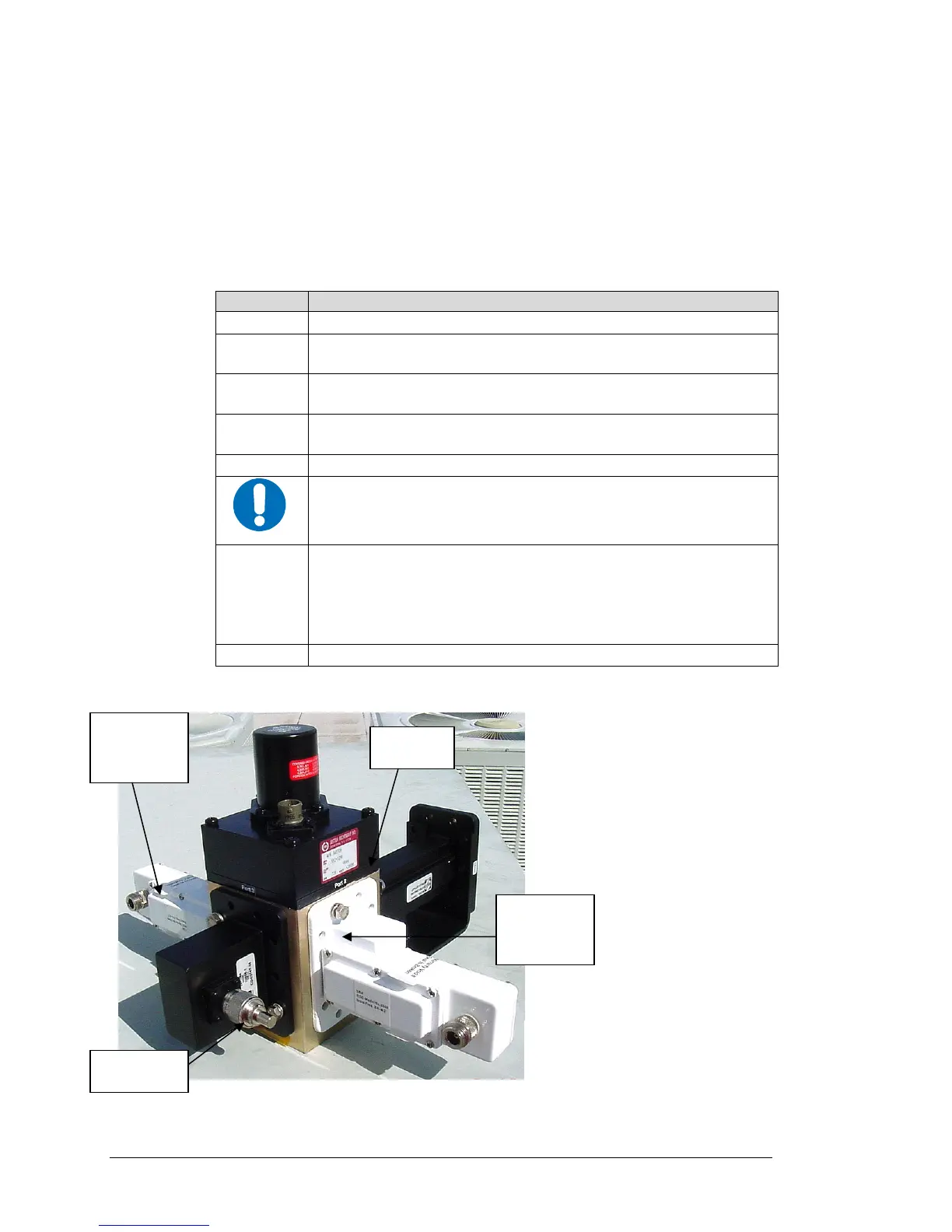
Port 4
Port 1
LNA-B
Port 2
Port 3
LNA-A
Figure 8-4. Switch Port Locations



 To Next Page