C-Band Transceiver Revision 1
CSAT-5060 100/125 Watt Installation MN/CSAT5060.IOM
C–16
C.5.2.1 Assemble Waveguide Switch, AS/0478
Step Procedures
1 Remove all protective tape from switch and keep it clean.
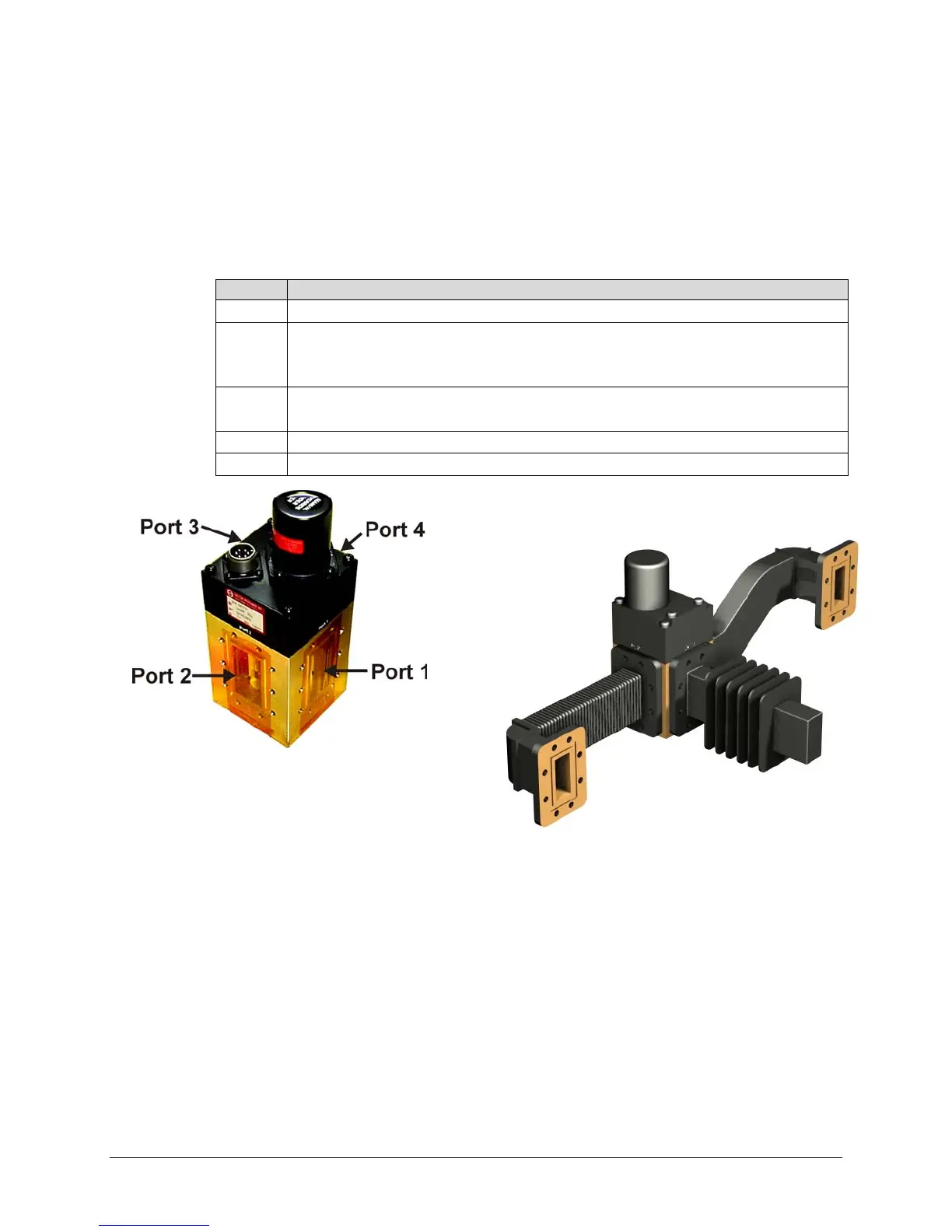
2 Install waveguide termination (1, figure C-12) and gasket (4) to Port 2
(Figure C-14) of switch (7, figure C-12) and secure with bolts (8),
lockwashers (6), and flat washer (7).
3 Install waveguides (2) and gaskets (4) to Ports 1 and 3 of switch (7) and
secure with bolts (8), lockwashers (6), and flat washers (7).
4 Final assembly should look identical to Figure C-15.
5 Set waveguide switch assembly aside for later installation.
Figure C-14. Switch Port Locations
Figure C-15. Assemble Waveguide
Switch, AS/0478



 To Next Page