33Operating the control software
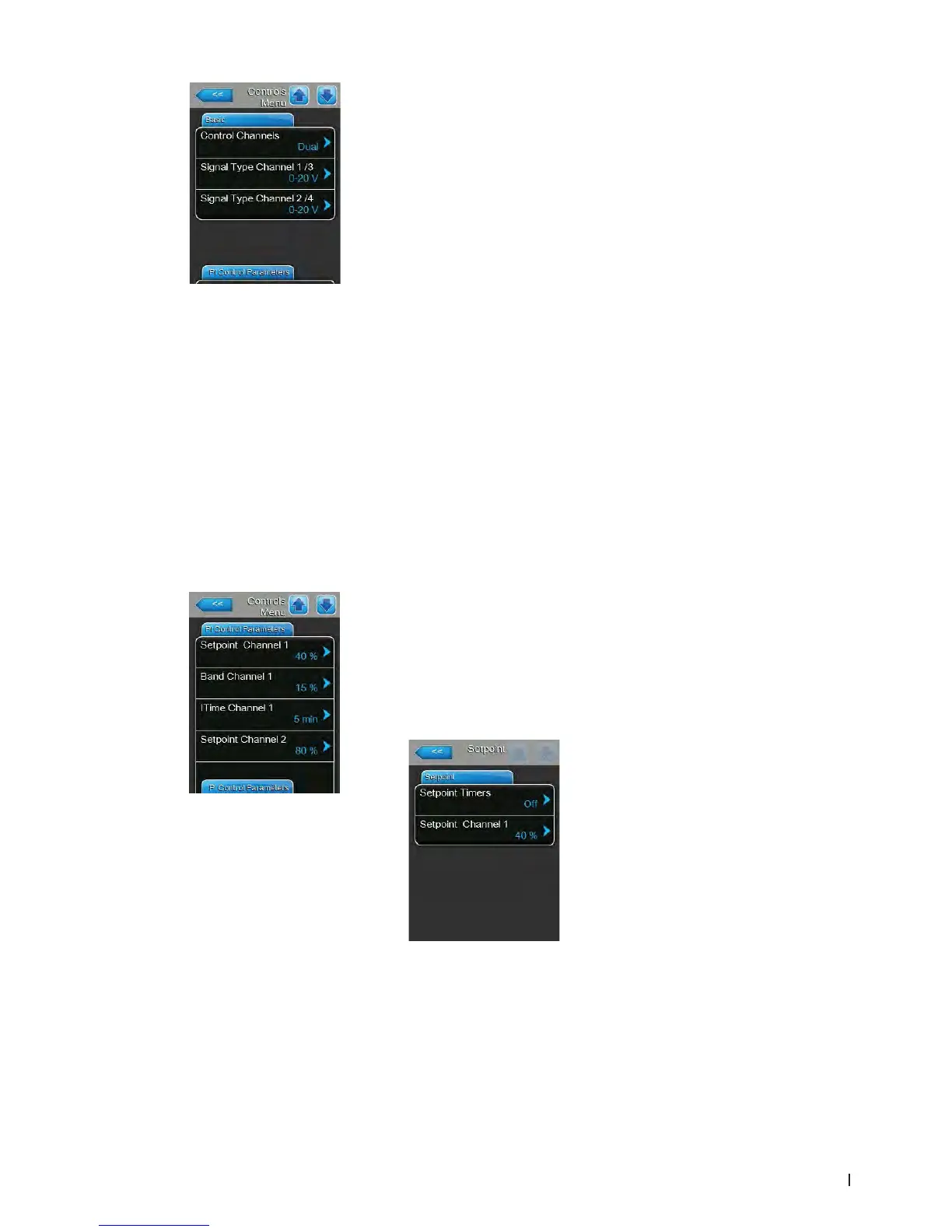
PI Control Parameters Tab
– Setpoint Channel 1: with this button you can access the settings menu
for the humidity setpoint. Here you determine whether the Condair EL is
to be controlled with a xed humidity setpoint (factory setting) or whether
it is to be operated timer controlled with different humidity setpoints.
Note: this menu item appears only if "Control Mode CH 1/3" is set to
"RH P" or "RH PI".
– Control with xedhumiditysetpoint
Let the timer function deactivated ("Setpoint Timers: Off") or deactivate
the timer function if necessary. Then, set the desired humidity setpoint
value in %RH via the "Setpoint Channel 1" parameter (Factory setting:
40 %rh, Setting range: 0...95 %rh).
– Control Channels: with this setting you determine, whether the steam
humidier is controlled without supply air limitation (set to "Single") or with
supply air limitation (set to "Dual").
Factory setting: Single
Options: Single (without supply air limitation) or
Dual (with supply air limitation)
– Signal Type Channel 1/3: with this setting you determine the control
signal type the Condair EL is controlled with.
Note: this setting appears only if signal source is set to "Analog" and
"Control Mode CH 1/3" is set to "Demand", "RH P" or "RH PI".
Factory setting: 0-10 V
Options: 0-5 V, 1-5 V, 0-10 V, 2-10 V, 0-20 V, 0-16 V,
3.2-16 V, 0-20 mA, 4-20 mA
– Signal Type Channel 2/4: with this setting you determine the limiter signal
type (supply air limitation) the Condair EL is controlled with.
Note: this setting appears only if signal source is set to "Analog", "Control
Mode CH 2/4" is set to "Demand", "RH P" or "RH PI" and Control Chan-
nels is set to "Dual".
Factory setting: 0-10 V
Options: 0-5 V, 1-5 V, 0-10 V, 2-10 V, 0-20 V, 0-16 V,
3.2-16 V, 0-20 mA, 4-20 mA















 To Next Page