EverSmart Scanners Installation and Maintenance vii
Document Conventions
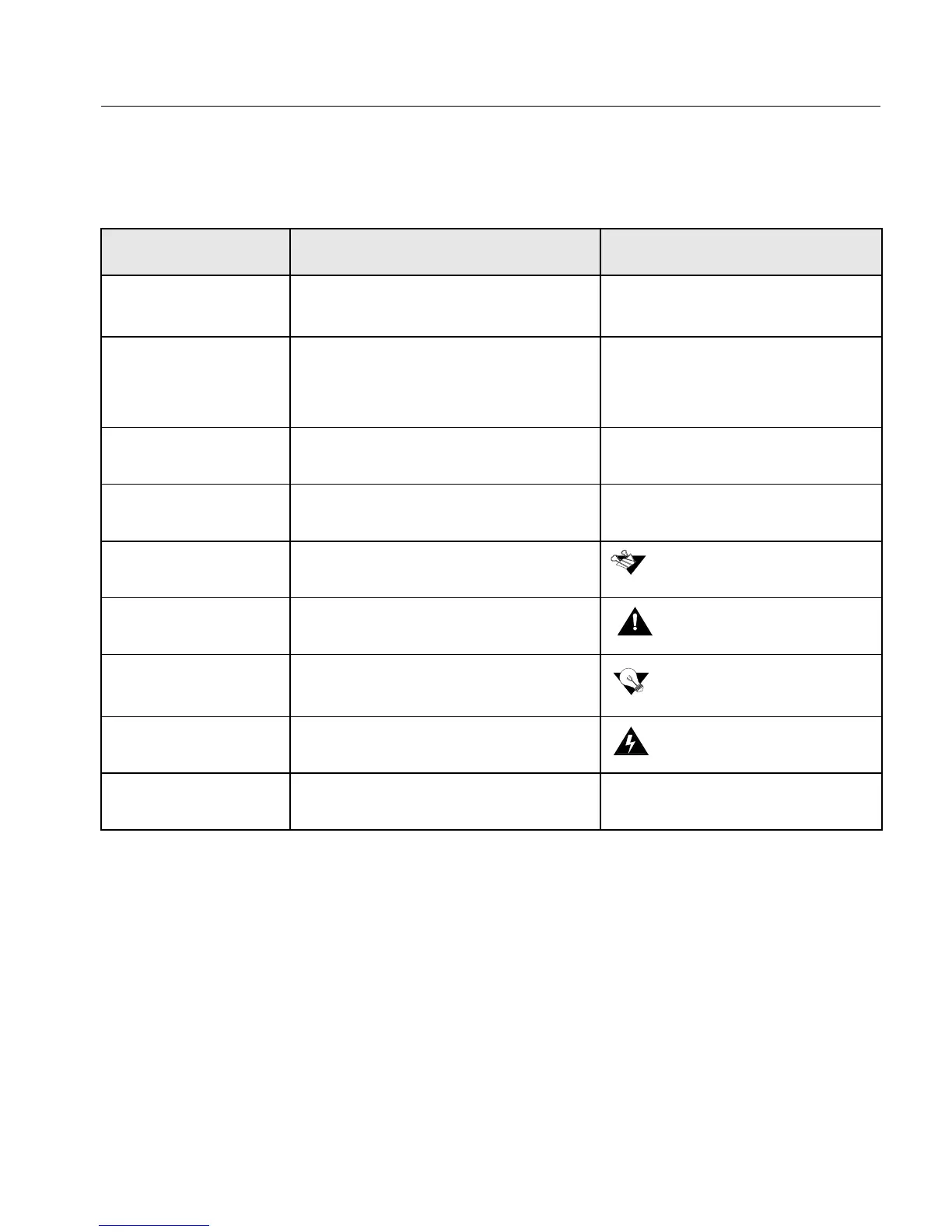
The following conventions are used throughout this document:
Macintosh Conventions
Macintosh operating conventions are followed in this guide. We assume that you have a working
knowledge of mouse operation, and of standard Macintosh menus, commands, and dialog boxes.
If necessary, you should refer to the Macintosh documentation for a review of the techniques.
Item Purpose Example
User interface
elements
User interface elements, such as menu
options and icons, are in bold.
Select New from the File menu.
Click the Expand icon.
Procedures you
perform
Procedures that you perform appear in a
numbered list.
1. Connect the machine to the
main power supply.
2. Turn on your PC.
Single-step procedure
Single-step procedures appear with an
arrow.
Select Remote Staton from the
File menu.
References
Book icon precedes reference to another
book or to another place in the book.
Note
Note icon precedes additional
information.
Caution
Caution icon precedes a caution
message.
Tip
Tip icon precedes a tip.
Warning
Warning icon precedes a warning
message.
Emphasized text
Use template style to denote importance. As a general user, you are able to
search for Files and Folders.
Refer to Chapter 5 for more
details.
The software version appears in
the title bar of the screen.
The scanner weighs appr. 70 kg.
Two people are required to lift it.
If you want Half resolution, set the
Half Res box.
Before connecting the scanner,
switch it off.



 To Next Page