5-16
Copyright 2017 Cummins Inc.
Setup Menu
The SETUP submenus permit selection of several
configuration and operation options. Setup option
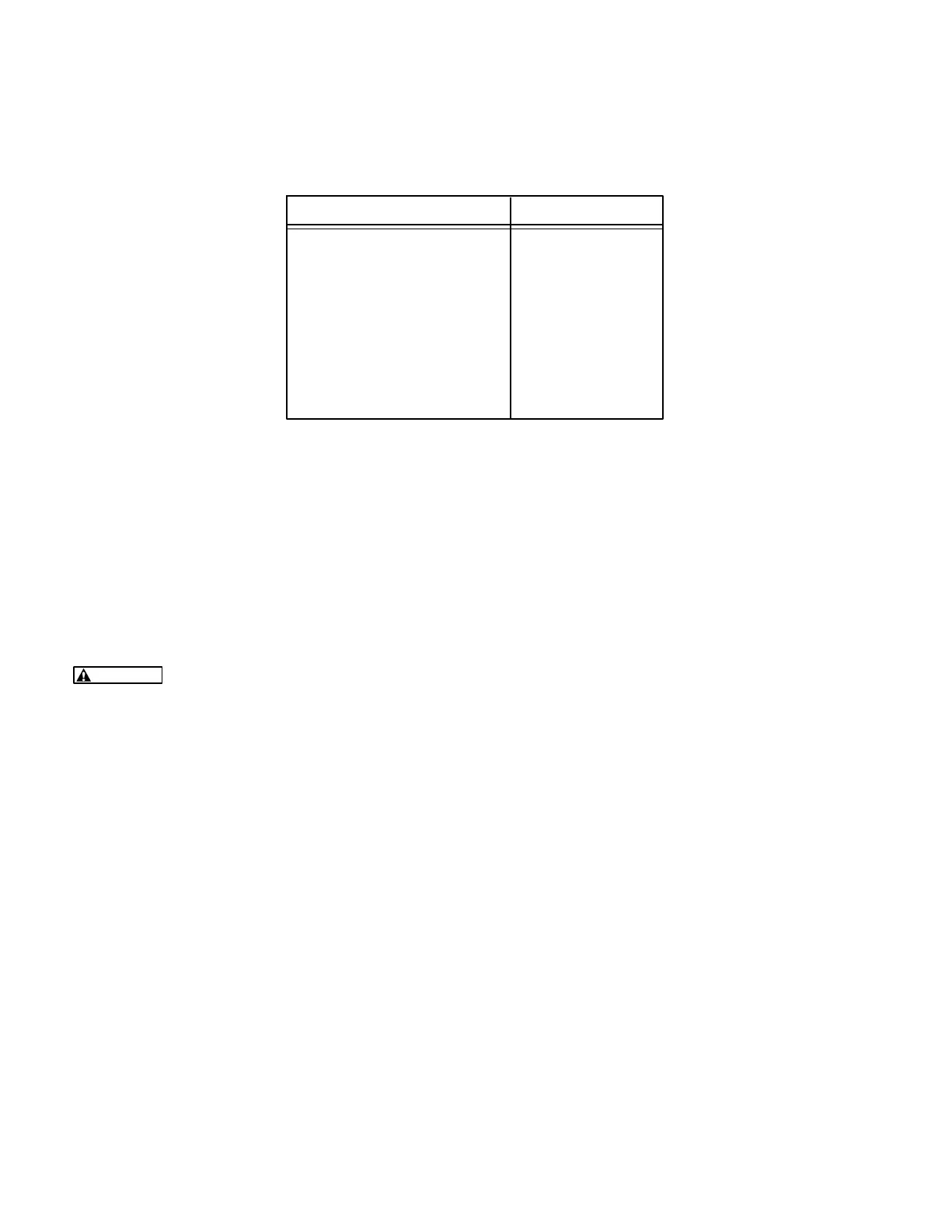
defaults are listed in Table 5-2.
TABLE 5-2. SETUP DEFAULTS
SELECTION DEFAULT
CYCLE CRANK ON
SYSTEM OF UNITS IMPERIAL
*RACK POSITION (CF1) WARN
*GRND FAULT (CF2) WARN
*DAY TANK (CF3) WARN
*HIGH GEN TEMP (CF4) WARN
EGT L NO
EGT R NO
LOW COOLANT SHTD
LANGUAGE ENGLISH
* Default display messages for customer faults (CF) 1
through 4. To change the customer fault mes-
sage(s) or select the desired fault condition (WARN
or SHTD), refer to heading Edit Customer Fault
Messages.
The facing page shows a block representation of
the SETUP submenus, which is the fourth of four
SETUP/CAL menus. If you press the button next to
the “>>” in the Main menu display, the VERSION/
SETUP/CAL submenu will appear.
CAUTION
Improper calibration or adjustment
of the PowerCommand control can cause
equipment malfunction or damage. Calibration
and adjustment must be performed by techni-
cally qualified personnel only.
SETUP submenu: The SETUP submenus are in-
tended for qualified service personnel only. For this
reason, a three-digit access code must be entered
before you can proceed to those menus.
Select SETUP/CAL. The display will show the EN-
TER CODE submenu. Enter the access code (574)
as previously described in this section.
From the DISPLAYS/METERS submenu, press the
button next to the “>>” in the display to move to the
GOV/REG/SETUP submenu. Select SETUP to
proceed to the SETUP submenus or “>>” to pro-
ceed to the RACK TEST submenus.
Use the buttons next to the “
” symbols to toggle
the setup options. Press the button next to the “>>”
in the display to move to the next adjustment.
If the cycle cranking option is selected, the menu will
prompt for the selection of cycle number (3, 4, or 5)
and crank and rest times (7 to 20 seconds).
An in-line engine that has the EGT (exhaust gas
temp.) option, select “YES” for EGT L and ’NO” for
EGT R.
RACK TEST submenu: The RACK TEST subme-
nu is used to initiate the rack position diagnostic
test. This test is used to determine if the PCC is
properly controlling the rack position of the actua-
tors. To initiate this test, the Run/Off/Auto switch
must be set to the Off position.
When exiting this test or if the Run/Off/Auto switch
is moved to either the Run or Auto position, the PCC
software will re-initialize the governor duty cycle to 2
(0%) and allow the engine starting sequence to pro-
ceed as normal.
To perform the rack test, refer to the Rack Position
Fault/Test Procedure in Section 4.
TORQUE ADJ %DC submenu: This submenu is
used to adjust the engine torque through the digital
display to compensate for engine/electronic varia-
tions. If the generator set is not providing the name
plate kilowatt rating, the torque limit can be adjusted
at this menu. Refer to Engine Torque Adjustment in
this section for a detailed description of how to per-
form this adjustment.
Edit Customer Fault Message(s): The four cus-
tomer fault messages shown in Table 5-2 are edit-
able. Customer Fault 1 is reserved for the RACK
POSITION fault. Do not modify this fault name or
change the fault condition (
WARN to SHTD).
To enter the desired customer fault message, press
the button next to the “>>” in the display to display



 To Next Page