7
EXCEL HR OPERATOR MANUAL
D1796, REV. D, 12/16
System Basics
Turning On the System
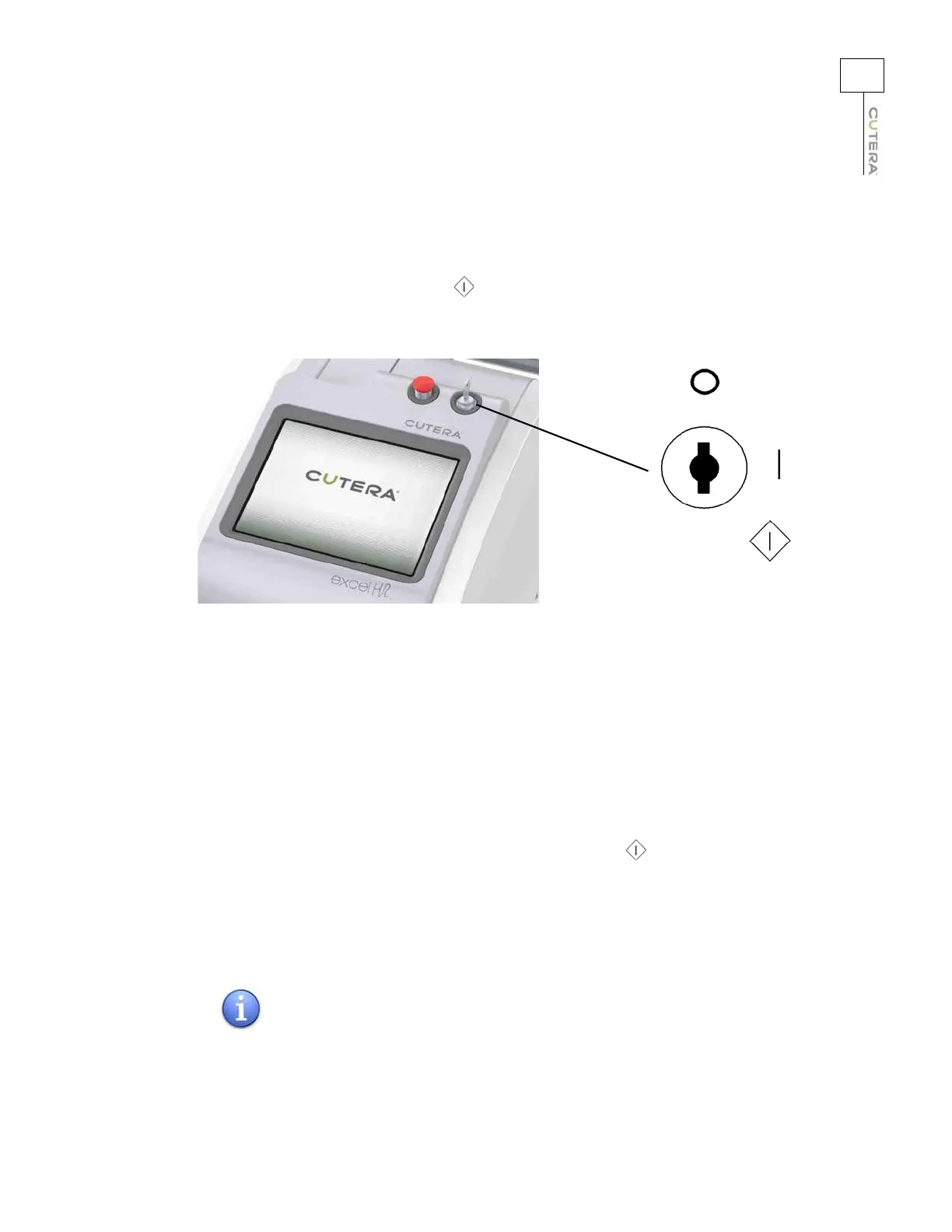
Insert the key in the keyswitch, turn to the (start) position, HOLD FOR FIVE SECONDS, and release.
Upon release, the key automatically springs back to the l (on)
position.
Keyswitch
The touchscreen displays the start-up screen, and the system begins a self-test routine. After
approximately 30 seconds, the system emits an audible tone, and the touchscreen displays the Select
screen. If any fault conditions, advisory messages or error codes appear in the pop-up display during
self-test, refer to the Troubleshooting section of this manual.
Restarting the System
To restart the system:
1. Turn the keyswitch to the O (of
f) position.
2. WAIT 5 SECONDS before turning the keyswitch to the
(start) position. Release the
key. The system will go through its normal start-up sequence.
Turning Off the System
Under normal operating conditions, turn the keyswitch to the O (off) position.
When the main power cable is connected to the electrical source,
some
internal circuits remain energized. To de-energize all the
internal circuits, turn off the main power circuit breaker and
disconnect the electrical service.
NOTE



 To Next Page