13
EXCEL HR OPERATOR MANUAL
D1796, REV. D, 12/16
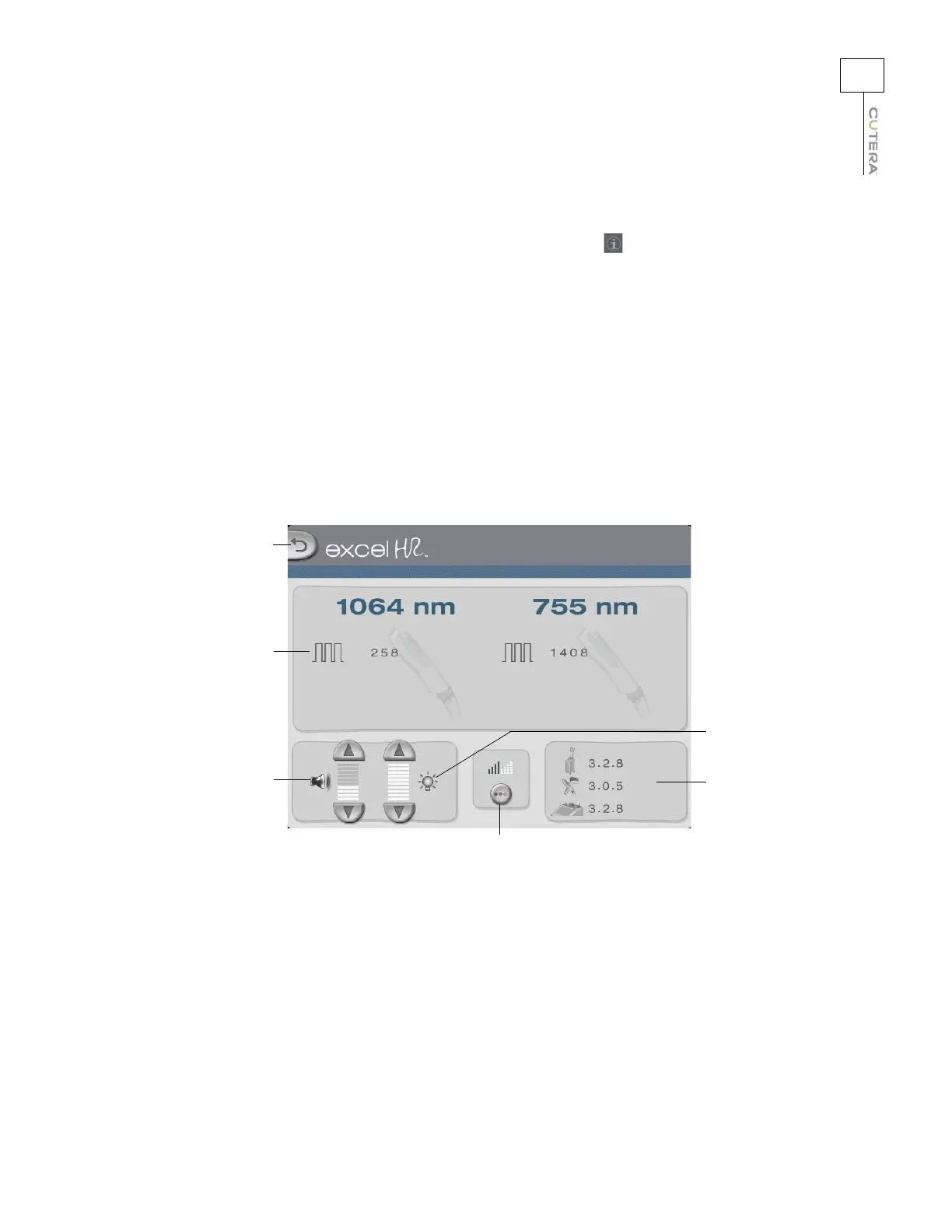
Information & Adjustment Screen
The Information & Adjustment screen is accessed by touching the tab in the upper right corner of the
Treatment screen while the system is in STANDBY mode. From the Information
& Adjustment screen you
can:
• view the total number of pulses ever recorded while using the laser handpiece
• adjust the volume of the emission indicator and other audible tones (refer to the
Audible
Tones topic)
• adjust the touchscreen backlighting
• adjust the aiming beam (refer to the
Aiming Beam topic)
• view the software version for the system controller, display and handpiece
• go back to the Treatment screen (refer to the Treatment Screen topic)
Go to Treatment
screen
Volume controls
Software
versions
Backlighting
controls
Total number of
pulses recorded
Aiming beam
button
Information & Adjustment Screen



 To Next Page