14
EXCEL HR OPERATOR MANUAL
D1796, REV. D, 12/16
System Status: STANDBY and READY Modes
The system automatically goes into STANDBY mode at system start-up. In STANDBY mode:
• the footswitch is disabled
• the internal safety shutter is closed
• the treatment and aiming beams are not available
• the fluence (J/cm
2
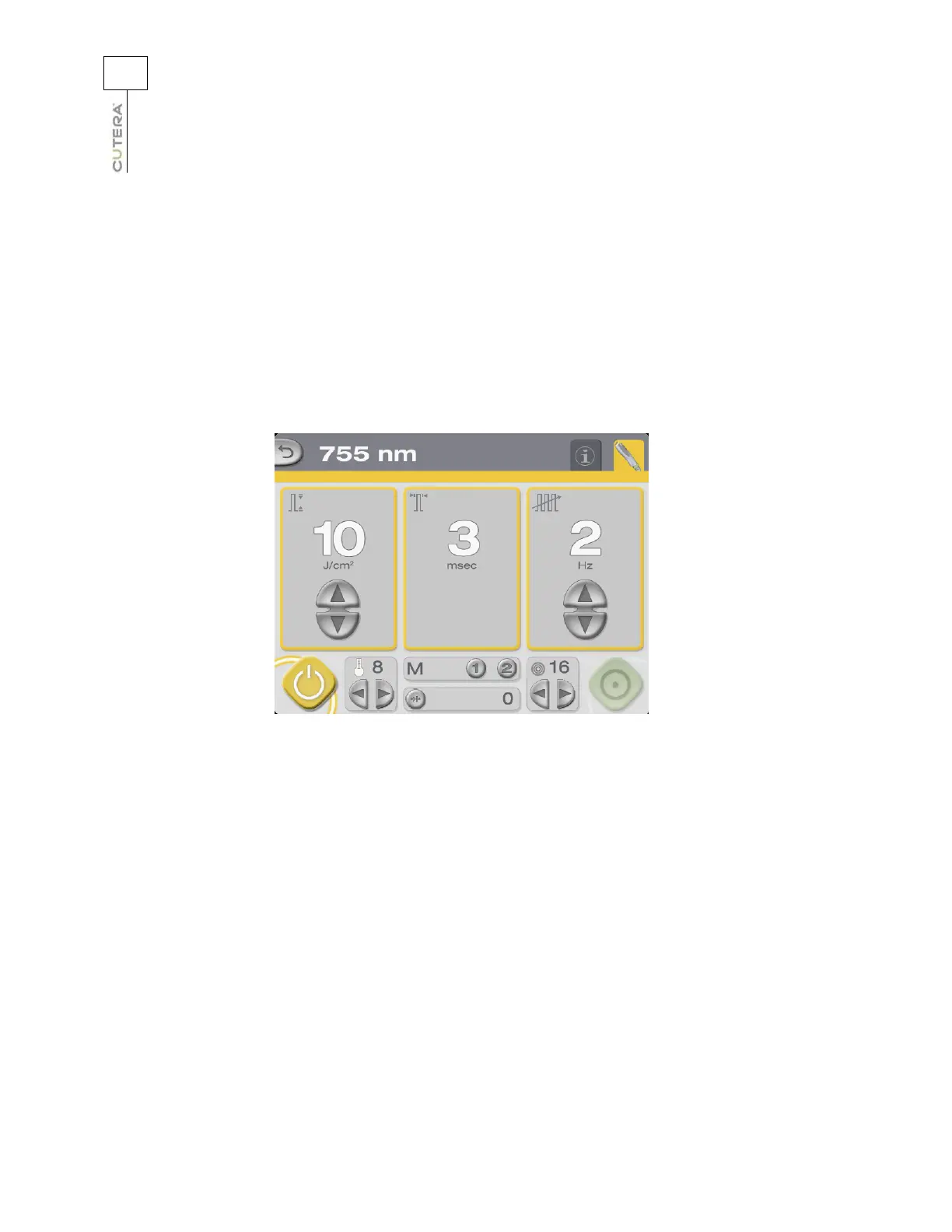
), pulse width (msec) and repetition rate (Hz) fields are outlined in yellow
• the STANDBY button illuminates
755 nm Treatment Screen in STANDBY Mode
Touch the READY button to toggle to READY mode. In READY mode:
• the footswitch is enabled
• the safety shutter is open
• the treatment and aiming beams are available
• the fluence (J/cm
2
), pulse width (msec) and repetition rate (Hz) fields are outlined in green
• the READY button illuminates
When the system is in READY mode and the footswitch is pressed,
treatment energy is discharged from
the handpiece, the system emits an audible tone, and a yellow indicator next to the READY button
illuminates to indicate treatment beam emission.



 To Next Page