16
EXCEL HR OPERATOR MANUAL
D1796, REV. D, 12/16
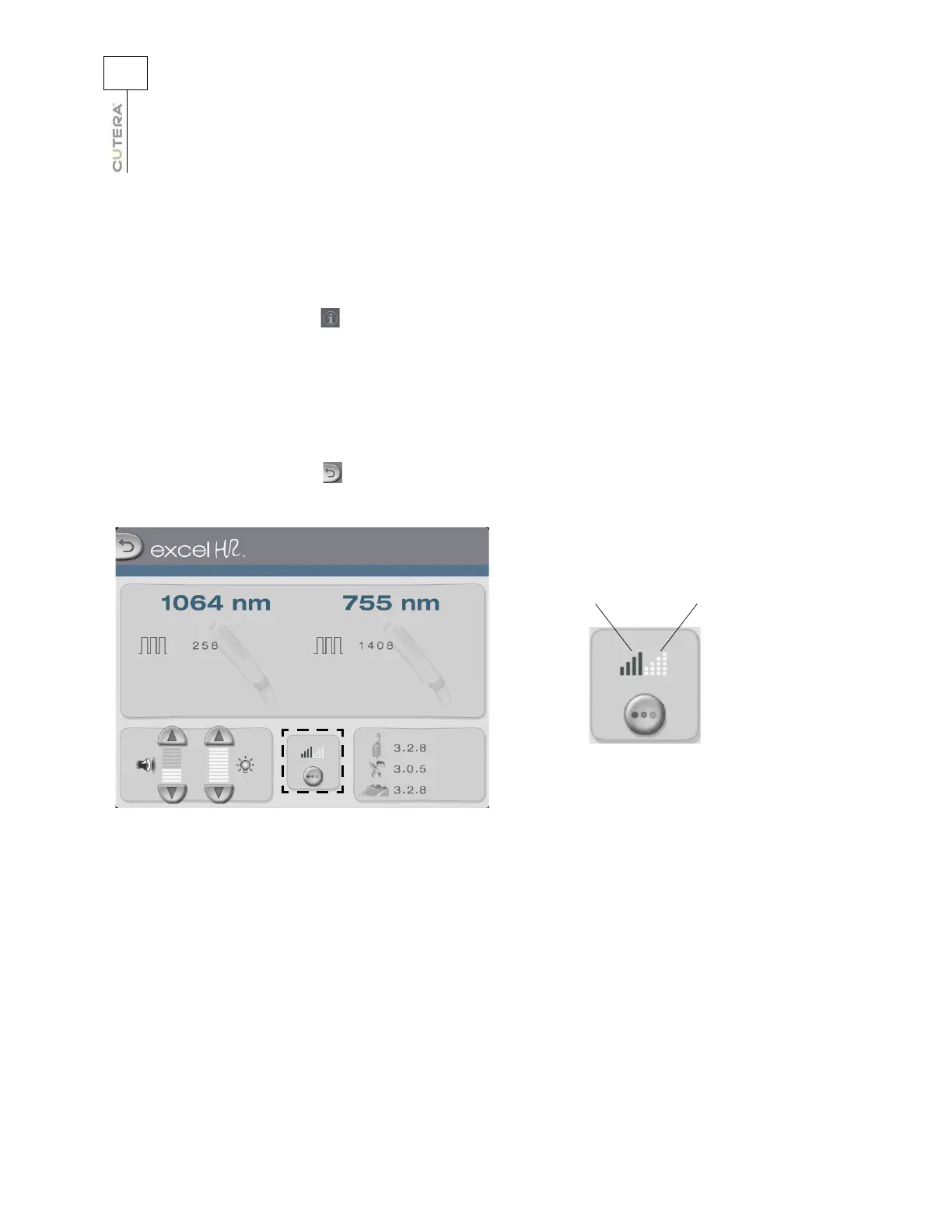
Aiming Beam
The aiming beam is a low power, visible laser beam that is coaxial with the treatment beam and is used
to target the treatment area. All aiming beam functions are controlled from the touchscreen display. To
adjust the intensity of the aiming beam:
1. Touch the
tab in the upper right corner of the Treatment screen to go to the Information
& Adjustment screen.
2. Point the laser handpiece at the targeted treatment site.
3. Touch the aiming beam button to toggle through the modes and intensities.
There are four
intensities in continuous and blink modes, as well as an OFF mode.
4. Touch the
(back) button to return to the Treatment screen.
Four intensities in
continuous mode
Four intensities
in blink mode
Location of Aiming Beam Button on Information & Adjustment Screen



 To Next Page