11
EXCEL HR OPERATOR MANUAL
D1796, REV. D, 12/16
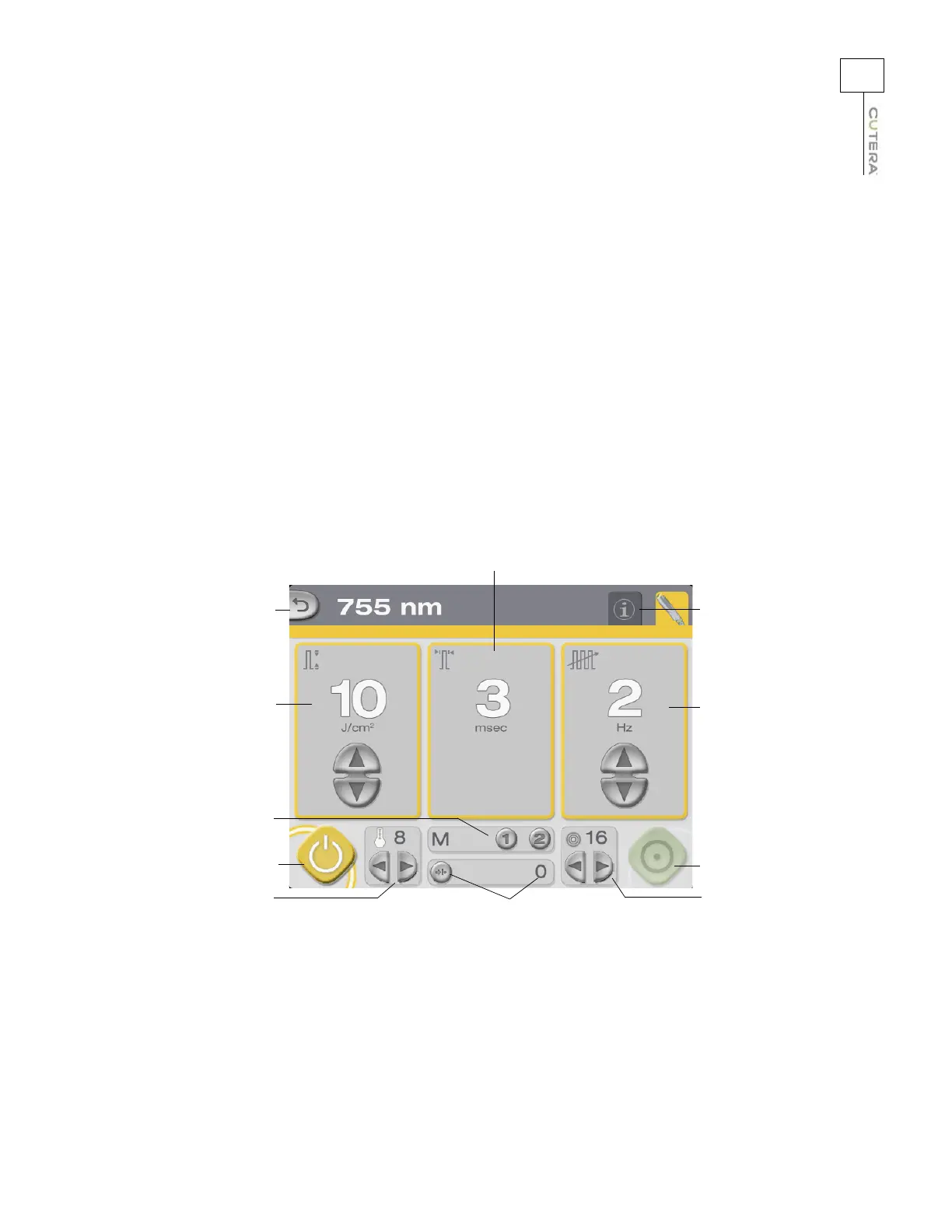
Treatment Screen
The Treatment screen is accessed by touching the button for the desired wavelength on the Select
screen. The Treatment screen allows you to:
• select the fluence, pulse width (1064 nm only), repetition rate and spot size (refer to the
User-selectable
Treatment Parameters topic)
• adjust the temperature of the sapphire cooling window (refer to the User-selectable
T
reatment Parameters topic)
• store and recall frequently used treatment parameters (refer to the Memory Storage topic)
• view and reset the pulse counter (refer to the Displays and Indicators topic)
• select the system status (refer to the System Status: ST
ANDBY and READY Modes topic)
• go to the Select screen (refer to the Select Screen topic)
• go to the Information & Adjustment screen (refer to the Information & Adjustment Screen
topic)
Go to Select Screen
Fluence display and
controls
Memory buttons
STANDBY button
Pulse counter and
reset button
Go to Information &
Adjustment screen
Pulse width display
Repetition rate
display and controls
Spot size display
and controls
READY button
Temperature display
and controls
755 nm Treatment Screen (STANDBY mode shown)



 To Next Page