CVC TECHNOLOGIES, INC. CVC 310 OPERATION MANUAL
10. OPERATION INSTRUCTION
a. Ensure that electric supply and compressed air are properly connected.
b. Ensure that the HHT Control panel plug is properly connected to the HHT socket on the machine.
c. It is necessary to adjust the working parts of the machine to a proper position according to the
product to be labeled and the label to be applied. (Refer to chapter 11 Machine Adjustments.)
10.1 Air Regulator Set Check (Optional)
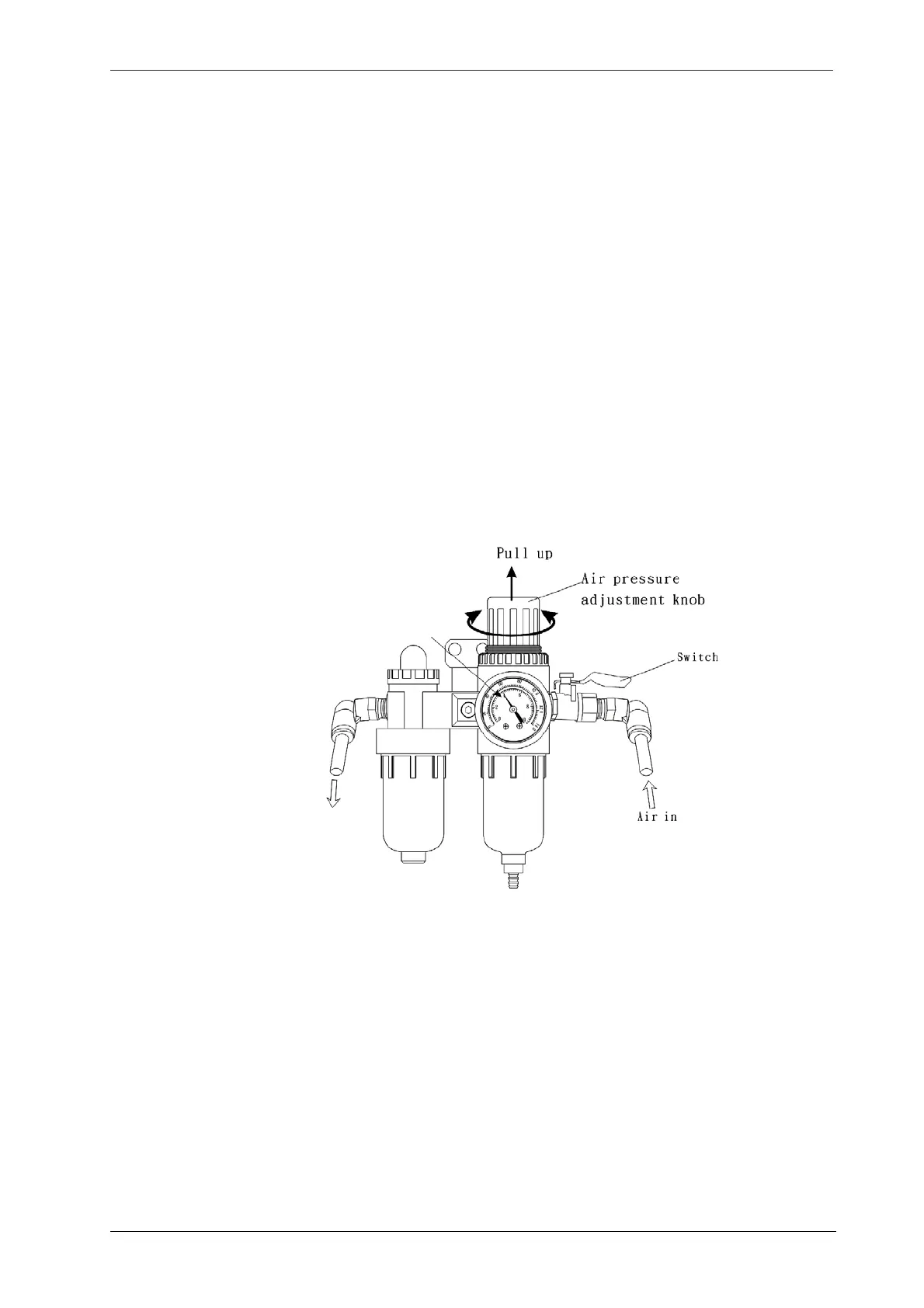
Turn on the switch on the air regulator, and check that the air pressure displayed on the air gauge is at
3 bar. If necessary, adjust the air pressure adjustment knob by pulling it up and rotate it to around
3~4kg /cm
2
. If no compressed air is available, check if the air compressor and ensure that the valve is
open, if no abnormalities were found, the air regulating set may be required repairing or replacement.
Fig 10.1-1
Air pressure
gauge
10 - 1



 To Next Page