CVC TECHNOLOGIES, INC. CVC 310 OPERATION MANUAL
11.6 Product Sensor Adjustments
The function of product sensor (WL-4G) is to detect bottle width (a tolerance of 1-2mm showed on the
LCD display is possible and acceptable), and then sends the signal of bottle width to SelfSet to
perform labeling job. The sensitivity strength has been setup in factory so it is not necessary to do any
adjustment. But the sensitivity is necessary to be adjusted when transparent bottle is applied.
Adjustment of Light Reception:
a. Determine the on/off points of signal strength indicator.
b. Select the middle position so that red sender beam hits centre of reflector. With optimum light
reception, signal strength indicator lights up.
c. If it does not light up, not enough light is being received, readjust and/or clean photoelectric switch
and reflector.
Object Detection Check:
Move object into beam; signal strength indicator should go out. It should light up again when the
object is removed.
Note:
․If the signal emitted is too strong, it may produce several unidentified signals when a transparent
bottle passes through the product sensor, especially for the transparent bottles. It will cause the
bottle diameter is unable to be correctly measured (the diameter value detected will be smaller). Use
the sensitivity control to adjust the sensitivity
․Place a product before the sensor 50mm to get more precise detection when SelfSet is performed.
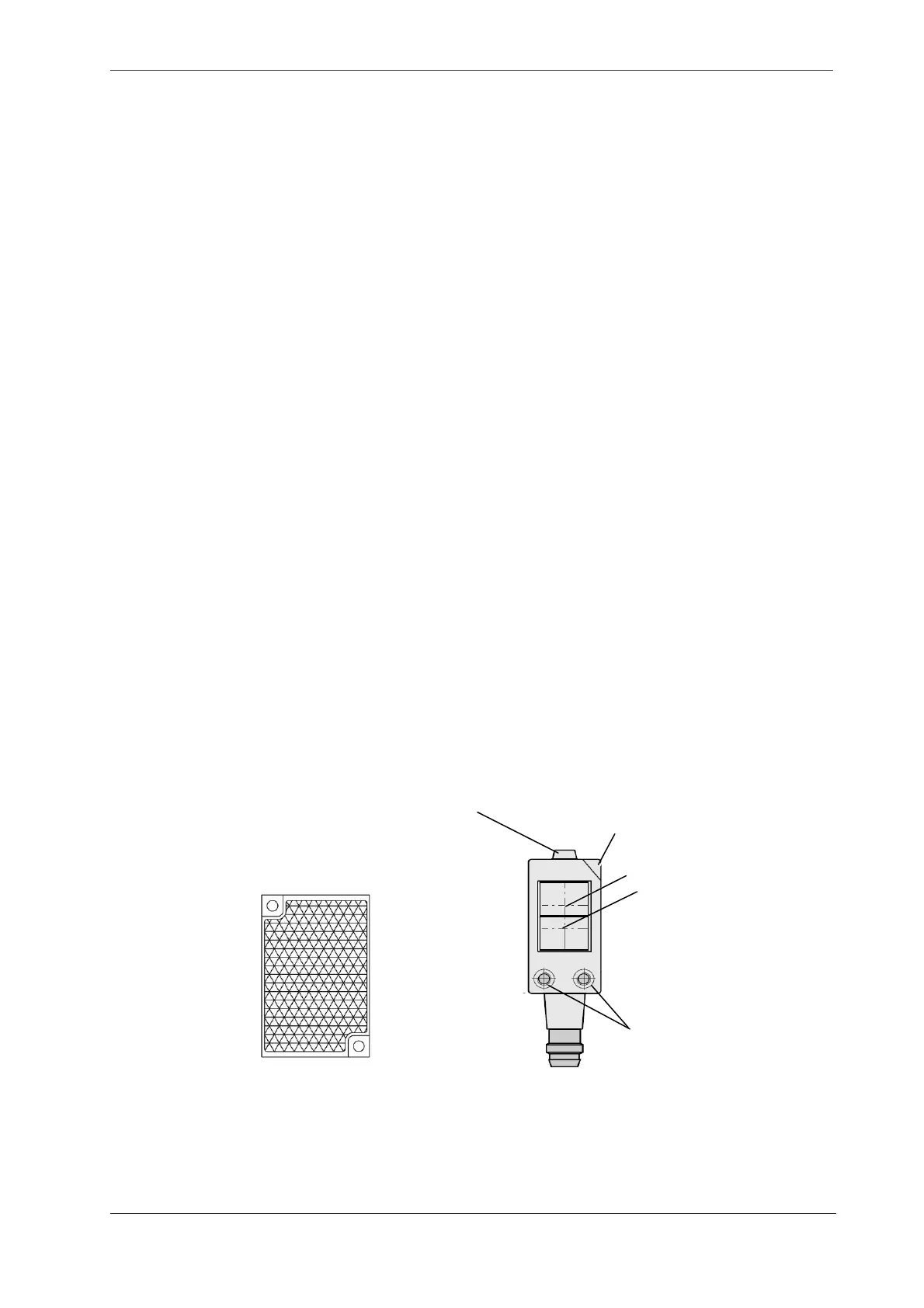
Sensitivit
reset button
Sensitivity control
Signal sender
Signal receiver
Mounting hole
LED signal strength indicator
Fig 11.6-1
11 - 10



 To Next Page