37D-Link DSL-2740M User Manual
Section 3 - Conguration
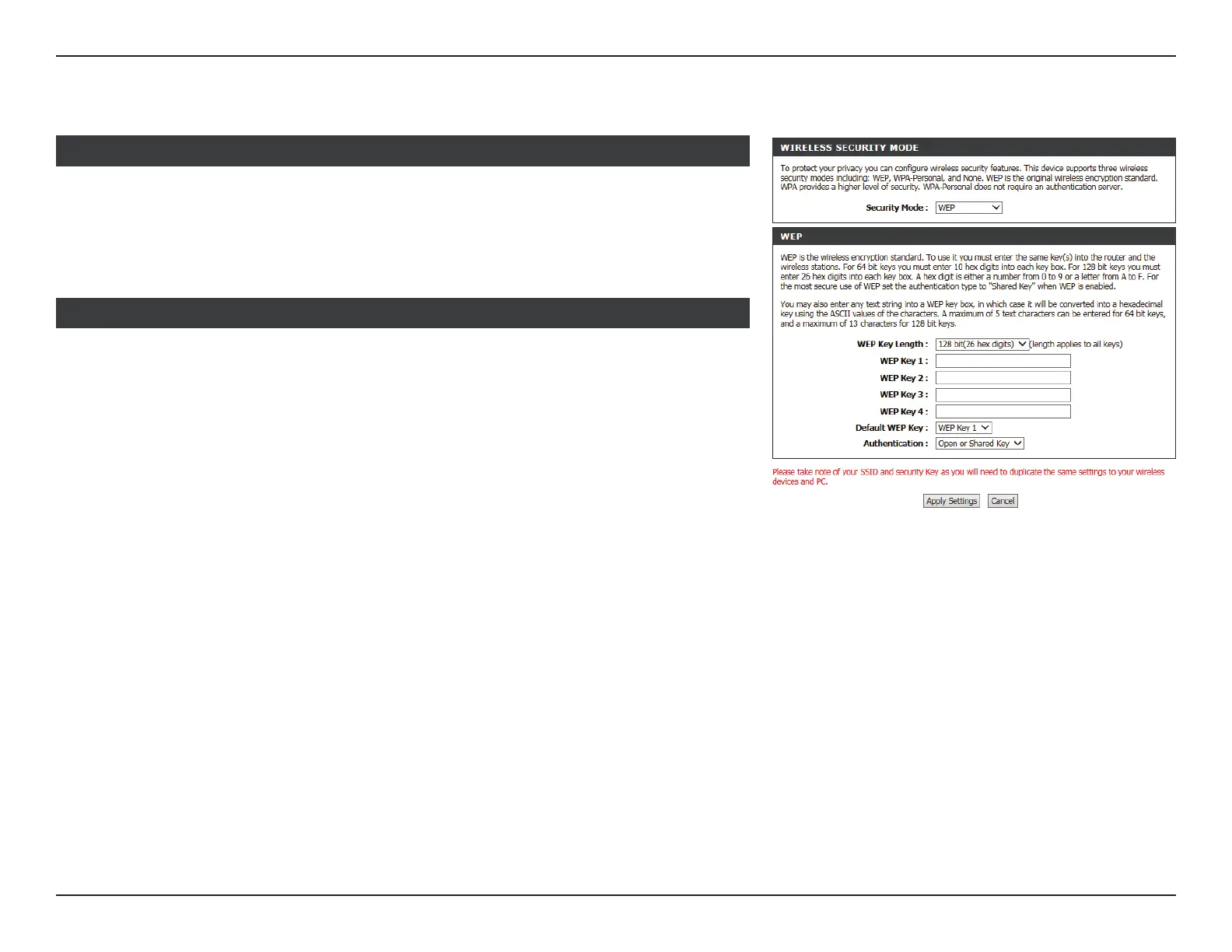
WEP
WIRELESS SECURITY MODE :
Security Mode: WEP. Using WEP encryption is not recommended, as it only oers a
trivial amount of protection for your wireless data. WEP encryption
is only available for use with 802.11b, 802.11g, and 802.11a.
WEP Key Length: Select the Encryption cipher key bit strength. The available options
are 64 bits or 128 bits.
WEP Key1 - 4: Enter a wireless key to use on your wireless network.
Default WEP Key: Select WEP Key 1 - 4 to use.
Authentication: Select either Open or Share Key.
Click Apply Settings to have your changes take eect.
WEP



 To Next Page