53D-Link G530 User Manual
Section 3 - Conguration
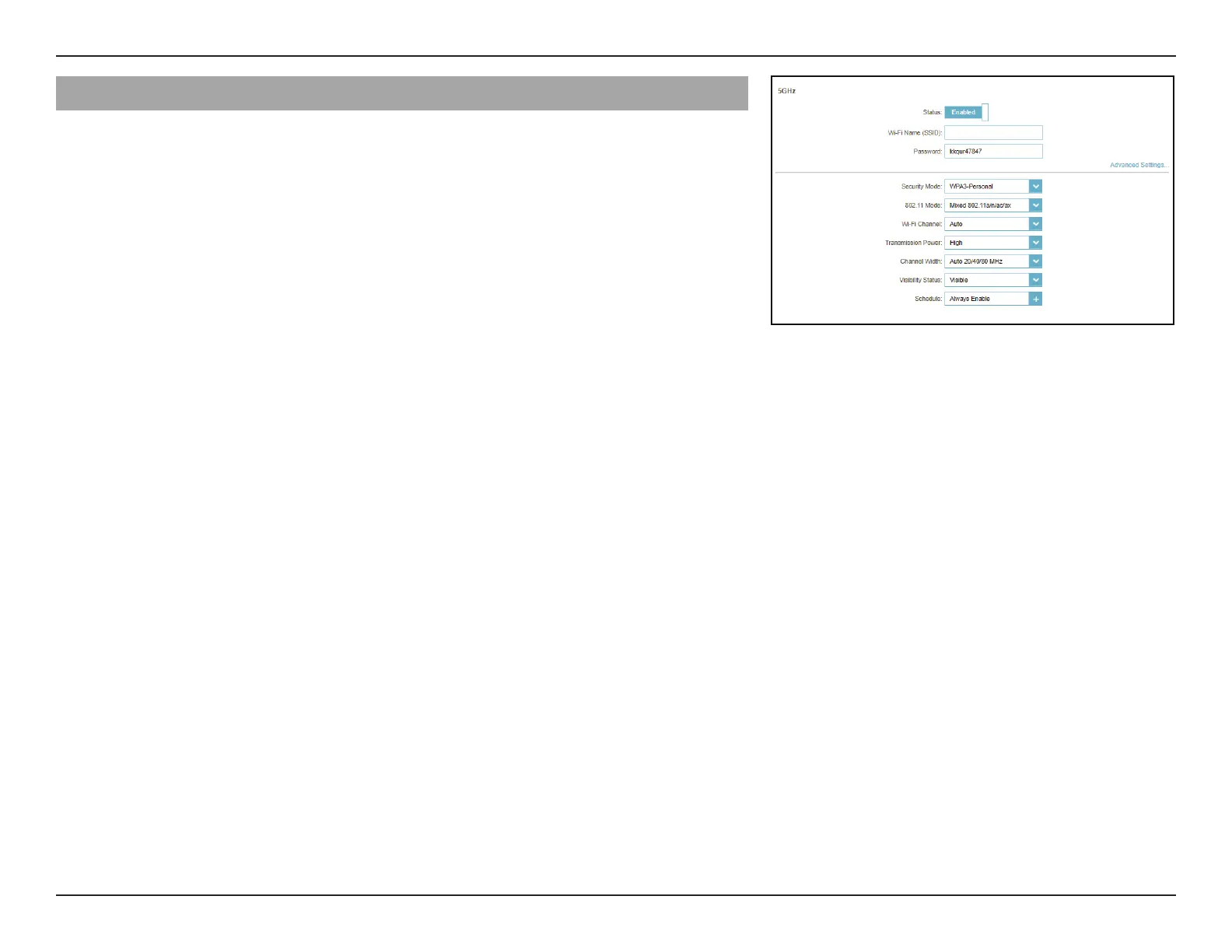
5GHz - Advanced Settings...
Security Mode: Choose None, WPA/WPA2-Personal, WPA2-Personal, WPA2/
WPA3-Persoanl, or WPA3-Personal. WPA3 provides the
highest level of security protection among these modes. Note
that WPS will be disabled if WPA3 is in use.
802.11 Mode (5GHz): Select the desired wireless networking standards to use.
The available options for the 5 GHz wireless network are Mixed
802.11a/n/ac/ax, Mixed 802.11a/n/ac, Mixed 802.11a/n,
802.11ac only, 802.11a only, and 802.11n only.
Wi-Fi Channel: Select a desired channel from 36, 40, 44, 48, 149, 153, 157, 161,
or 165. The default is Auto (recommended).
DFS Channel: If Auto Channel is selected, select this option to help nd one
with the least interference.
Transmission Power: Select the desired wireless transmission power: High,
Medium, or Low.
Channel Width (5GHz): Select Auto 20/40/80/160 MHz or Auto 20/40/80 MHz if you
are using 802.11ax, 802.11ac, 802.11n, and 802.11a devices,
select Auto 20/40 if you are using 802.11n and 802.11a
devices, or select 20 MHz if you are using 802.11a devices.
Visibility Status: The default setting is Visible. Select Invisible if you do not
want to broadcast the SSID of your wireless network.
Schedule: Select the time during which the wireless network will be
available. The schedule may be set to Always Enable or you
can add your own schedule.
To add a schedule:
Each box represents half an hour, with the clock time (0~23) at
the top of each column. To add a time period to a schedule,
simply click on the start time and drag to the end time. You
can add multiple days and multiple periods per day to the
schedule.
G416-BD3A



 To Next Page