29
BEAM SETTINGS
The use of Safety Beams on all installaons is recommended.
To prevent accidents, Safety Beams must be used when enabling Auto Close.
The controller automacally detects when Safety Beams are connected and holds these in memory. If the
beams are removed and not replaced, it is necessary to run a Reset Beams (see below). This funcon will
detect the beams are missing and remove them from memory. If this is not done, they will remain in
memory and the controller will believe there to be “faulty” beams in place.
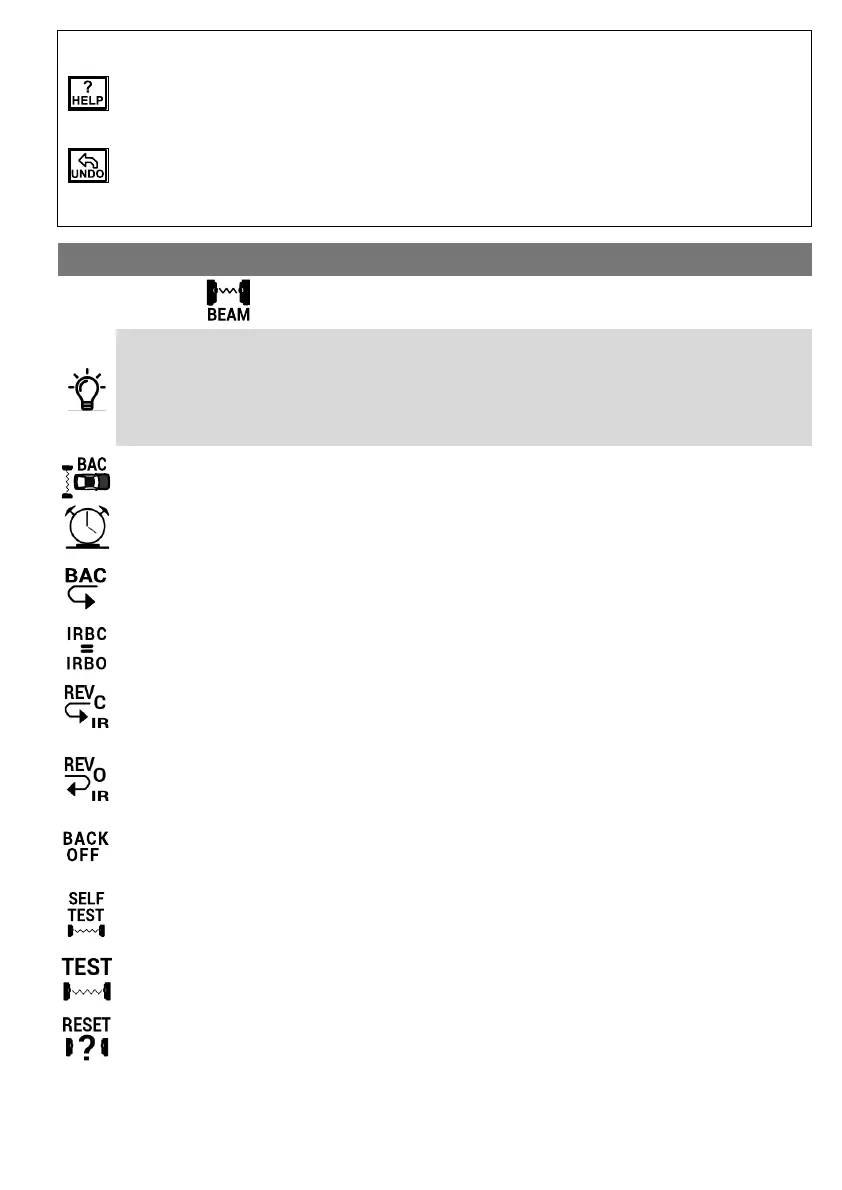
Beams Auto Close
This feature closes the gate automacally as soon as an object has passed through the beams.
Beams AC Time
This feature extends the delay aer an object has passed through the beams unl the gate closes. The
delay can be extended from 1 to 3600 seconds.
Beams AC Reverse
Only oponal if Beams Auto Close is acve. If Beams AC Reverse is enabled, the gate will slowly reverse
back to the open posion if it was closing when the beams are blocked. If disabled, the gate will only
reverse back the programmed Back O Distance.
IRBC Is Also IRBO
With this funcon enabled the Closing Beam will funcon as both Opening and Closing Safety Beams.
Close IR Reverse
If Close IR Reverse is enabled, the gate will reverse back to the fully open posion if the Closing Safety
Beam is blocked while the gate is closing. If it is disabled, the gate will only reverse back the programmed
Back O Distance (see below).
Open IR Reverse
If Open IR Reverse is enabled, the gate will reverse back to the fully closed posion if the Opening Safety
Beam is blocked while the gate is opening. If it is disabled, the gate will only reverse back the pro-
grammed Back O Distance (see below).
Back O Distance
This funcon allows for the seng of a back o run distance of between 0.06 - 3m. See Open & Close IR
Reverse above.
Self Test Mode
If enabled, the controller will test the Safety Beams before closing the gate. This prevents accidental
closure of the gate on an object should the beams be faulty.
Only compable with DuraOpcs Wireless Safety Beams (with dipswitch sengs).
Test Beam
When enabled, the controller will run a test on the Safety Beams to see if they are funconing properly.
Only compable with DuraOpcs Wireless Safety Beams (with dipswitch sengs).
Reset Beams
The controller automacally detects when beams are connected to the system. Once detected, the
beams cannot be disabled unless the Reset Beams funcon is acvated.
CONTROL BOARD FUNCTIONS
Note the following funcons on the TRITEK menu:
Help
To get help on any of the onboard funcons, move the cursor to the specic icon for which more
informaon is required. If the cursor is le standing on the same icon for more than six seconds, a help
screen will automacally appear. To exit the help screen move the cursor again.
Undo
The undo funcon will restore all the sengs of the controller to six hours prior. This is useful if sengs
were changed but it is necessary to revert back to the original sengs. Note: All changes made in the last
six hours will revert back and not just the last item that was changed!



 To Next Page