43
……..connued
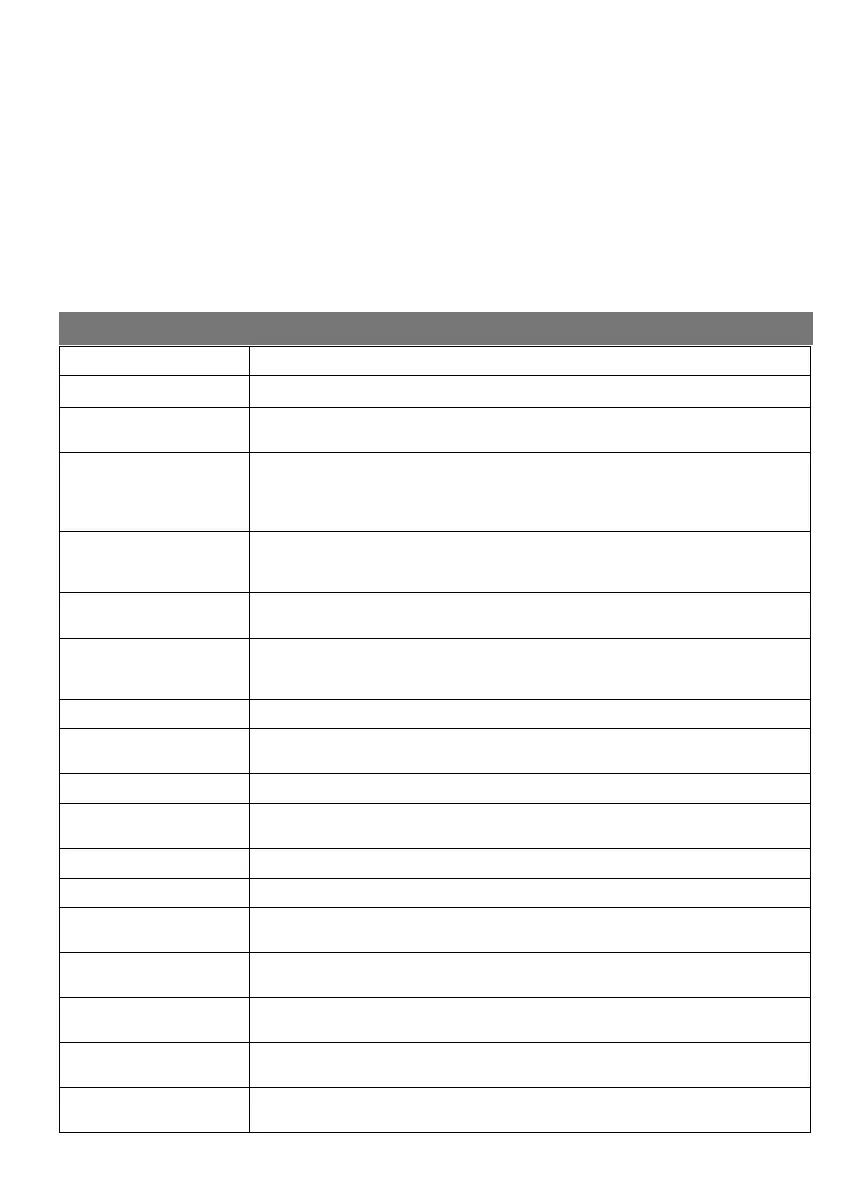
NOTIFICATION MESSAGES
MESSAGE DESCRIPTION
MARKER OK
The Marker Magnet just passed the Marker Sensor and registered.
ARMED
One or more of the alarm inputs is armed and will trigger the alarm output if a valid
alarm condion occurs.
ADD A MINIMUM OF TWO
REMOTES TO MASTER
GROUP
Some funcons require a minimum of two remotes in the Master Group for safety
reasons. A remote belonging to the Master Group is somemes needed to unlock a
feature e.g. locking the Remote Menu to prevent more remotes from being taught
to the system.
MENU LOCK
RELEASED
The Menu Lock was released. the menu may now be entered at any me. This will
happen if either the Menu Lock was disabled or there are less than two remotes
belonging to the Master Group.
PRESS MASTER GROUP
REMOTE BUTTON
A buon from a remote belonging to the Master Group must be pressed to conn-
ue the current operaon.
RECEIVER LOCKED, ONLY
MASTER REMOTES AL-
LOWED
If the receiver is locked, only remotes belonging to the master group will be allowed
to funcon.
BEAMS OK A beams Self Test was performed and the beams are working.
NO TIME PERIODS IN
MEMORY
The user wanted to clear a me period but there aren’t any in memory.
NEW TX LEARNED A new remote or device was learned to the controller.
AUTO LEARN MODE
EXITED
The Auto Learn me expired or the user manually exited Auto Learn mode that was
previously enabled.
SAVING FILE A le is being saved to the USB device.
LOADING FILE A le is being loaded from the USB device.
ACTION FAILED The user tried to save a le to, or load from, the USB device but something went
wrong.
FLASH DRIVE NOT READY There is either no ash drive in the USB port or the ash drive is not formaed using
the FAT le format.
REMOTE ACTIVATION
A remote signal was received. The remote number, group and funcon is displayed.
LIMIT RESET An end stop limit was reached before expected. Based on this limit posion the
controller has adjusted it’s end stop posion.
RUN SETUP
WIZARD FIRST
The operator cannot be used unl the Setup Wizard is run.
ANNUALLY
Many sealed lead acid baeries do not last for more than one year. The baery condion can be checked by
disconnecng the mains supply to the operator. Go to Quick NAV on the LCD screen and press the joysck to
enter the Info menu. Run the gate at least ve mes and then read the baery voltage (BATT. V) to make sure
the baery is holding charge. The voltage should read 11.8V or more for a 12V baery and 23.6V or more for a
24V baery.
REMEMBER TO SWITCH THE POWER BACK ON!
Check all guide rollers on the gate.
Check all brackets and the deterrent devices are secure.
Check the motor is rmly in place and cannot move.
Check the rack for any damage.
Connues……...



 To Next Page