35
OPERATING MODES
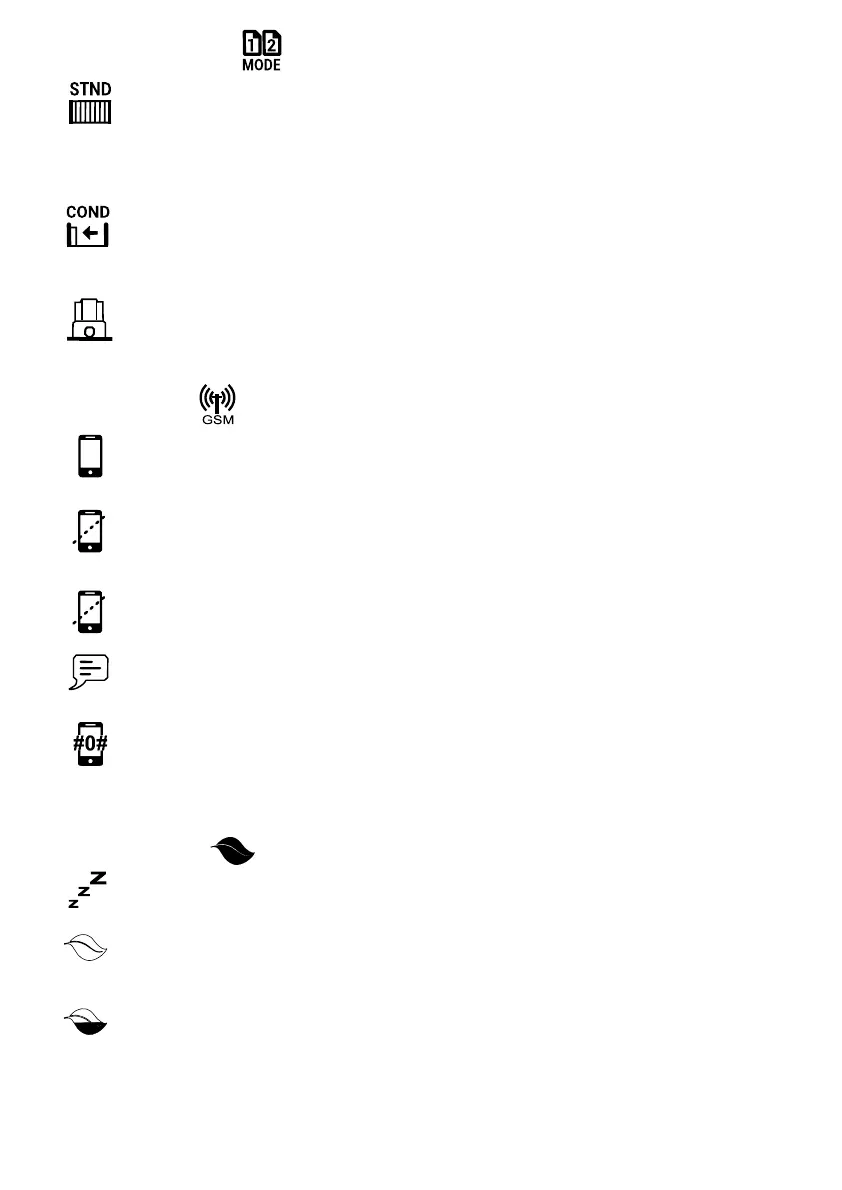
Standard Mode
In Standard Mode the gate will :
• open if it receives a trigger when in the closed posion.
• return to the closed posion if it receives a trigger while open.
• stop if it receives a trigger while it is opening.
• reverse to the open posion if it receives a trigger while closing.
These may dier aer changes are made to other operator sengs
Condo/Mul
Recommended in shared dwellings with many users. The Auto Close funcon must be enabled for this
funcon to operate. In Condo/Mul User mode a trigger input will open the gate but the gate will only
close with the Auto Close or Beams Auto Close funcons. This feature prevents the accidental closure of
the gate on a second user.
Operator Type
When connecting a Tritek controller to an operator that is not a DACE product, use this setting to select
the brand and the series of the operator to ensure compatibility. An Interface Module is required to
connect the Tritek controller to a non DACE product.
GSM SETTINGS
Add Phone Number
Cell phones that are allowed to communicate with the controller to operate the gate are added via this
funcon. These numbers can be entered manually or the controller can be dialled via the phone, while
the funcon is open, to automacally enter the number. Each number added is allocated a ‘User’ number
(0 - 1023).
Delete Number
Cell phones that are no longer allowed to communicate with the controller are deleted via this funcon.
The cell phone number to be deleted can be entered manually or the controller can be dialled via the
phone while this funcon is open to automacally delete the number.
Delete Num By ID
Cell phones that are no longer allowed to communicate with the controller are deleted via this funcon
by scrolling through the User numbers and Cell phone numbers.
Send Warning Msg
Select the cell phone number/s that are to receive warning messages from the controller as a result of
operator faults or alarm conditions via this function.
Balance USSD Number
Enter the USSD number of the controller’s sim card service provider in this function. This is the number
used for the retrieval of the SMS balance. The controller will now automatically retrieve SIM balances
and send this information to the user/s the next time an SMS is sent out. Since an SMS is sent out after
the balance is retrieved, the SMS balance will always be ‘one’ less than reported (this is dependent on
the number of phones receiving messages from the controller).
ENERGY SAVING
Disable Sleep Modes
This feature allows you to disable a sleep mode that might have been previously selected.
Light Sleep
This funcon places the controller into ‘Light Sleep’ when the input power supply fails. Internal processes
and LEDs are switched o but supply to external devices is maintained. Receiver funconality remains
normal. Baery standby me is increased by ± 100%.
Medium Sleep
This funcon places the controller into ‘Medium Sleep’ when the input power supply fails. Internal pro-
cesses, LEDs and external devices connected to the controller are switched o. Receiver funconality
remains normal. Baery standby me is increased by ± 500%.
Connues……...



 To Next Page