32
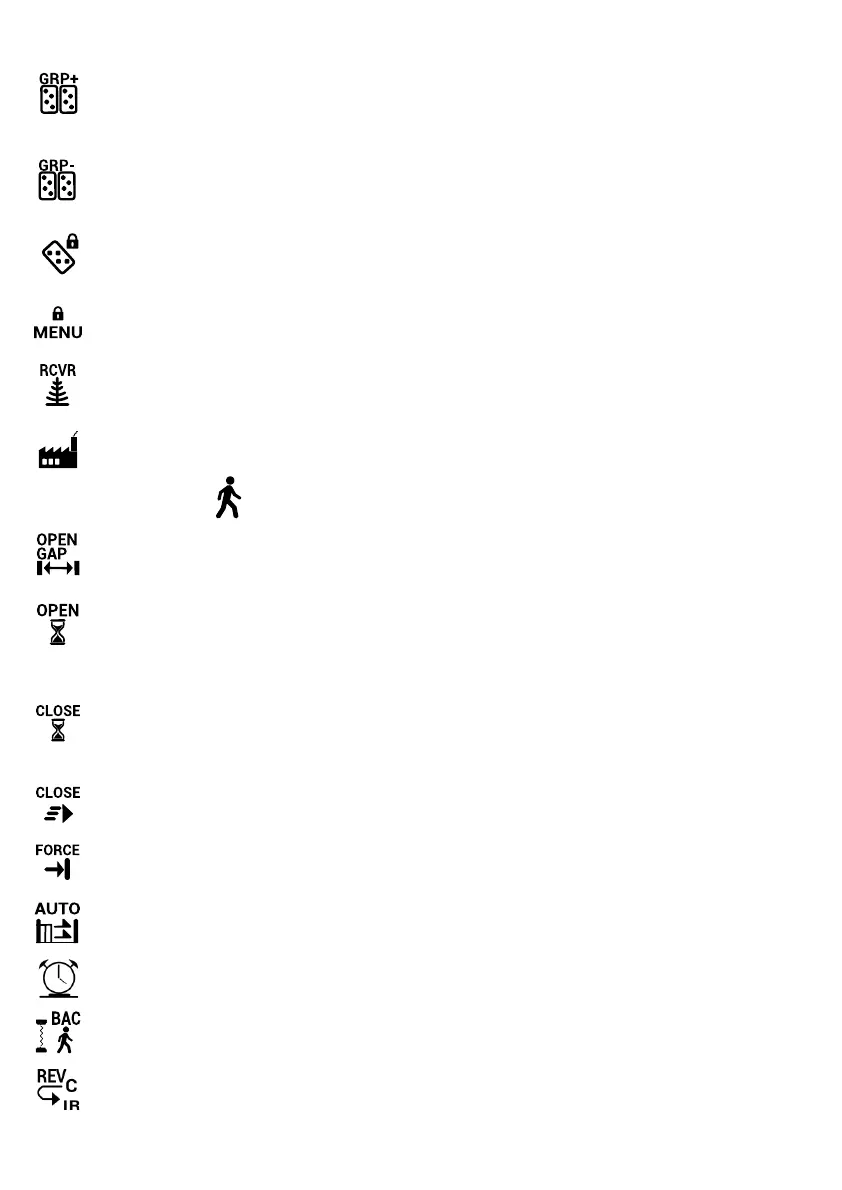
Copy Group
This feature copies the sengs from one group, thereby making it easy to set up a new group with just
minor adjustments.
When seng up a new group for the rst me, use the ‘Copy Group’ funcon to copy Group 0, thereby
creang a new group, and then use the ‘Edit Group’ funcon to customize the new group.
Clear Group
This feature clears all the funcons assigned to a group, eecvely disabling all remotes belonging to that
group. It does not, however, delete the remotes so reassigning the funcons will re-enable the remotes
belonging to the group.
Lock TX Menu
This feature prevents unauthorised users from adding new remotes. Only users in the master group can
add remotes when the Lock TX Menu is enabled. To enable this funcon a minimum of two remotes must
be programmed to Group 0.
Lock Main Menu
If this funcon is enabled, only users belonging to Group 0 can make changes to the controller. To enable
this funcon a minimum of two remotes must be programmed to Group 0.
Lock Receiver
Enabling this feature will lock the onboard receiver. By locking the onboard receiver, any remote that
does not belong to Group 0 will be disabled. Remotes belonging to Group 0 cannot be disabled (see EDIT
GROUP instead).
Erase all Remotes
This funcon erases all remotes currently programmed to the controller.
PEDESTRIAN ENTRY
Pedestrian Gap
This funcon allows you to set the distance the gate will travel when opening for pedestrian access. This
can be set from 0.3 to 3m wide.
Pre Open Delay
Use this funcon to set a 0 - 65 second delay between the acvaon of Pedestrian Trigger and the actual
opening of the gate to the pedestrian open posion. This is useful if a Pedestrian Trigger buon is located
some distance away from the gate, such as on an intercom inside the building, and allows the pedestrian
to walk to the gate before it starts opening.
Pre Close Delay
Use this funcon to set a 0 - 65 second delay between the acvaon of Pedestrian Trigger and the closing
of the gate from the pedestrian open posion. This is useful if a Pedestrian Trigger buon is located some
distance away from the gate, such as on an intercom inside the building, and allows the pedestrian to
walk to the gate before it starts closing. A light can be connected to the controller which will give warning
ashes during the set me delay.
Closing Speed
For pedestrian mode, use this funcon to adjust the closing speed of the gate from between 5 and 20
meters a minute.
PED Closing Force
This funcon sets the Collision Sensing sensivity when closing in pedestrian mode. This seng is gener-
ally more sensive than the normal closing force.
Enable Auto Close
Enabling this funcon allows the gate operator to Auto Close when in pedestrian mode. If Safety Beams
are connected, the Auto Close Time delay will reset every me the beams are obstructed.
PED Auto Close Time
This feature delays the closing of the gate when in pedestrian mode. The delay can be set from 1- 600
seconds. If Safety Beams are connected, the mer will reset aer the pedestrian has passed through.
Beams Auto Close
This feature closes the gate automacally as soon as the pedestrian has passed through the beams.
Close IR Reverse
If Close IR Reverse is enabled, the gate will reverse back to the pedestrian open posion if the Closing
Safety Beam is blocked while the gate is closing. If it is disabled, the gate will stop and not reverse back.
This is used to ‘pinch’ o an entry being used by opportunisc pedestrians.
……..connued



 To Next Page