1-41 HOW TO HANDLE THE VEHICLE
3) To adjust HOUR, press " " of TUNING button while pressing F/C button.
4) To adjust MINUTE, press " " of TUNING button while pressing F/C button.
5) For faster adjustment, keep pressing F/C button and " "(or " ") of TUNING button.
*
1.
LISTENING ON THE RADIO
Turn the knob to the right to turn on the power. Frequency will appear on the LCD panel. If a tape
remains in the tape deck, radio does not operate. Therefore, eject the tape by pressing the EJECT
button.
2. Press the AM/FM(BAND) selection button to select the desired band. 3.
Select the desired station.
4. Use the VOLUME and TONE control knob to select the desired sound.
*
1.
LISTENING ON THE TAPE PLAYER
Turn the knob to the right side to turn on the power.
2. Use the VOLUME and TONE control knob to select the desired sound.
3. Insert the tape into the tape deck while pointing the tapehead to the right-hand side. Radio function
will be switched to tape function.
• In case of loose tape, insert a pencil into the wheel and turn it to tighten the tape.
4. Fast Forward and Fast Rewind
fast forward rewind
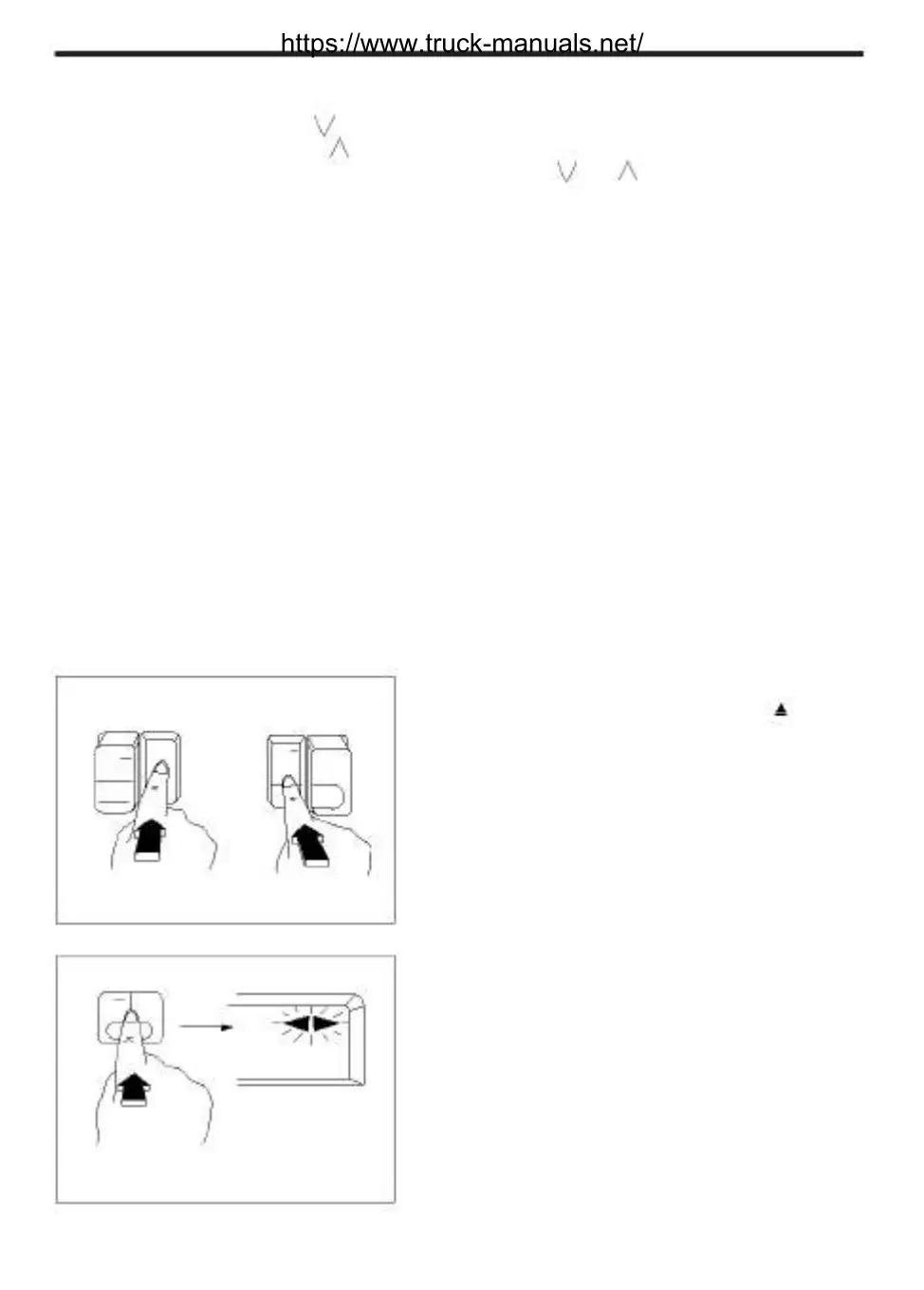
5. To stop playback of the tape, press the " "(EJECT)
button. The tape will stop and be ejected from the
PROG tape deck.
PROG
REW FF
MTA0880
6. Program switching button
Press "REW" and "FF" buttons simultaneously to
PROG
listen to the opposite side while replaying the tape.
RE FF
MTA0890
(Tape advancing direction indicated on the LCD
panel will be changed.)
7. When the end of the tape is reached, it is auto-
matically switched to the opposite direction and
begins playback. (AUTO REVERSE function)
https://www.truck-manuals.net/



 To Next Page