User's Manual
256
these features.
Background Information
After enable the video structuring function, the corresponding smart plan can become valid.
Make sure the connected camera supports video metadata function.
Procedure
Step 1 Select
Main Menu
>
AI
>
Parameters
>
Video Metadata
.
The
Video Metadata
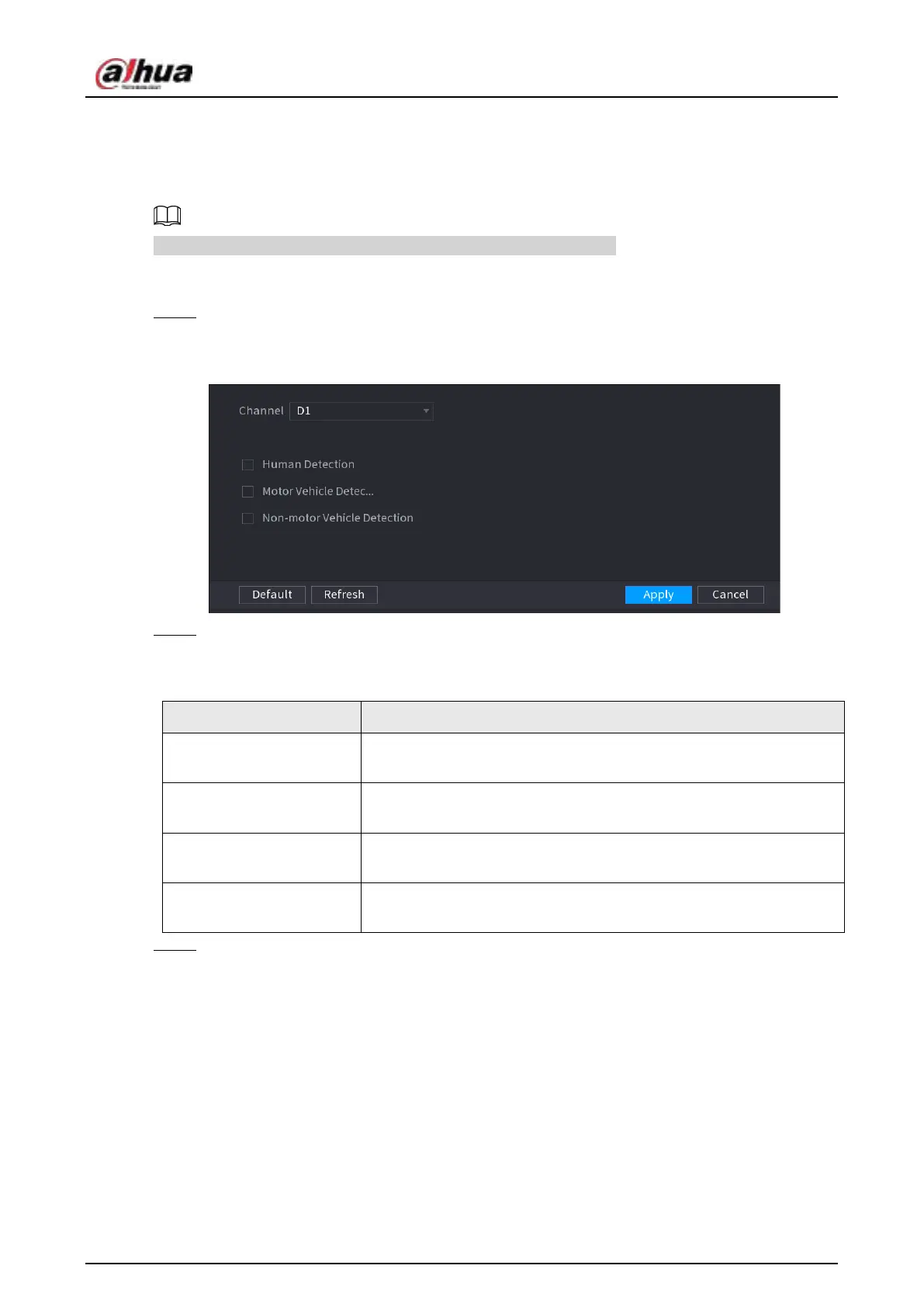
interface is displayed. See Figure 4-155
Figure 4-155
Step 2 In the
Channel
list, select a channel that you want to configure video structuring function,
and then enable it. See Table 4-45
Table 4-45
Parameter Description
Human Detection
Select
Human Detection
and then check the box to enable this
function.
Face Detection
Select
Face Detection
and then check the box to enable this
function.
Motor Vehicle Detection
Select
Motor Vehicle Detection
and then check the box to enable
this function.
Non-motor Vehicle
Detection
Select
Non-motor Vehicle Detection
and then check the box to
enable this function.
Step 3 Click
Apply
.
4.7.2.6 Crowd Distribution
Background Information
Connecting to the front-end device that supports crowd distribution function, system can support
the crowd distribution function. It supports crowd distribution event subscription and receive. It
supports crowd distribution global and regional density settings, linkage alarm and triggered video
storage, or upload the data to the platform. After connecting to the general network camera, the
system adopts the algorithm to analyze the crowd density and trigger the corresponding actions.



 To Next Page
 Loading...