14
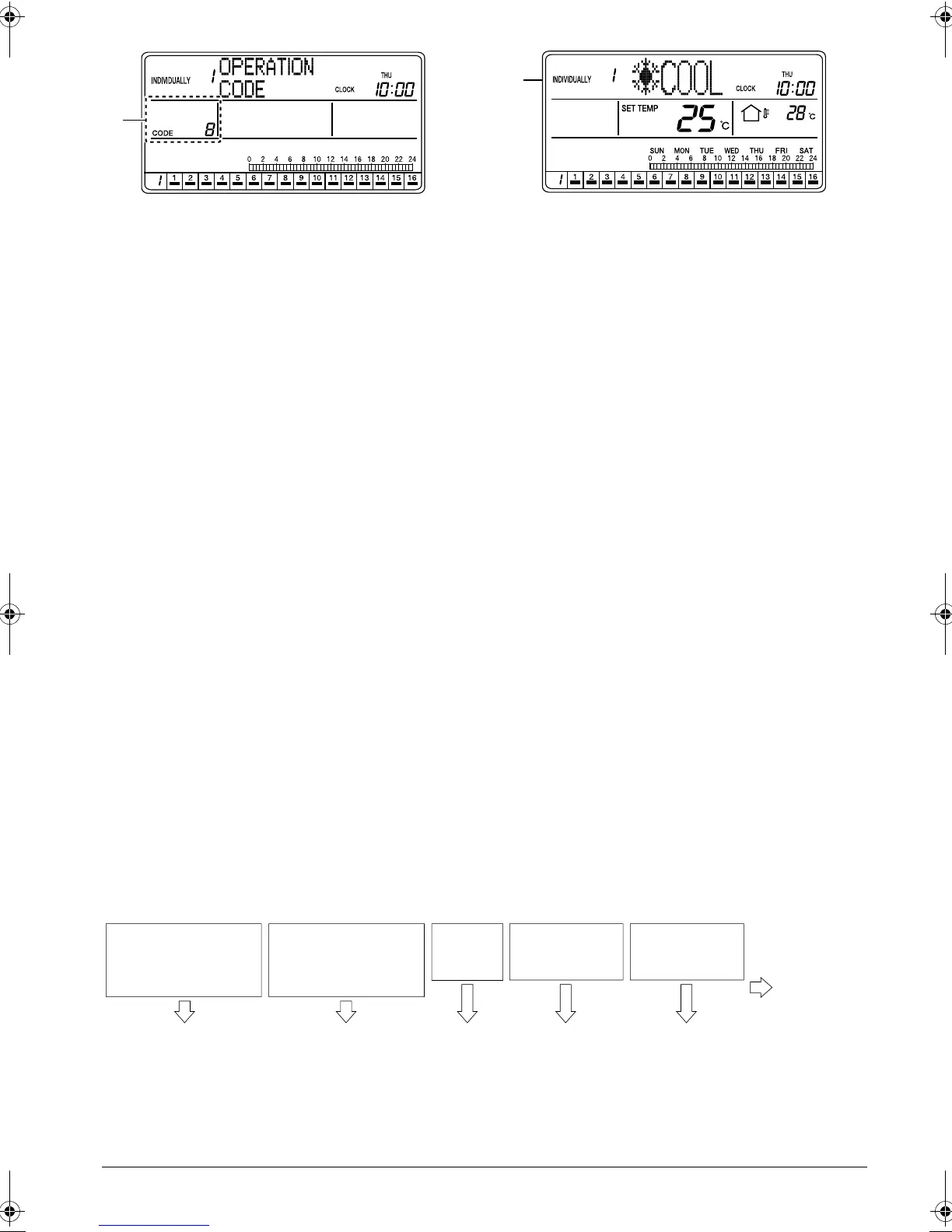
F. Press the SET/CANCEL button (3) once to com-
plete the operation code setting procedure.
The operation code indication blinks for 3 seconds
and changes to constantly On. Then, the display
returns to the ALL screen if the setting was made
in the ALL screen, or to the INDIVIDUALLY screen
if the setting was made in the INDIVIDUALLY
screen.
G. The operation code indication blinks for 3 seconds
and changes to constantly On. Then, the display
returns to the ALL screen if the setting was made
in the ALL screen, or to the INDIVIDUALLY screen
if the setting was made in the INDIVIDUALLY
screen.
* Regarding the details of operation codes, refer to
“Details of Operation Codes” on the following
page.
[Details of Operation Codes]
Twenty modes, which are combinations of one of the following operation control modes and the remote ON/OFF, set
temperature and operation mode that can be performed with a remote controller, can be set in operation codes 0
through 19. They can be also displayed on the screen.
• Prohibit Remote Controller ............................. To enable ON/OFF control only from the central remote controller.
(Remote controllers cannot be used for ON/OFF control.)
• Permit Only OFF from Remote Controller...... To enable ON control only from the central remote controller and
allows the use of remote controllers for OFF control only.
(The central remote controller can be also used for OFF control.)
• Central Controller Priority............................... To enable ON control only from the central remote controller and
allows the use of remote controllers for ON/OFF control of units
that were turned on by the central remote controller.
• Last Button Priority......................................... To enable ON/OFF control from both the central remote controller
and remote controllers.
• Remote Controller Permit Timer..................... To enable ON/OFF control from remote controllers during the
SCHEDULE timer operation, and disallow the central remote con-
troller to turn on units at the programmed ON time.
(Use of remote controllers is permitted at the programmed ON
time, and use of remote controllers is prohibited at the pro-
grammed OFF time. Air conditioners turn off at the programmed
OFF time.)
How to select an operation code
• When using a remote controller, select either permit or prohibit for each of the ON/OFF, set temperature and
operation mode settings, and set the operation code indicated in the rightmost column in the table below.
F
G
ON from remote
controller
(All ON from central
remote controller)
ON from remote
controller
(All OFF from central
remote controller)
OFF from
remote
controller
Temperature
adjustment from
remote controller
Operation mode
setting from
remote controller
Operation
code is “1”
Prohibit Prohibit Prohibit Permit Permit
(Examples)
01_EN_3P124623-10N.fm Page 14 Monday, January 28, 2008 4:58 PM



 To Next Page